GridVis Startup behavior with existing license
Note
The following information is provided for users who already have an existing GridVis license. The licensing procedures GridVis Desktop and GridVis Web start with are described here.
Behavior when starting GridVis Desktop
|
Initial situation |
Licensing procedure after starting |
Explanation |
|
Valid old license present |
GridVis Desktop starts with the previous license model |
GridVis automatically detects that an old license is present and starts in the corresponding mode |
|
No license present |
Starts with the current license model |
|
|
Valid current license present |
Starts with the current license model |
|
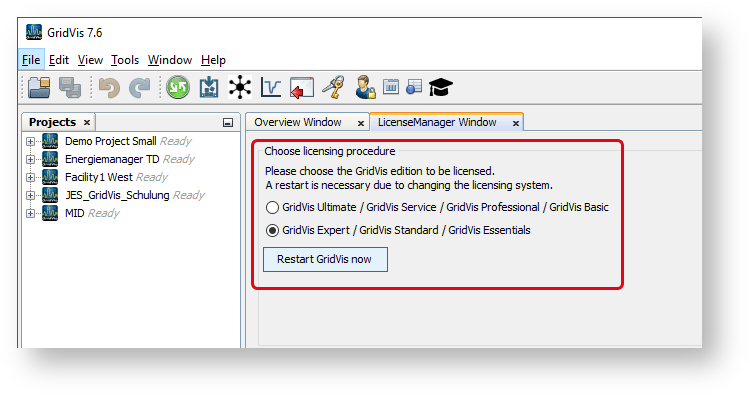
To view or select the active licensing procedure, click the License Management button.

The License Manager window opens.
The active licensing procedure is selected.
If you want to change the licensing procedure, click the corresponding radio button and restart GridVis via the button.
GridVis will now always be started with the selected procedure.
Behavior when starting GridVis Web
|
Initial situation |
Licensing procedure after starting |
|
The service starts with the previous license model |
|
The service starts with the current license model |
|
The service starts with the current license model |
To display the active licensing procedure, click the License dialog box in the System menu.
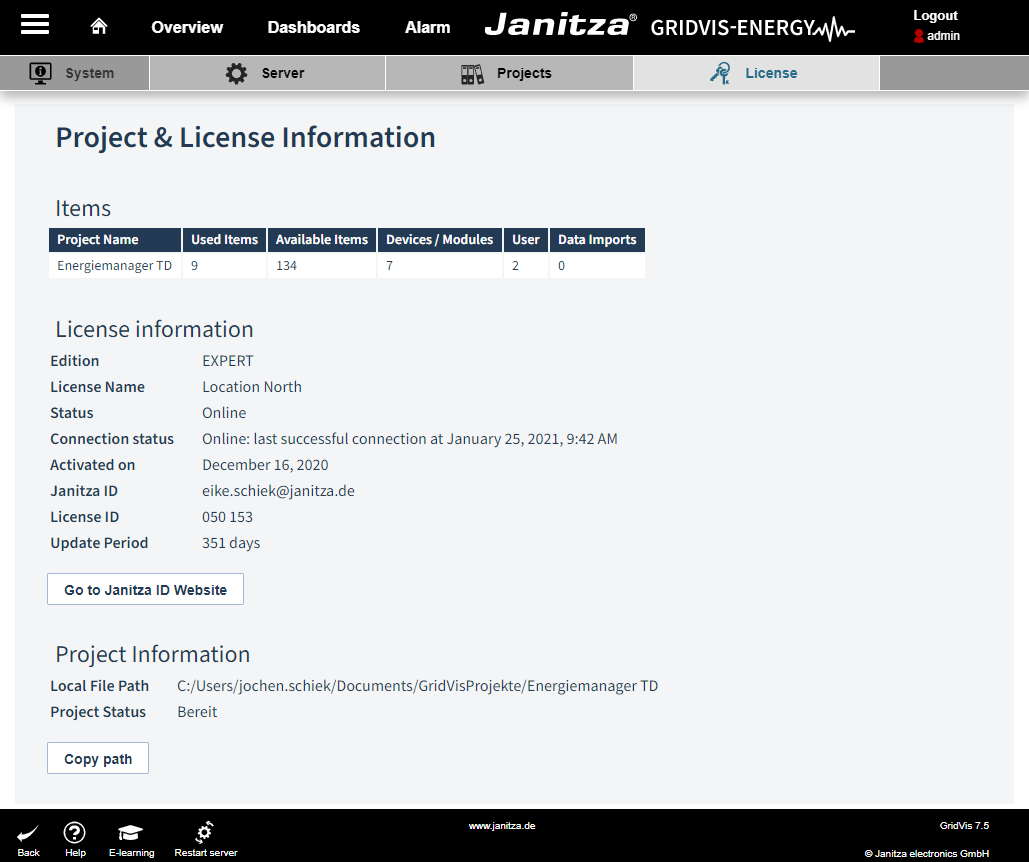
License information; in the example, the current license model