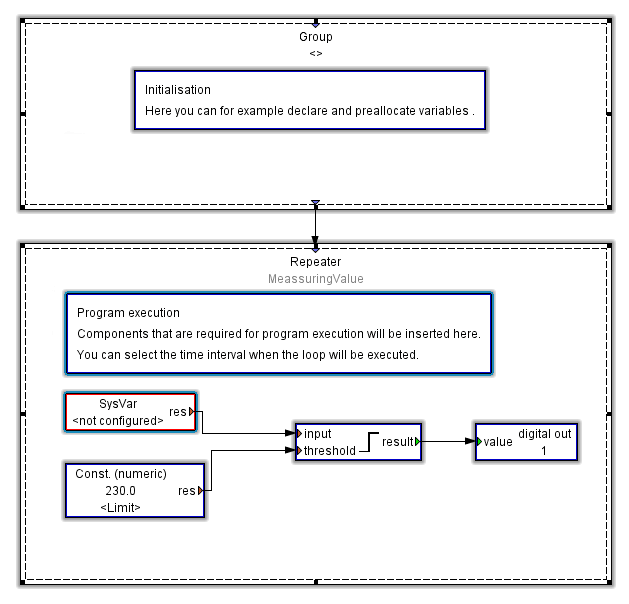
Comparator template
The JASIC example comparator creates a JASIC framework in order, for example, to compare measured values with a boundary value. If the boundary value is exceeded, the system switches to digital output 1.
You will require the following modules for this: Sys-Var, Const. (Numeric), Comparator Above threshold value and Digital output. The various modules are configured by double-clicking the respective module.
Example:
Open the properties of the module SysVar by double clicking it.
Click the button Select values.
Select a measured value within the tree structure and confirm it with OK.
Open the properties of the module Const. (numeric) by double clicking it.
Enter the value of the constants (e.g. a boundary value).
Open the properties for the Comparator module Above threshold value and set the desired hysteresis width, pre-run and after-run time.
Open properties of the module Digital output and set an output.