Online Recorder
Valid for
|
GridVis editions |
Software platform |
|
|
|



General description
The online recorder enables reading and recording of current measured values. The recording of these online measured values can be configured individually for each project and saved in a database. Online measured values are those values that a measurement device measures and calculates continuously. The online recorder is also used to analyze and diagnose communication errors between the measurement device and GridVis. The online recorder can be found under Administration < Online Recorder.
Functions
|
Position |
Description |
|
1 |
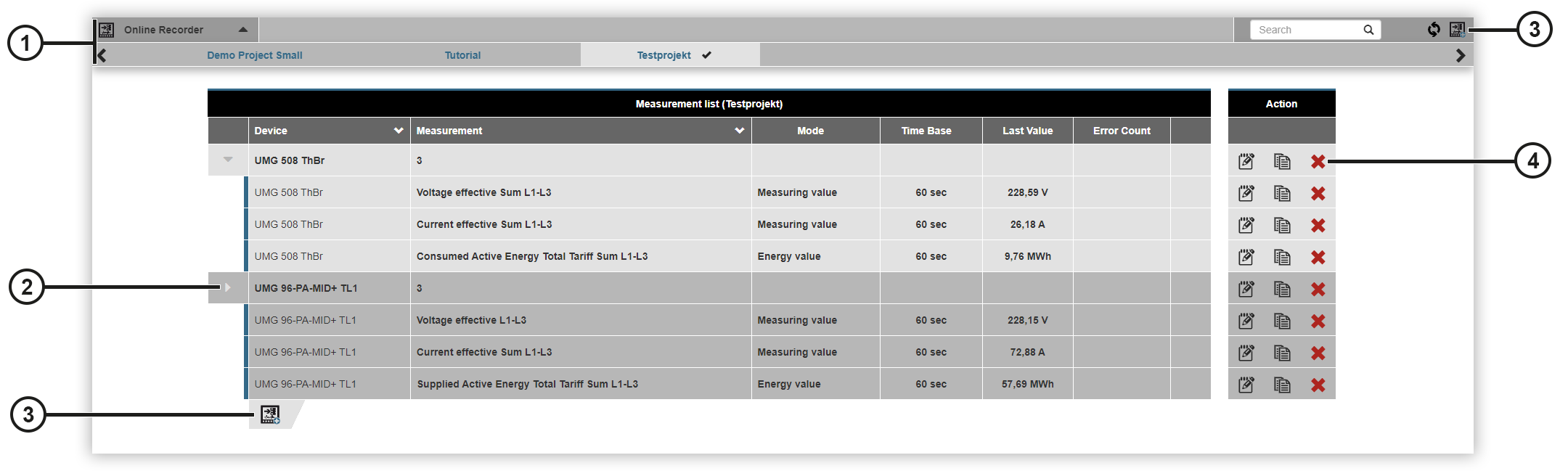
Displays the projects in GridVis Web. Click on the triangle symbol to show or hide your project list. The |
|
2 |
Shows the added measurement devices and the associated grouped measured values. Click on the triangle symbol to show or hide the measured values of the device. The line turns red if the error counter exceeds the set error limit value (see Configuration ). |
|
3 |
Click on the Click on the |
|
4 |
|
 symbol marks the selected project.
 symbol to set the error counter to 0.
 symbol to add new devices. The
  Opens the
  Copies the selected measured value line with all measured values and opens the
  Deletes your measured value line.
Configuration
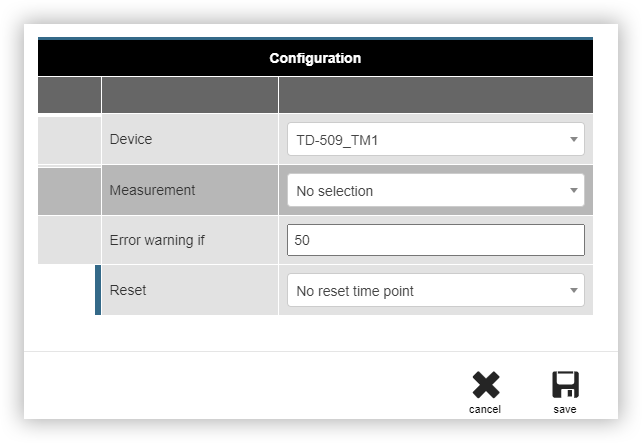
Configuration without measured value selection
In a configuration with no measured values, you configure the error counter for your device. The error counter is used to analyze and diagnose communication errors.
Select the measurement device.
Specify the number of errors above which the red error warning should be displayed.
Select the rhythm according to which the error counter is to be reset.
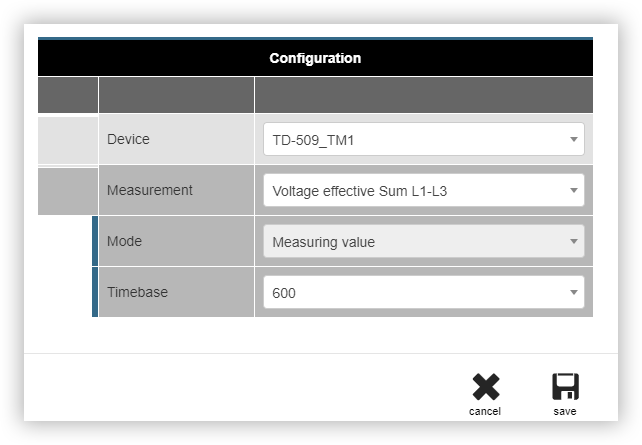
Configuration with measured value selection
In a configuration with measured values, current measured values are read out and recorded.
Select the measurement device.
Select the measured value. The calculation mode is then automatically selected by GridVis.
Select the time base to be used to read out the device. The selectable times are in seconds.