Recording
Settings
Measured values
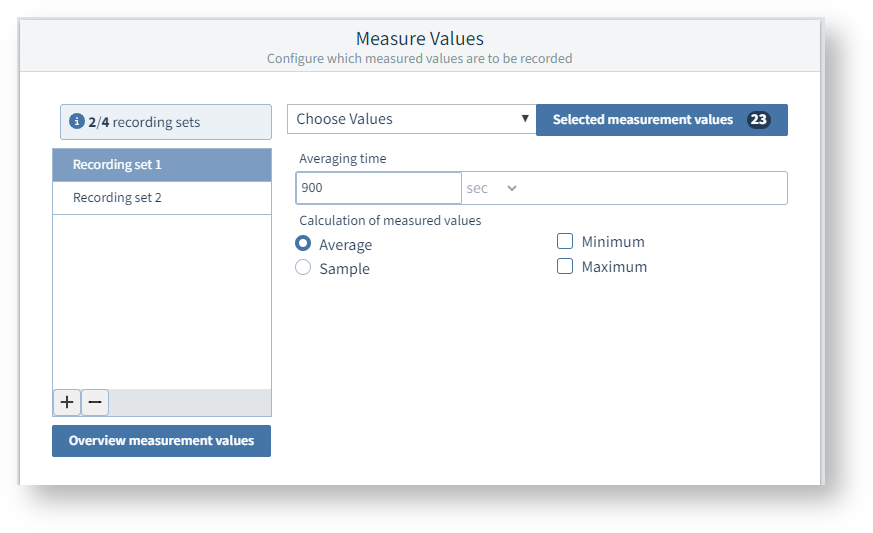
This is used to configure which measured values the measurement device records at what interval.
You can program several recording sets with different measured values and averaging times.
Several recording sets are already predefined. You can customize these, or create additional recording sets.
How to check which measured values are recorded:
Select the recording set .
Click the Selected measured values button to display the programmed measured values of this recording set.
Click the button Overall overview of measured values to display the programmed measured values of all recording sets.
How to change the recorded measured values:
Select the Recording set.
Click the Select measured values drop-down list.
Set the Averaging time and Measured value calculation.
|
Measured value calculation |
Meaning |
|
Average value (arithmetic) |
Arithmetic mean of the measured values over the specified time interval. |
|
RMS * |
Root-mean-square value of the measured values over the specified time interval. * only available with PQ-L series |
|
Sample |
Measured value (instantaneous value) at the end of the specified time interval, i.e. no averaging. |
|
Maximum / Minimum |
Maximum or minimum values in the time interval |