Download GridVis
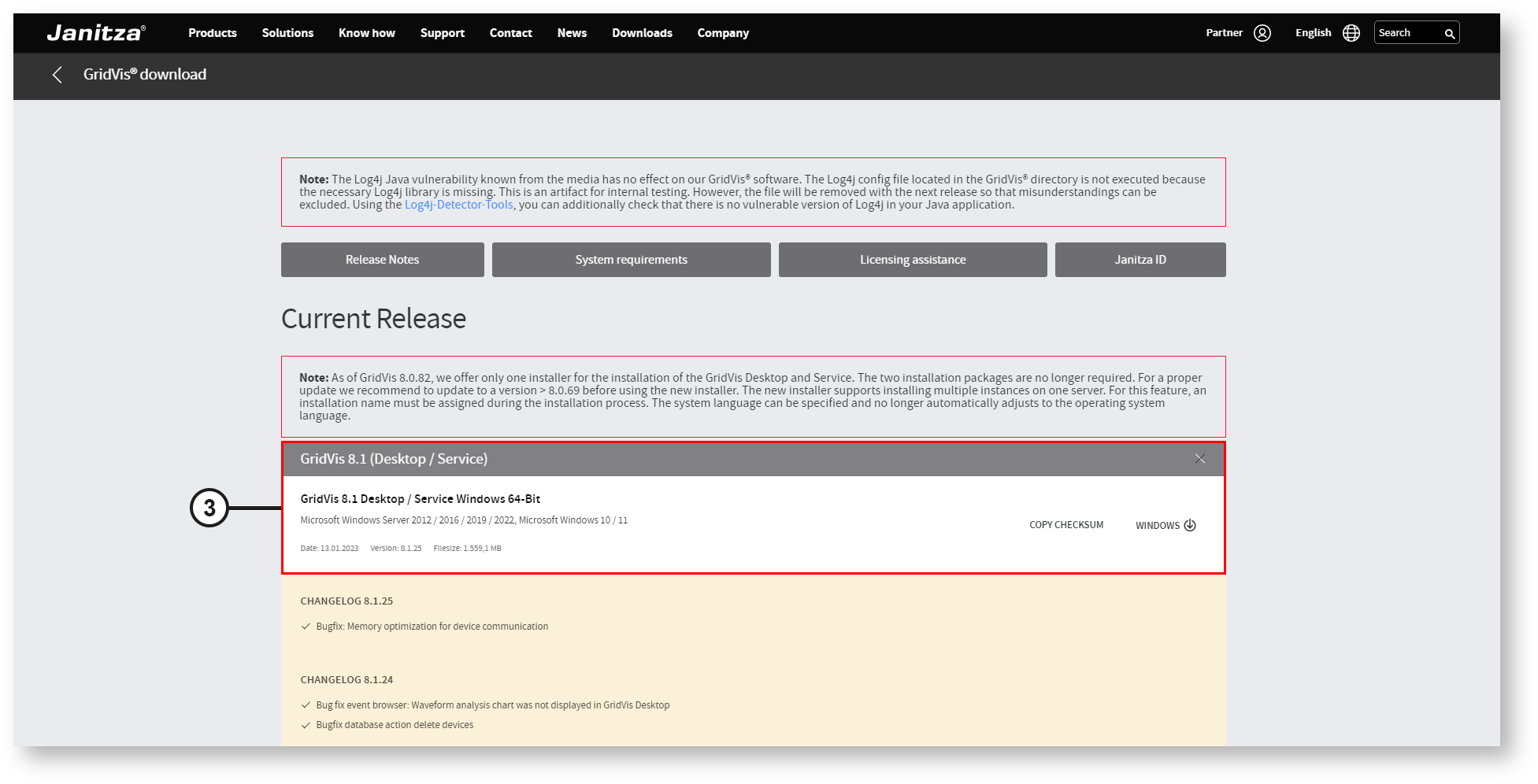
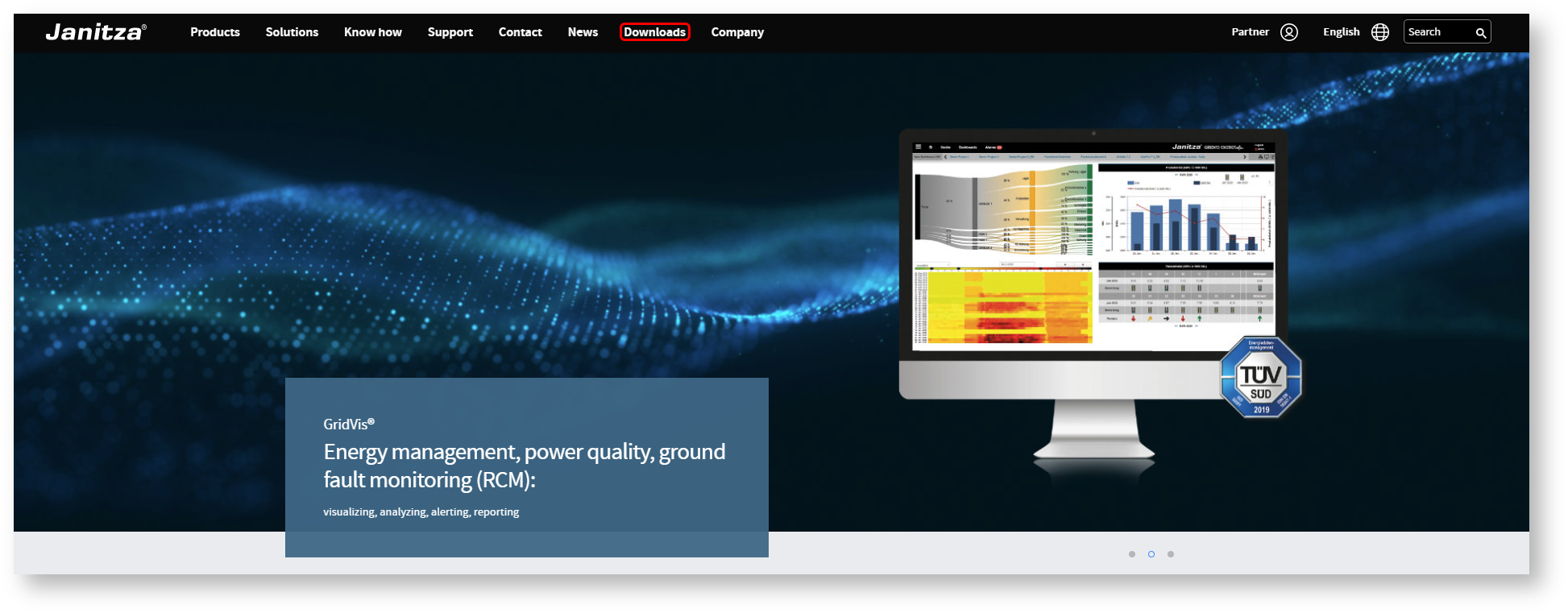
Current GridVis versions can be found in the download area on our website ( Download Center ):
GridVis Installation

GridVis Desktop Installation
Note
Before you start the installation, make sure that you have the necessary user rights! If necessary, contact your system administrator.
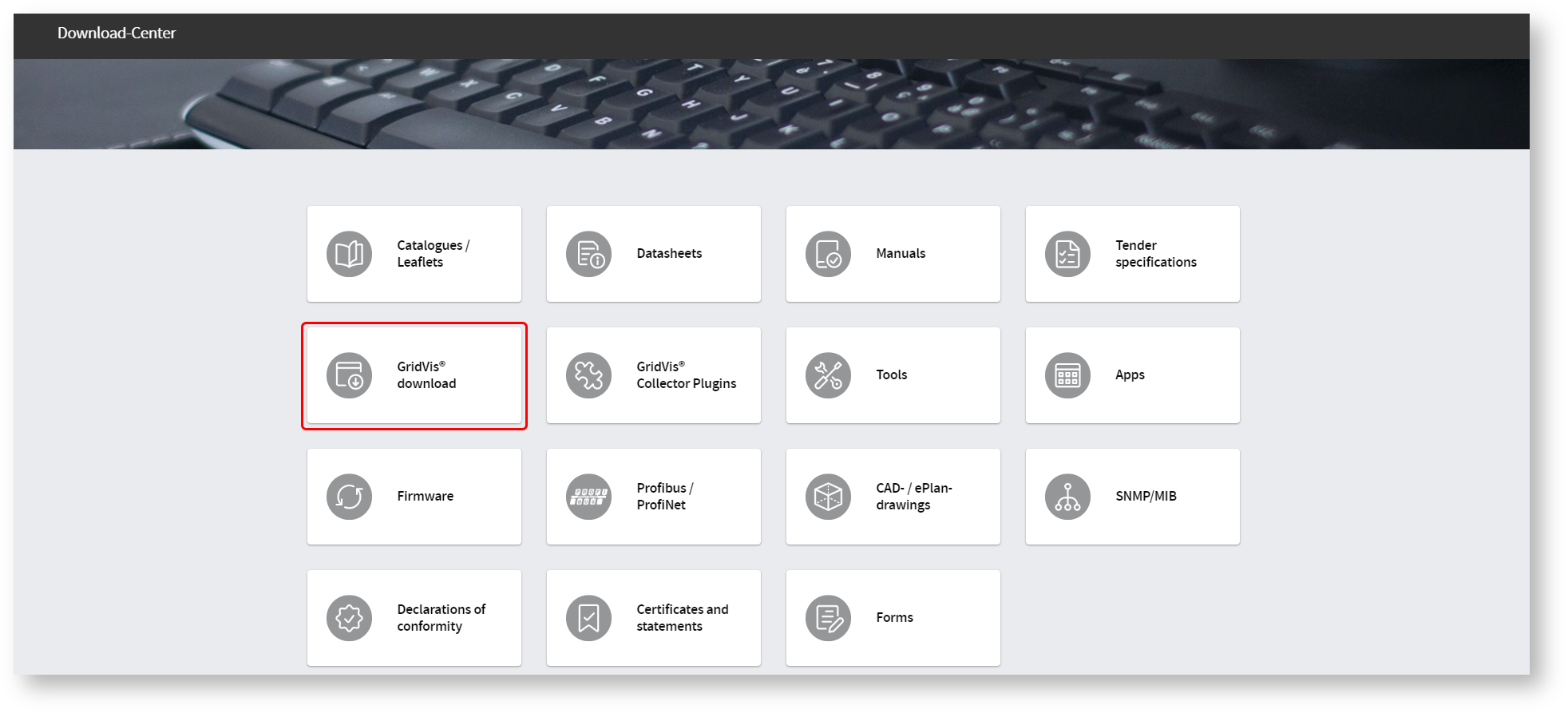
In the "Current Release" area, the most recently published GridVis version is available for download.
Click directly on the GridVis action bar (1). This gives you detailed information about the current release.
In the "Beta Release" area, the most recently published beta version of GridVis is available for download.
Click directly on the GridVis action bar (2). This gives you detailed information about the beta release.
Note
Beta releases have an experimental status and are not yet approved by Janitza. It is recommended to use beta releases for testing and demonstration purposes only. An update may result in existing functions being restricted or downgrades (installation of an older version) no longer being possible.
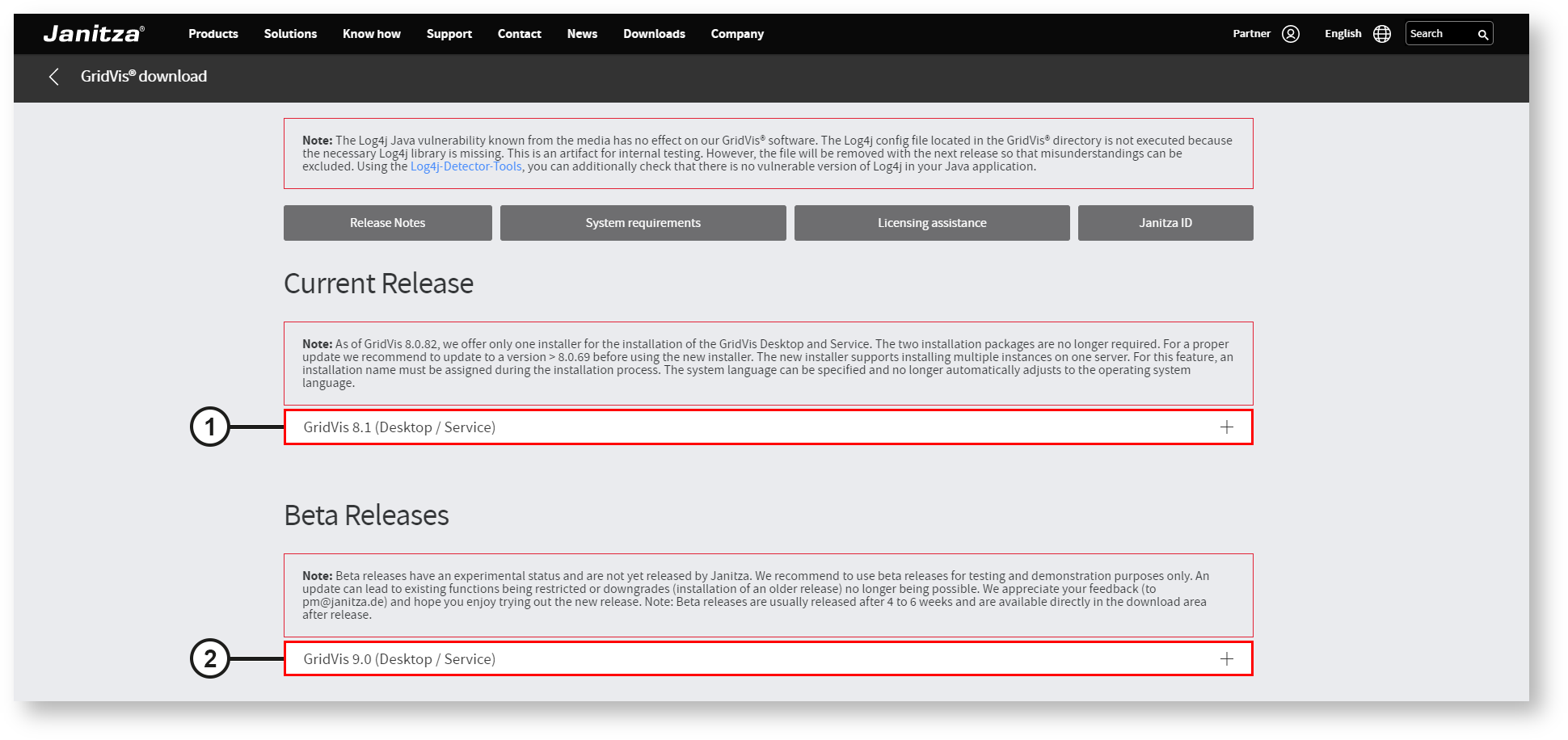
Click on the "GridVis Desktop / Service" button (3) to start the download.
The browser saves the installation package (executable/exe file) in the "Downloads" directory of your computer, unless you have made other settings.