User interface
Valid for
|
GridVis editions |
Software platform |
|
|
|


|
Position |
Control element |
Description |
|
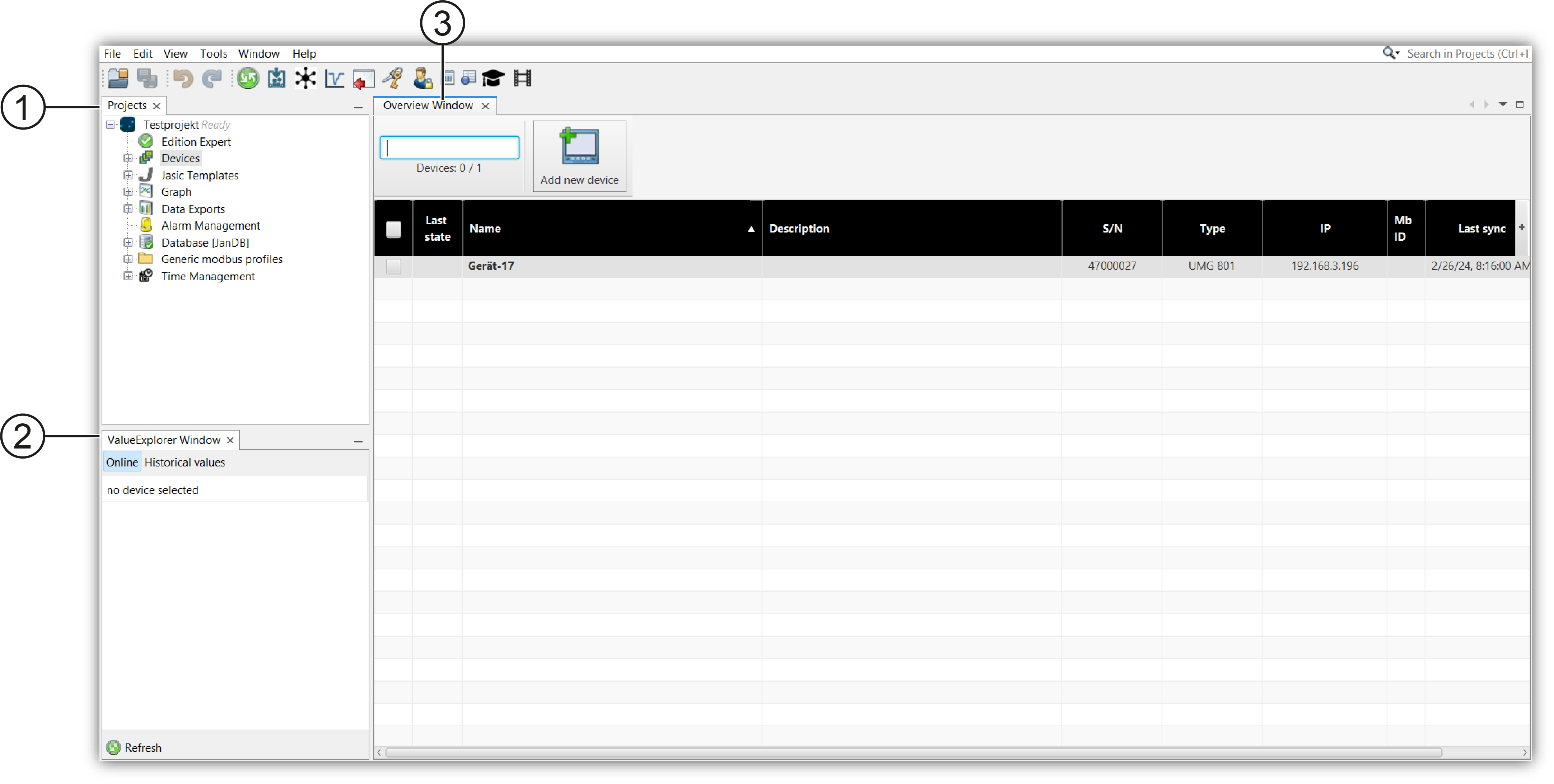
1 |
Project window |
All open projects are displayed in the project window. |
|
2 |
ValueExplorer Window |
If a device is selected in the project window, the online values and the historical values are visible in the ValueExplorer Window. The values can be displayed via drag & drop from the ValueExplorer Window. |
|
3 |
Display area |
Selected elements from the project and ValueExplorer Window are shown in the display area. Depending on the selected element, a new window opens in the display area, such as an overview window or the configuration window. |