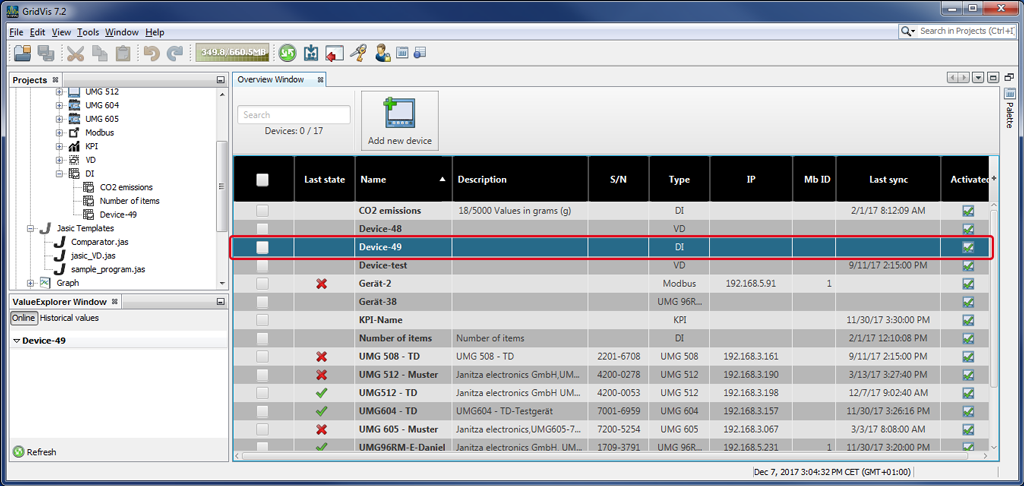
Create New Data Import (DI)
You can create a new Data Import (DI) as follows:
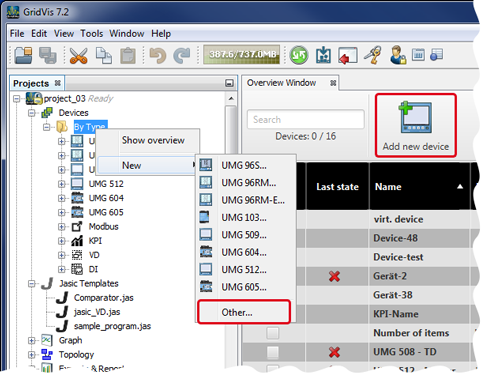
After you have opened the window Projects, right-click on the directory entry By Device Type.
A context menu opens.
In the context menu under the entry New in the list of devices, click on the entry Other.
or
in the overview window Devices of your project, click on the button Add New Device.
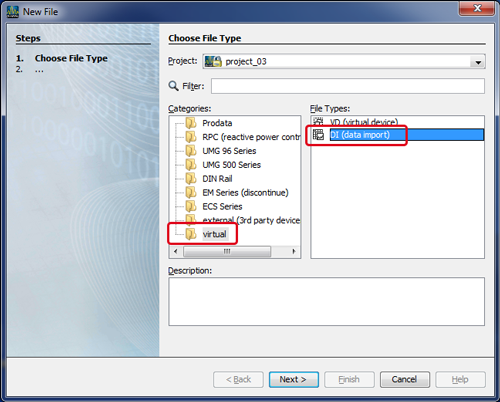
The window New File opens.
In the first step (Select File Type), select the category Virtual (Virtual Measurement Points) and the file type DI (Data Import).
Click on the button Continue.
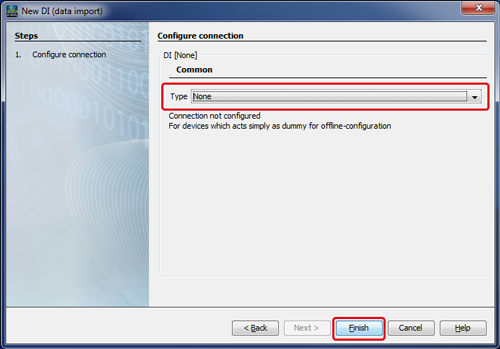
The window New DI (Data Import) opens.
In the first step, select the connection type Without Connection. The connection type Without Connection represents devices without a connection, as a placeholder for the offline configuration.
Click on the button Done.
You device for the data import (DI) will now appear in the list of devices in the overview window.