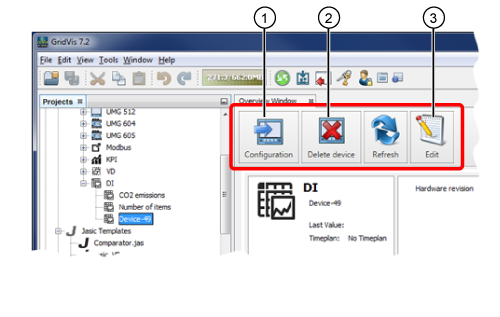
Data Import (DI) - Overview Window
Data Import (DI) - Configuration
Data Import (DI) - Delete Device
Data Import (DI) Edit
Description
With the function Data Import (DI), the GridVis user has the option of entering external values (power values, performance values, values from other media) manually or via CSV Data Import into the GridVis software. You can display and analyze your values with the configuration of System Variables or User-Defined Variables .
After you have set up a DI device for data import (see Create New Data Import ), you can single-click on the respective DI Device in the Projects Window to open the Overview Window.