Time-controlled starting of procedures
Activation delay
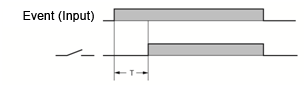
A switch in accordance with the set switch on delay occurs once the scheduled delay time has expired - which in turn changes the status. Using Start or End, additional procedures can be initiated when starting or when finishing a switching event. If the input is switched off during the delay (T), the active delay will be deleted.
Example: Switch on delay control
Shutdown delay
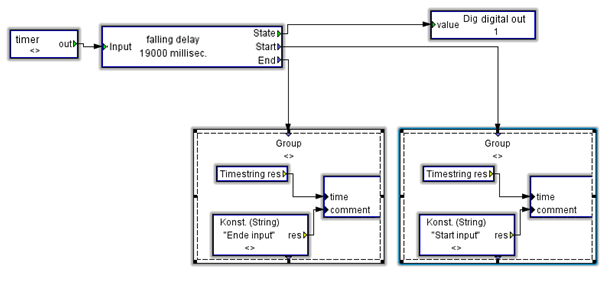
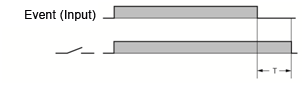
A switch to the Status and Start outputs occurs when an input event starts. Once the input event has finished, the set delay starts and switches the Status and End outputs on expiry of the delay period. If the input is switched again during the delay, the active delay will be deleted and started again.
Pulse generator
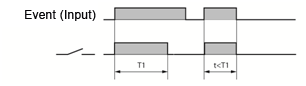
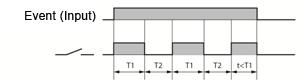
An output switch occurs when an input event starts. Once the pulse time (T1) has lapsed, a switch occurs again and the preset time for the length of the pause (T2) starts. The outputs switch again once the duration set for the pause has lapsed. The pulse activity continues for as long as the input is present.
Slip contact
The outputs are switched when an input event starts. If there is an input event, the outputs will be switched again once the preset time for the slip contact has lapsed.