Comtrade Export
Valid for
|
GridVis Editions |
Software platform |
|
|
|



A Comtrade export allows you to export measurement data in the Comtrade format. Comtrade stands for "Common Format for Transient Data Exchange" and is a standard format for the storage and exchange of transient data in the field of electricity supply. Comtrade files are an important tool for data recording and analysis in the field of electrical energy supply. They enable you to process and interpret measurement data in a uniform manner and facilitate fault diagnosis and rectification in power supply systems. Proceed as follows to create a Comtrade export:
In the Power Quality section, select the Comtrade Export entry in the Exports area and click on the Configure button.
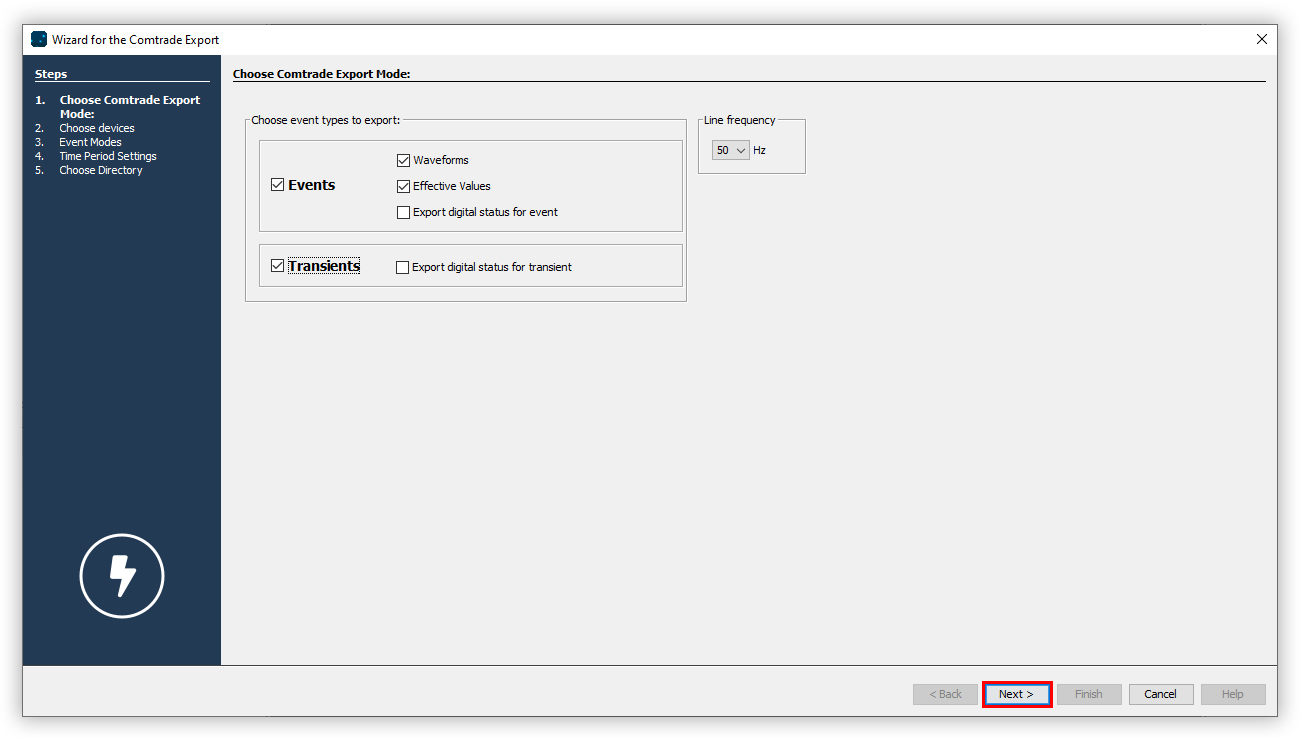
Choose which event types will be exported. Then select the grid frequency and click the Next button.
Choose the devices to be included in the export and click the Next button.
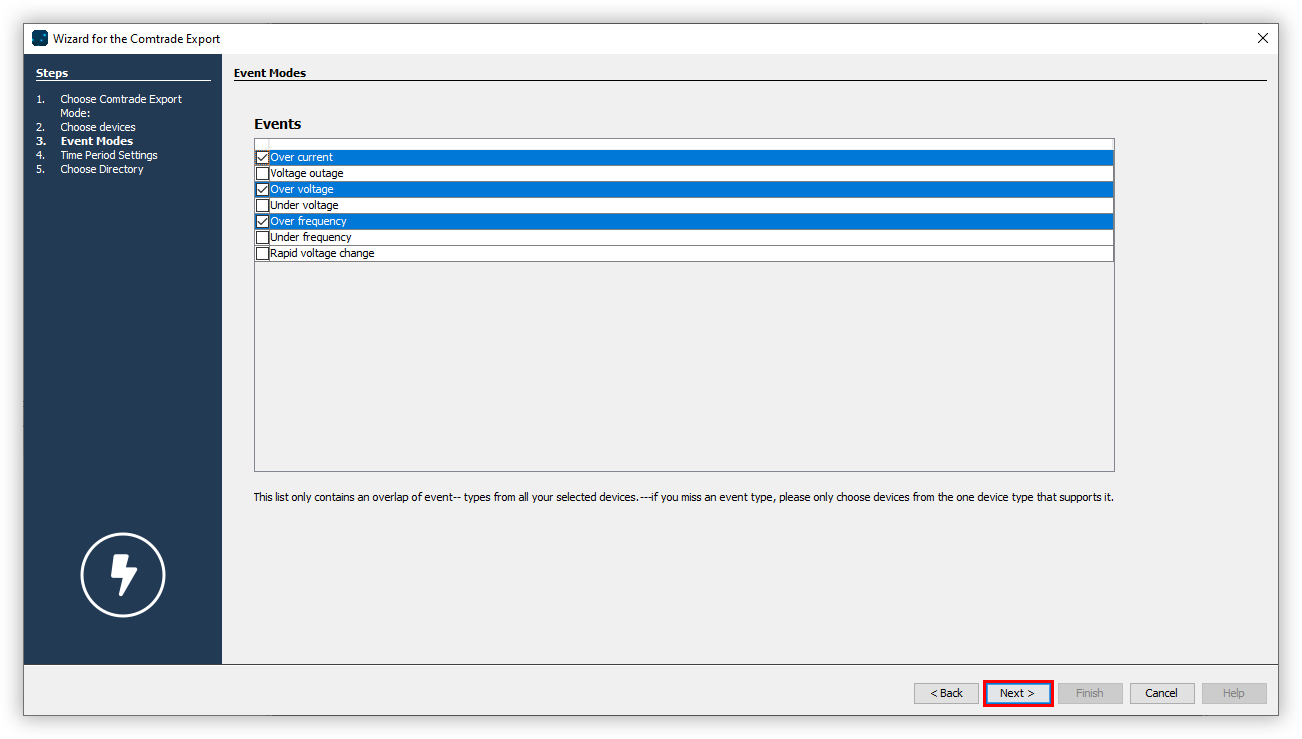
Choose which event types will be included in the export and click the Next button.
Set the Time Period Settings for the export and then click the Next button.
Choose a storage location for the export. Choose how the Comtrade files will be sorted. Choose the time information. Enter optional information for the file name. Finally, click the Finish button.
A folder with the execution time is created automatically at the previously selected storage location. A separate folder is created for each device, and events and transients are also stored in separate folders. Note that you will need an appropriate program that can open PQDIF files.
Info
Note that the process may take a few minutes. The progress of the Comtrade export is displayed at the bottom of the GridVis screen.