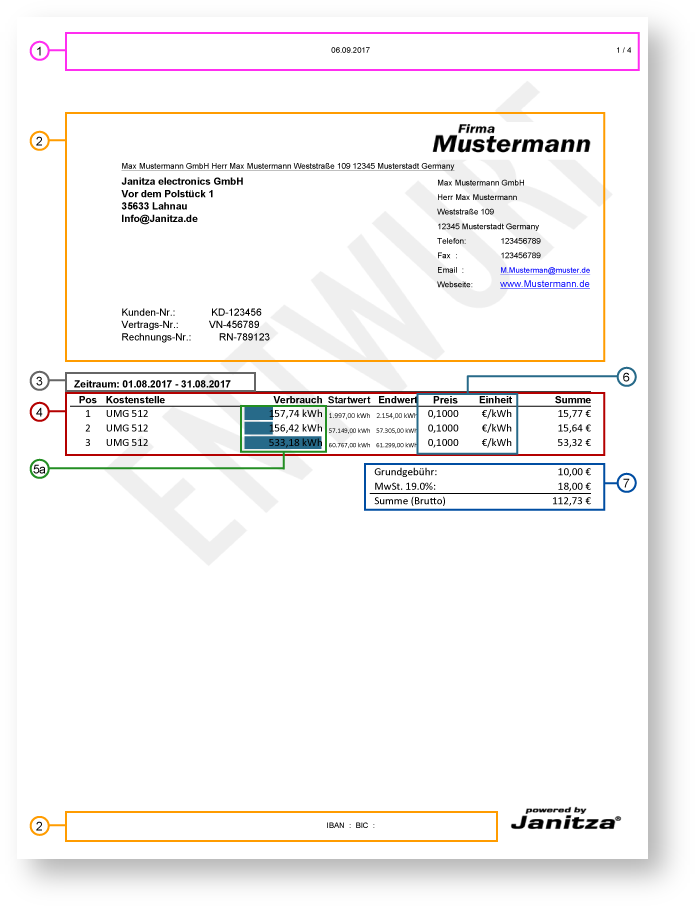
Energy Invoice - Example of PDF export
|
Pos. |
Description |
|
1 |
Header (Configuration in the seventh step of the assistant)Depending on which parameters have been activated, this area will show
|
|
2 |
Contact Information (seventh step):
|
|
3 |
Time Period (second step)Applicable timeframe for the Energy Invoice Professional |
|
4 |
Position Table (third, sixth and eighth step)Steps 3 and 6 - Cost centers with assigned:
Step 8 - Optional display of the column position in the table:
|
|
5a |
Bar chart in the position overview (eighth step)
|
|
5b |
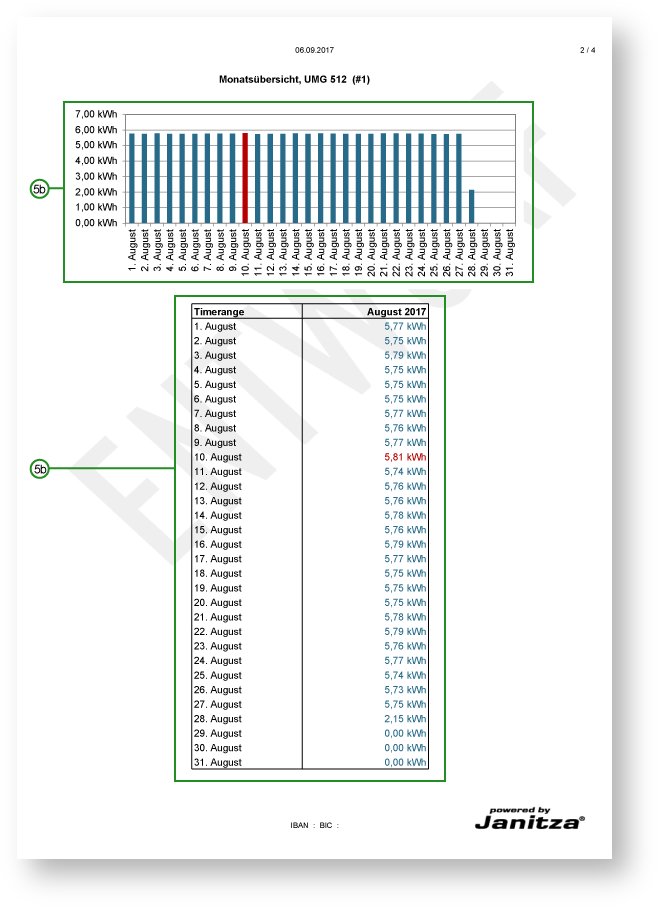
Bar chart and consumption table (eighth step) -Step 2
|
|
6 |
Prices (Price groups) with the units of the measurement value type (fourth step)Display of the prices and the units for the configured measurement value types. Admissible measurement value types:
|
|
7 |
Fixed costs (fifth step)Display of the fixed costs, e.g.:
Calculation of the total based on the individual positions / cost centers. |