MSCONS Export
Valid for
|
GridVis Editions |
Software platform |
|
|
|


An MSCONS export can be used to export measurement data in MSCONS format. MSCONS stands for "Metering System CONSistency" and is a standardized data format used to exchange measurement data between different measuring systems and measuring systems. Proceed as follows to create an MSCONS export:
In the Energy management section, select the MSCONS export entry in the Exports area and click on the Configure button.
Set the Time Period Settings for the export and then click the Next button.
Choose the devices to be included in the export and click the Next button.
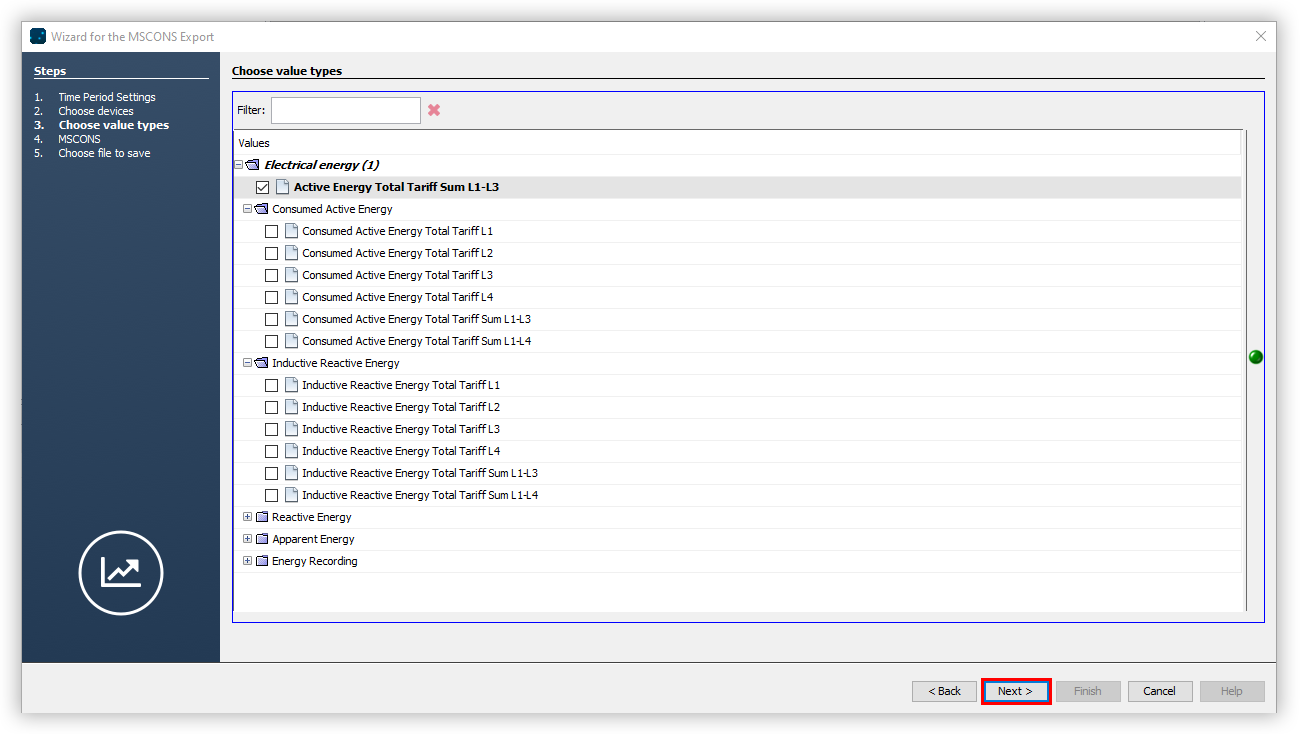
Use the folder structure and checkboxes to choose which measured values are to be included in the export. Then click the Next button.
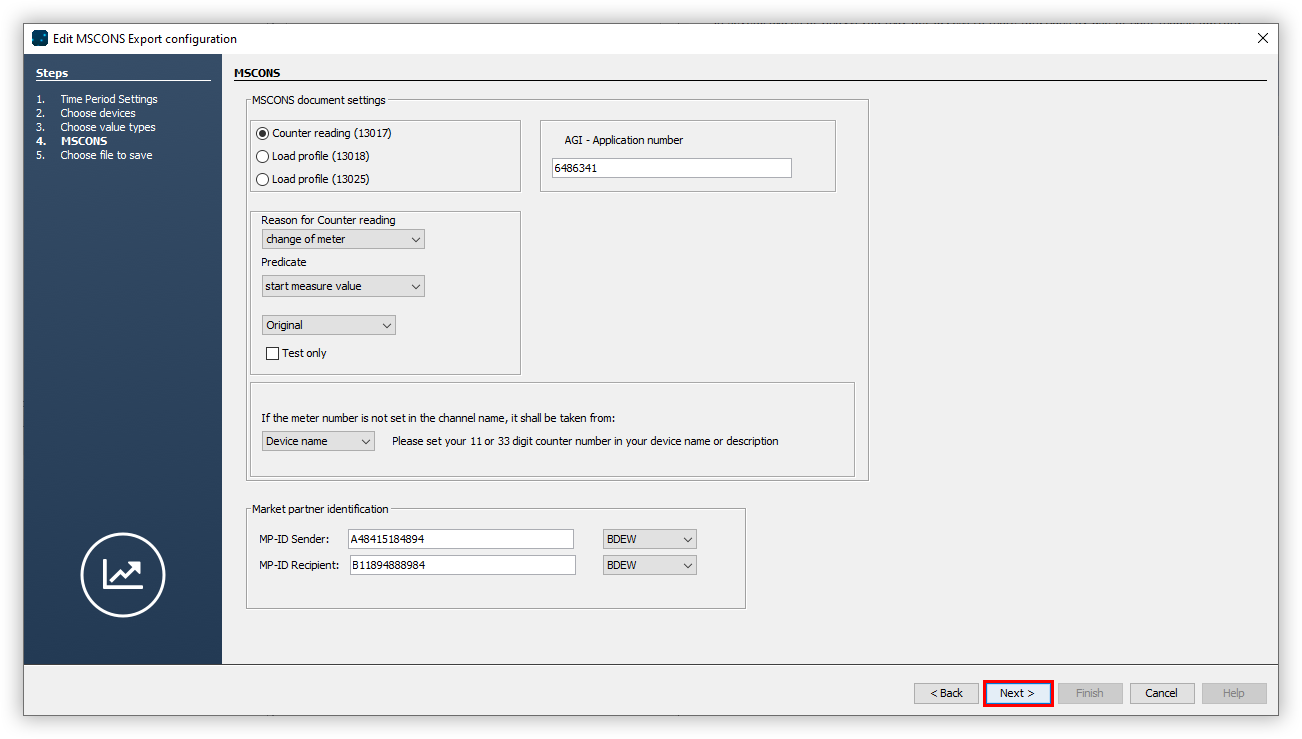
Enter the MSCONS document settings and click Next.
Choose whether or not the data export should be available on the web. Specify a file name for the data export and select a storage location.
Choose the File action for the export. If the file already exists, you can overwrite it or append the creation date and time to create a new file.
In the section Create data export, choose whether the data export should be created immediately. Finally, click the Finish button.