Commissioning Report
Valid for
|
GridVis editions |
Software platform |
|
|
|


After you have created a project and added devices to it, you can create a commissioning report. The report serves as a final report after commissioning and contains an overview of the project (customer and inspector data, details on the GridVis version used in the project), as well as the four optional elements: Acceptance protocol, device details, CT settings and connection check. Proceed as follows to create a commissioning report:
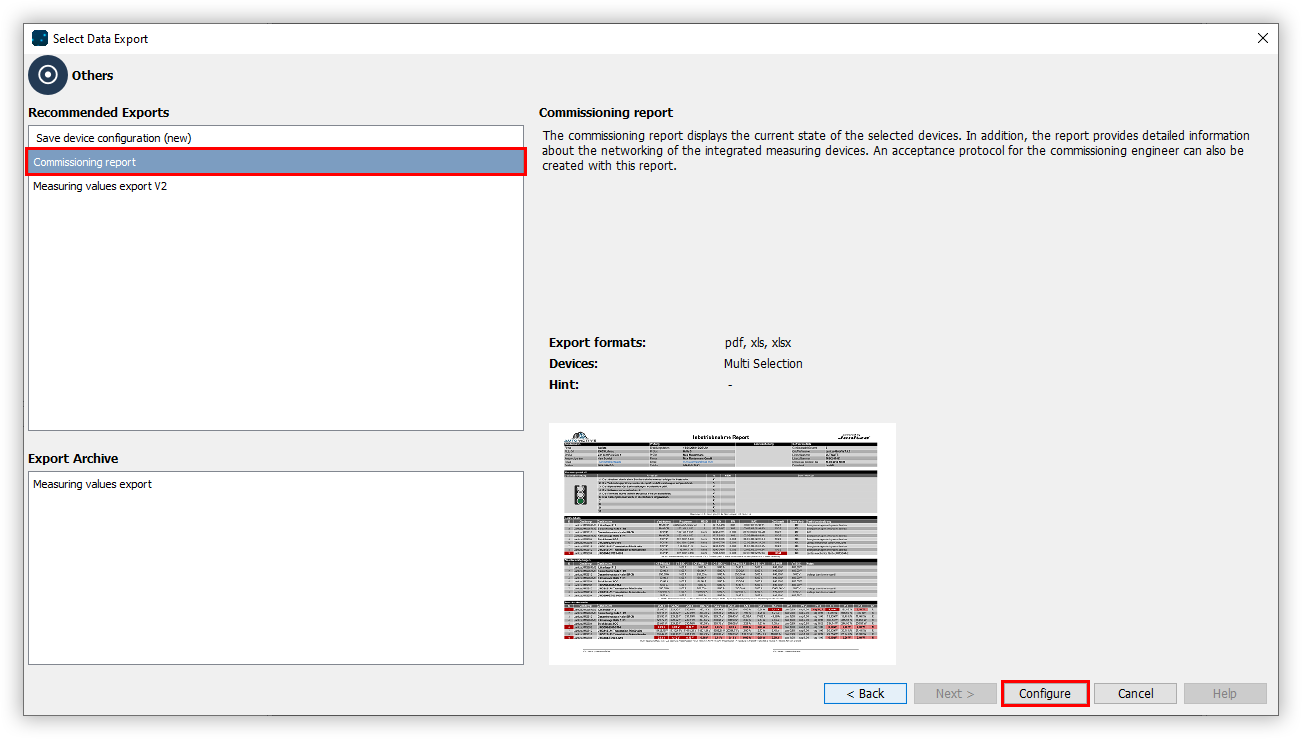
In the Other section, select the Commissioning report entry in the Exports area and click on the Configure button.
Choose the devices to be included in the export and click the Next button.
Enter a title for the report and select the desired layout settings and report functions. Click the Next button.
Enter the company and auditor information and once again click the Next button.
Add up to ten items to the acceptance form and record whether they have been met. Then click the Next button.
Configure the limit values for connection monitoring and click the Next button.
Select the desired File format. The PDF, XLS and XLSX formats are available.
Choose whether or not the data export should be available on the web. Specify a file name for the data export and select a storage location.
Choose the File action for the export. If the file already exists, you can overwrite it or append the creation date and time to create a new file.
In the section Create data export, choose whether the data export should be created immediately. Finally, click the Finish button.