Object List
Object list
Use the object list to manage the objects on the displayed page. You can change the stacking order of the objects using drag-and-drop (in the report editor, only when tile mode is disabled).
Hold down the Ctrl or cmd key to select multiple objects at the same time, which you can then move, align, or remove together.
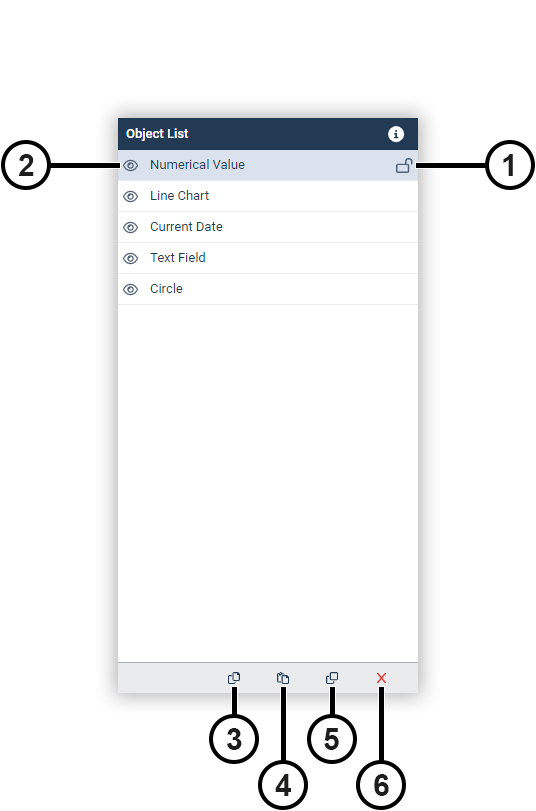
|
Position |
Description |
|
1 |
Fixes the size and position of the object. |
|
2 |
Hides the object. |
|
3 |
Copies the object(s) to the clipboard. |
|
4 |
Pastes the object(s) from the clipboard. |
|
5 |
Duplicates the object(s). |
|
6 |
Deletes the object(s). |
Keyboard shortcuts
Individual objects or groups of objects can also be manipulated using keyboard shortcuts.
|
Keyboard shortcut |
Description |
|
Ctrl/cmd + C |
Copy object(s) |
|
Ctrl/cmd + V |
Insert object(s) |
|
Ctrl/cmd + Alt + D |
Duplicate object(s) |
|
Ctrl/cmd + A |
Select all objects |
|
Del |
Delete object(s) |
|
Arrow keys |
Move object(s) |