General Object Settings
Regardless of the object type, there are general settings for each object.
You can additionally change the position and size of the object by clicking and dragging the frame or the lower right corner ( ).
).
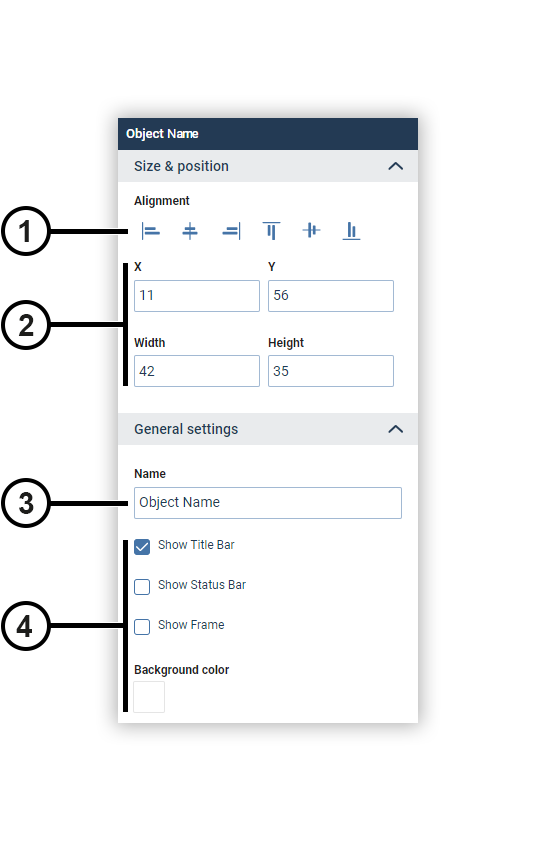
|
Position |
Description |
|
1 |
Aligns an objects to the workspace or multiple objects to each other as follows:
|
|
2 |
Input field for the coordinates of the anchor point (upper left corner) and the size of the object. |
|
3 |
Text field for entering the object name. |
|
4 |
Settings for the appearance of the object. The status line shows the time period used in the object. |
 At the left edge
 Horizontally centered
 At the right edge
 At the upper edge
 Vertically centered
 At the bottom edge