Time points
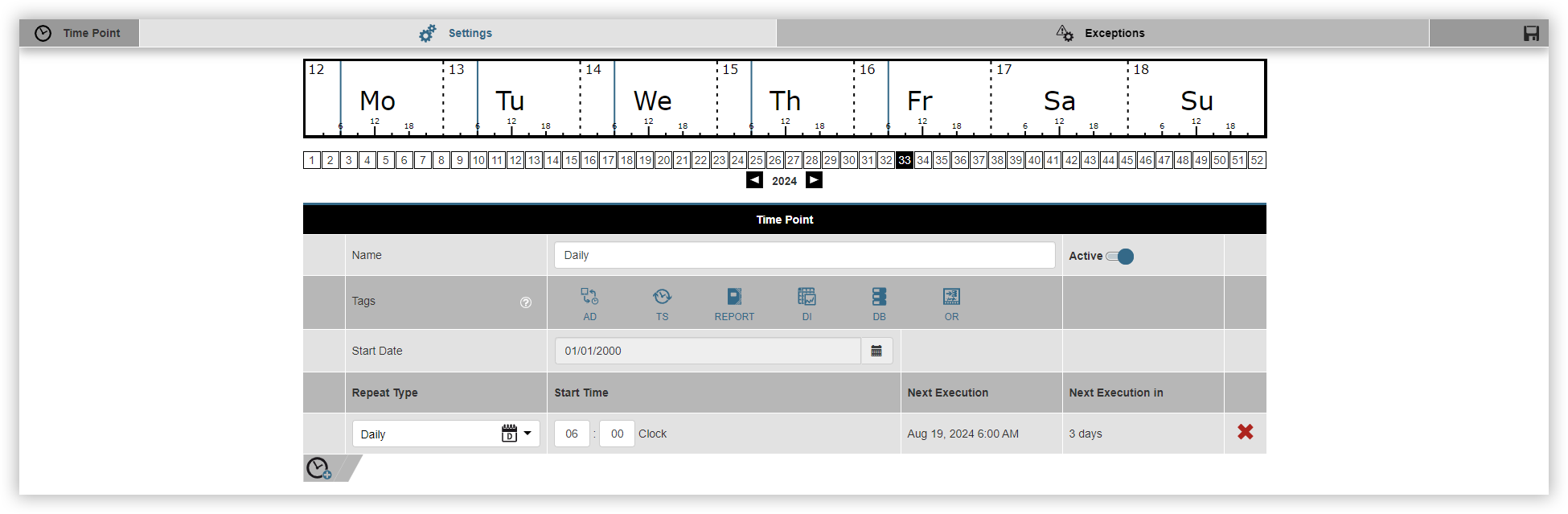
Time instants are always active at a previously defined time. At this time, a database action is executed or a report is created, for example. Proceed as follows to create a time instant:
Click on the Add time instant
Name the time instant and select whether it should be active immediately. You can activate and deactivate your time instants in the overview at any time.
Select the Tags. Tags define the function in which the time instant can be used.
Select the Start date.
Click on the Add entry
Select the Repetition type and enter the start date.
Then click on the Save time instant
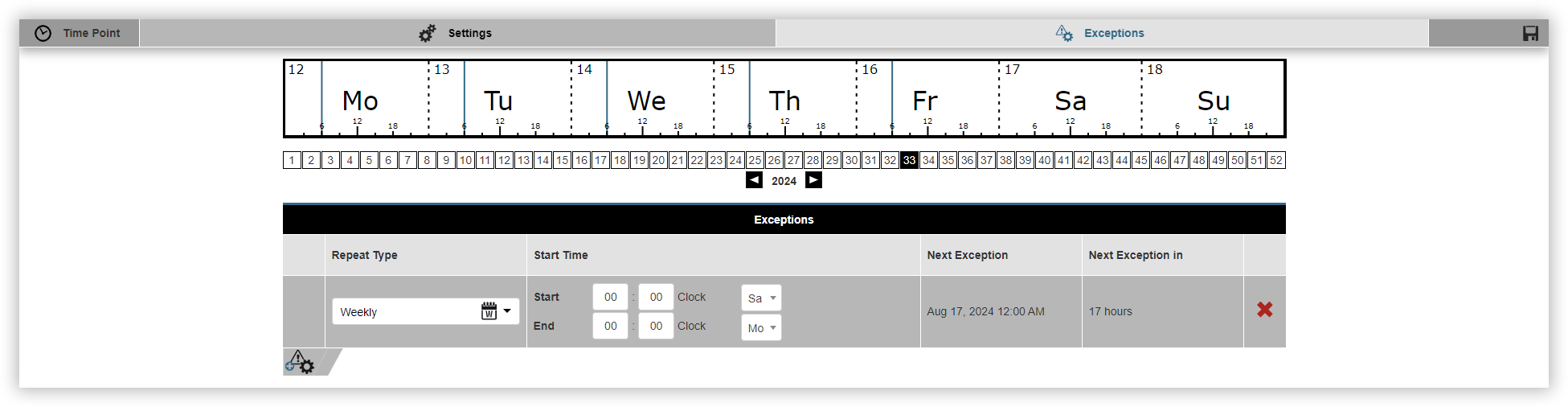
The Exceptions window appears. Here you can define when the previously configured time period should not be active. Proceed as follows to define an exception:
Click on the Add exception
Select the Repetition type.
Select the Start time and, if applicable, the Start date.
Finally, click on the Save time instant.