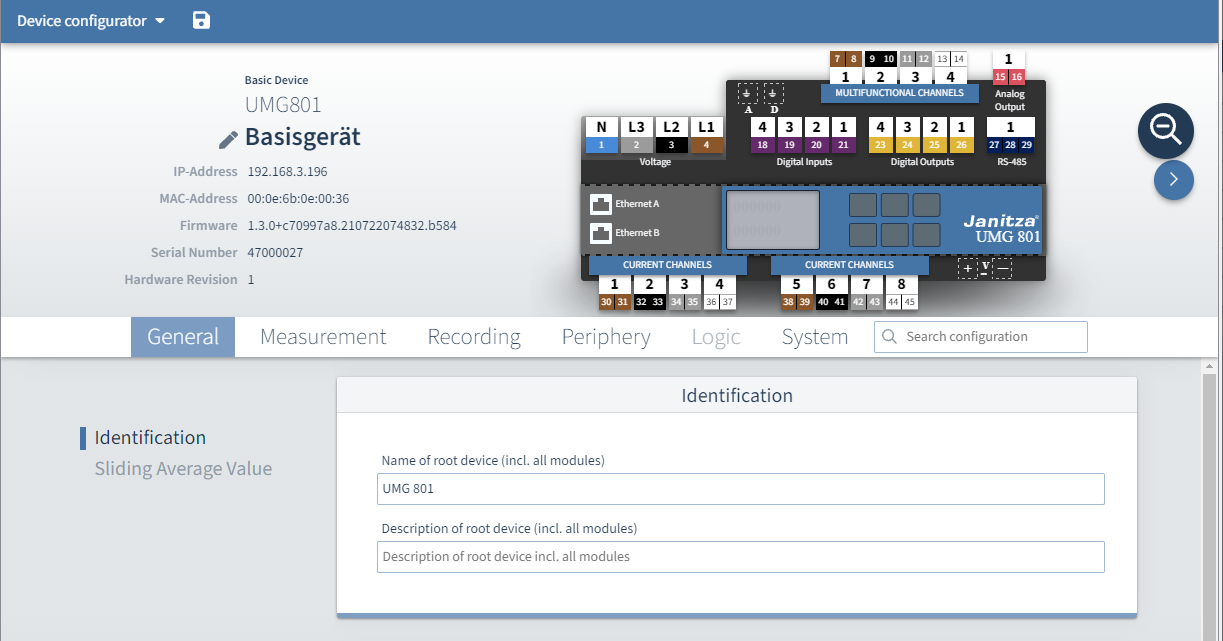
UMG 801
Page navigation
Operation and navigation
General
Measurement
Recording
Periphery
System
Table of contents
Establishing a connection to the device
There must be an active network connection to the device to be able to open the device configurator.
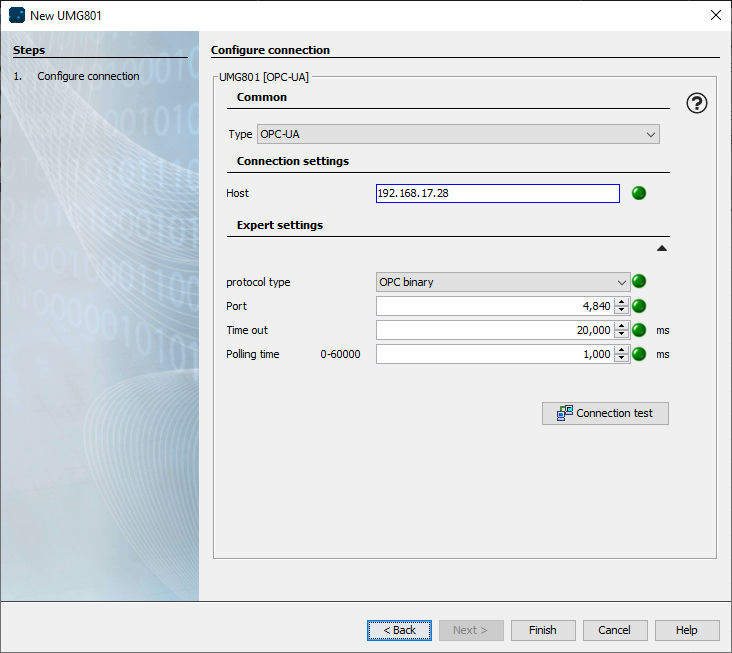
Create a new device in GridVis Desktop. Select → UMG 801
Possible settings in the "New UMG 801" window
Type
Select:
Without connection, for the preliminary creation of devices to which there is not yet a connection.
The connection settings can be changed later on.
The device configurator cannot be opened without a connection.
OPC-UA, if the device is connected to the local network.
Host / IP address
Enter the IP address of the device. DHCP is enabled by default.
The IP address can be read locally on the device from the display.
To do so, press the ESC button on the device to open the device menu. In the main menu, select → Configuration, in the configuration submenu, select → Ethernet config.
Expert setting
This setting can be used to adapt the OPC-UA interface parameters.
Click the Finish button to complete setup.
Open the device configurator
via GridVis Web:
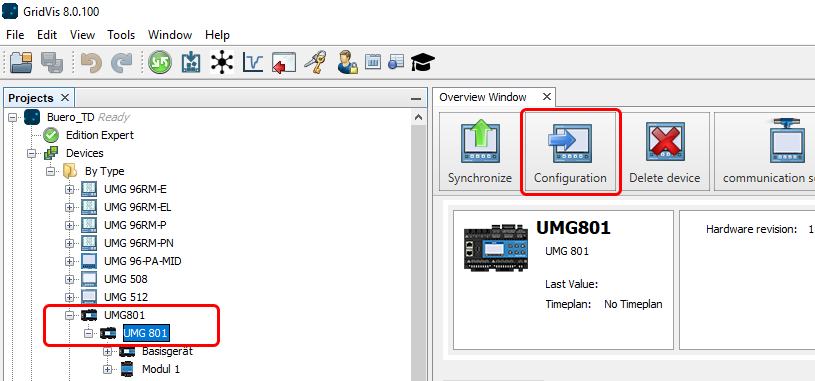
via GridVis Desktop:
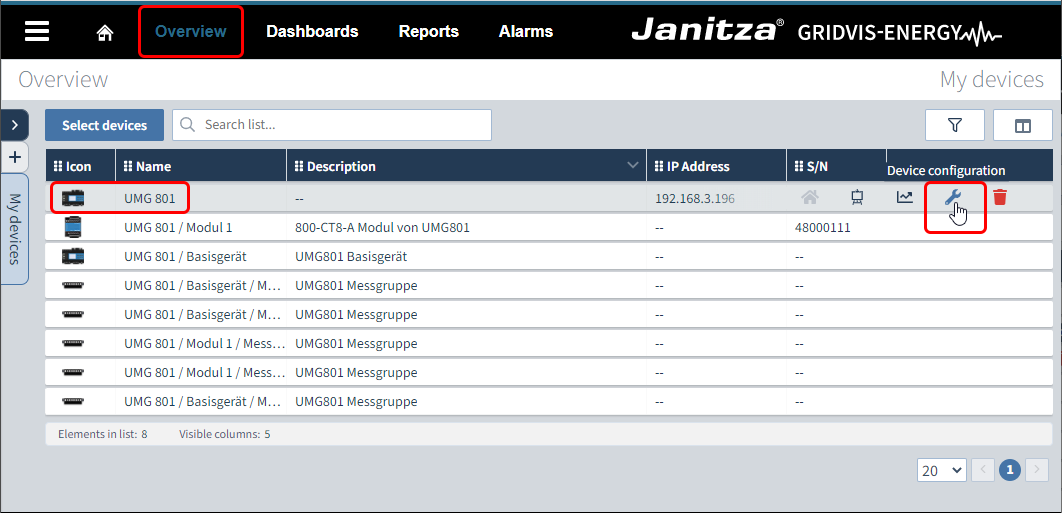
Click Overview in the ribbon.
Select the device from the list.
Click on the wrench icon
Select the device in the project window.
Click the Configuration button.
Main page of the device configurator
The main page of the device configurator appears.
The loading time depends on the connection to the device and the number of modules. For example, a slow VPN connection between the device and GridVis can cause a significantly longer loading time.