Configuring a device
Open the device configurator
GridVis Web
Open the menu bar and click the menu item Overview.
The Overview window opens with the list of measurement devices.
Move the mouse over the desired device so that the icons for the device are displayed on the right.

Click the
 Device configuration icon.
GridVis Desktop
Select the desired device from the device list.
In the Overview window, click the Configuration button (or Configuration in the context menu).
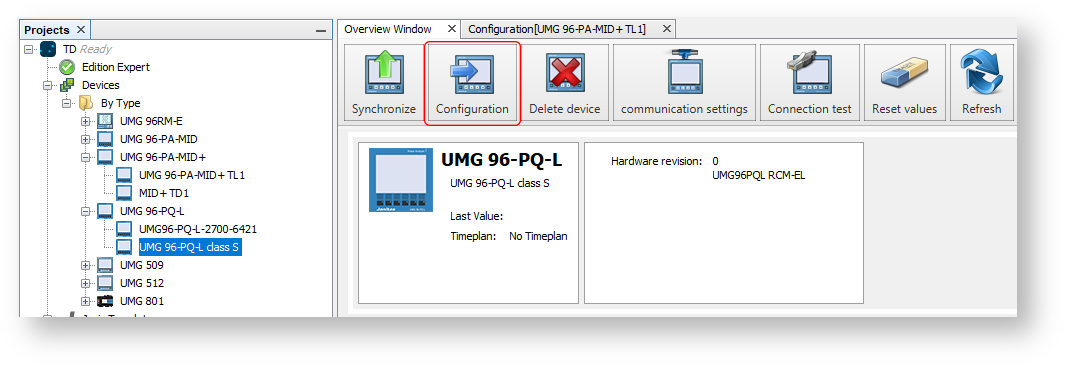
The device configurator opens (identical in GridVis Web and GridVis Desktop). The configuration in effect is read out from the measurement device.
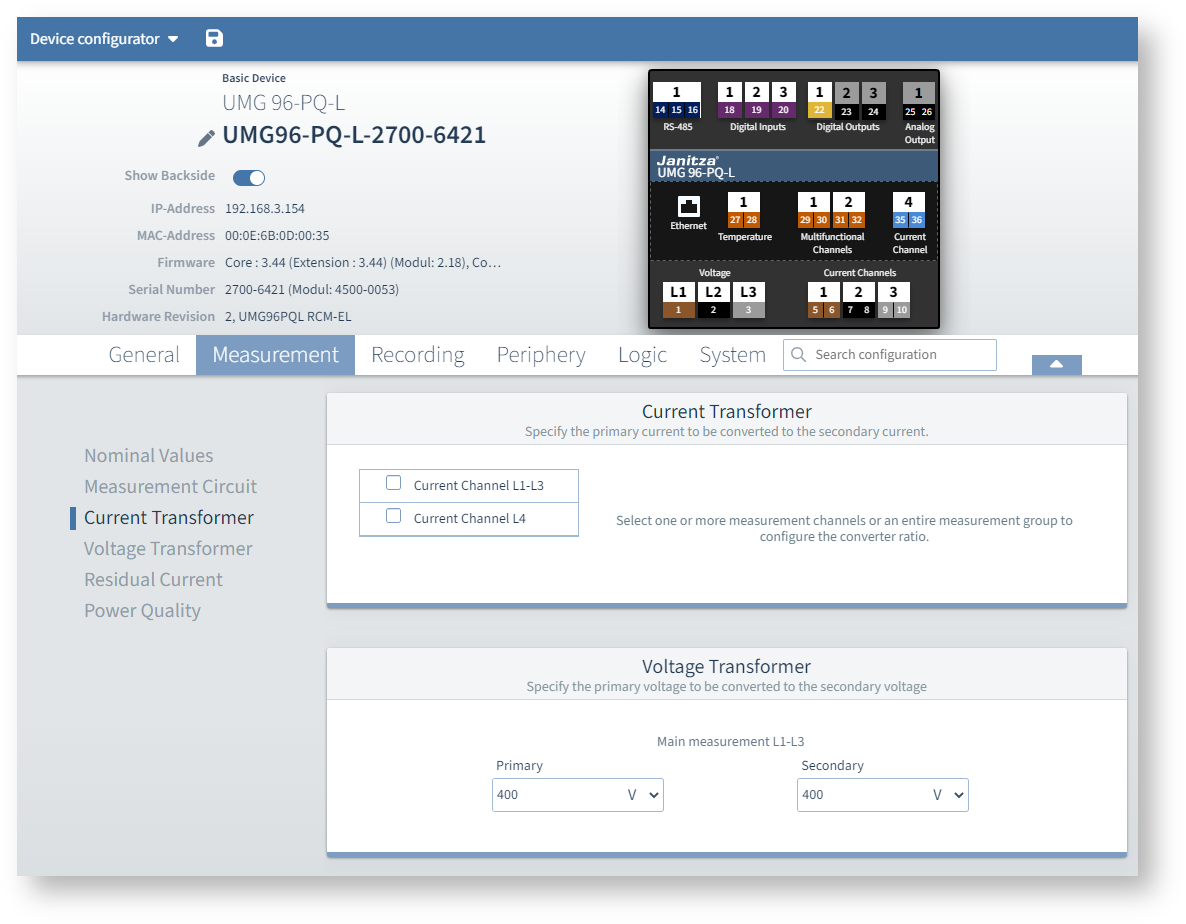
Verify that all measurement device settings are correct for the application.
To apply changed settings to the measurement device, click on the diskette icon
or on Transfer configuration to device.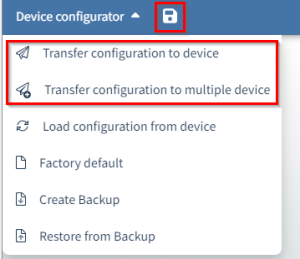
Navigating in the device configurator
There are several methods of navigation in the device configurator:
Device image: Click on the connection in the schematic image to display the associated configuration card.
Example: To configure digital output 2, click directly on connection 23.
Activate the digital output and assign a function.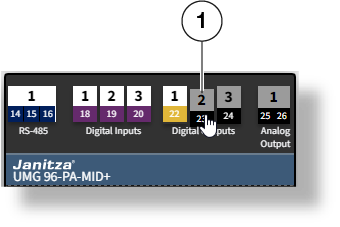
Menu navigation: Select a tab in the menu bar to open the corresponding menu.
Scroll down or select a configuration card from the submenu on the left.
Search: Use the search feature to find any settings and values that contain the search term.
Hits from different menus that contain the search term are listed.Note
No configuration cards are displayed for unused connections. Click on the connector in the device image (method 1) before you can use the menu navigation or search (methods 2 and 3).
Configuring the measurement device (quick guide)
This is an example, but the steps may vary depending on the desired configuration.
Assign a device name (General > Identification).
Set the current transformer ratios (Measurement > Current transformer).
If available, set the voltage transformer ratio (Measurement > Voltage transformer).
Optional, if present: Set the 4th current measuring channel (Measurement > Current transformer).
Optional, if present: Set the multifunction channels for residual current (Measurement > Residual current).
Set the digital inputs (click on the input in the device image).
Set the digital outputs (click on the output in the device image).
Set the analog output (click on the output in the device image).
Synchronize the device time (System > Time).
Adjust the communication settings (e.g. Ethernet, RS-485) to the actual existing network environment (System > Communication).