UMG 96-PA/PQ-L series
Configuring a device
UMG 96-PA/PQ-L series device configurator
The device configurator allows you to conveniently set the measurement devices, as well as save and transfer the settings.
The following products belong to these device series:
|
|
PA Series |
PQ-L Series |
|
Measurement devices
|
UMG 96-PA |
UMG 96-PQ-L |
|
UMG 96-PA-MID+ |
UMG 96-PQ-L-LP |
|
|
Modules |
96-PA-RCM-EL (module) |
|
Device configuration areas
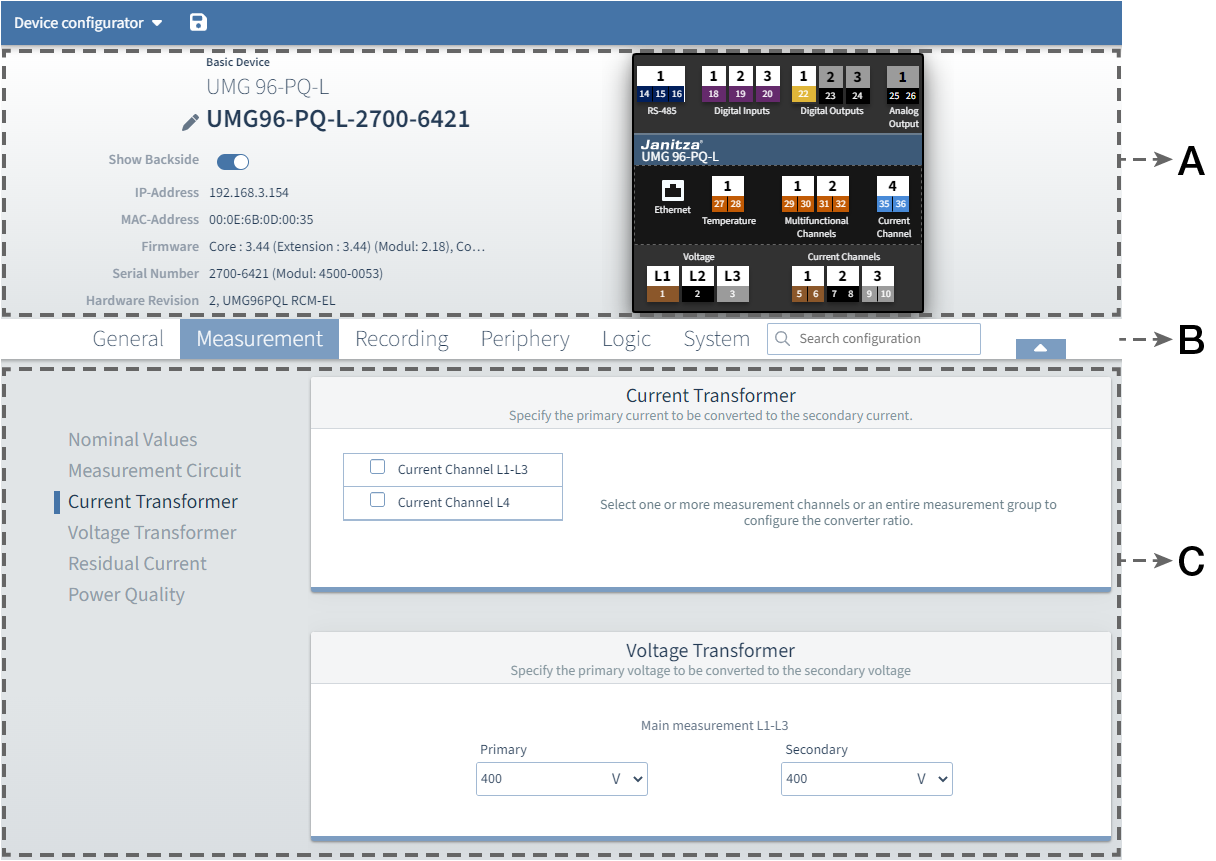
|
Area |
Description |
|
A |
Device overview
|
|
B |
Menu bar
|
|
C |
Menus
|
Legend
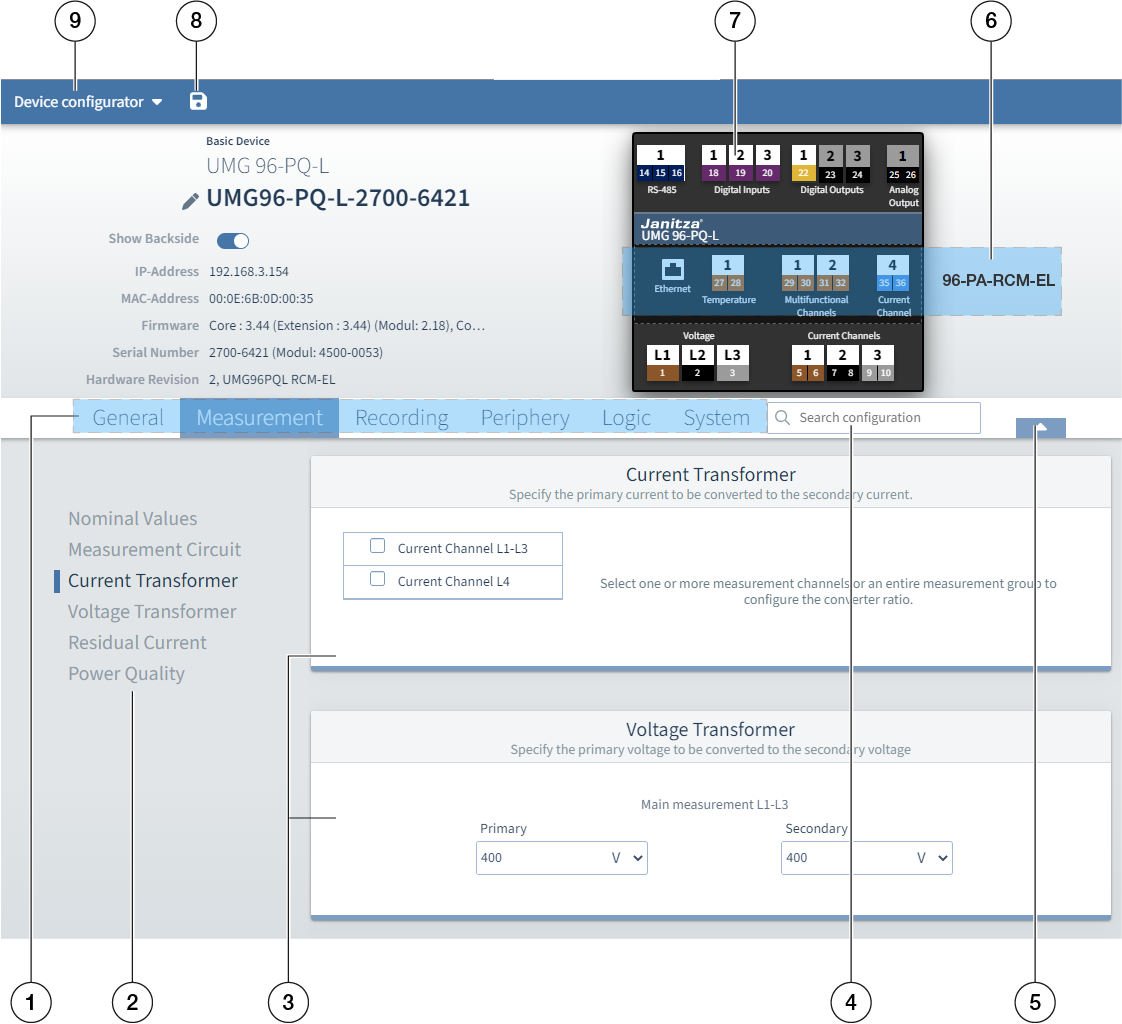
|
Position |
Description |
|
1 |
Menu bar
|
|
2 |
Submenus
|
|
3 |
Configuration cards
|
|
4 |
Search field
|
|
5 |
Show/Hide
|
|
6 |
Module (if present)
|
|
7 |
Connections
|
|
8 |
Diskette icon
|
|
9 |
Device configurator drop-down menu
|
Note: When transferring to several devices, the parameters that can only be assigned once in the system are not selectable.
For further information on the functions of the measurement device, please refer to the respective user manual, which can be downloaded from our website, www.janitza.de .