System
Settings
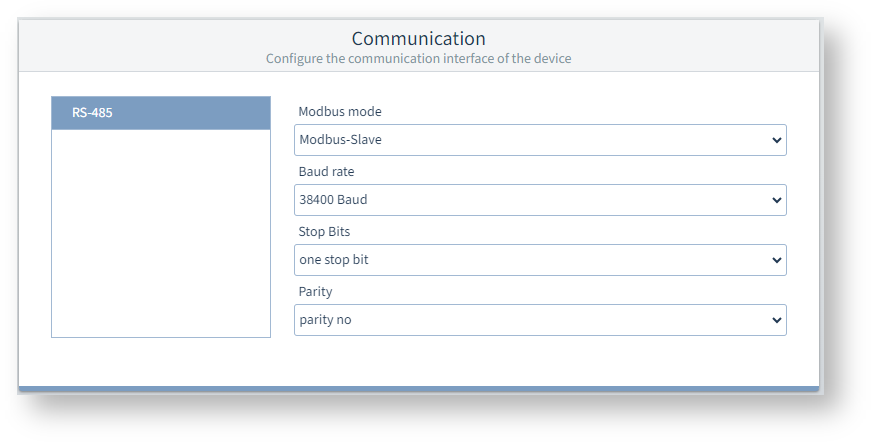
Communication
RS-485
The measurement device can communicate via the RS-485 interface using the "Modbus RTU" protocol.
Modbus mode
Modbus slave : (new designation "Modbus server") This measurement device is connected to other devices via RS-485 (Modbus RTU). One of the devices controls the communication as a Modbus master (new designation "Modbus client") and establishes the connection to the Ethernet (Modbus TCP) as a gateway.
Baud rate
Select a uniform baud rate for all devices in the bus structure.
Stop bits
Parity
Select a uniform data frame for all devices in the bus structure.
Display settings
These settings allow you to adjust the display to suit ergonomic needs. Reducing the brightness saves energy and can extend the service life of the display.
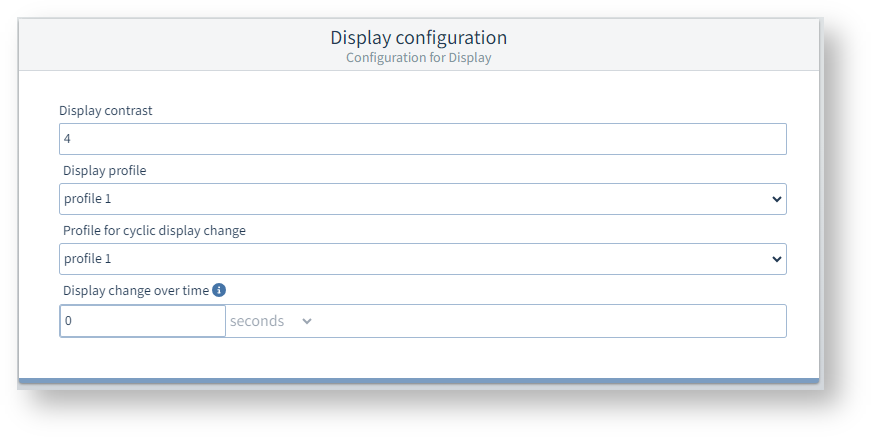
Display contrast
The contrast of the LCD display can be adjusted in dependence on the viewing angle. The contrast can be set from 0 to 9 in steps of 1:
0 = low, character very bright
9 = high, character very dark
Standard factory setting = 4
Display profile
The measurement device provides 3 display profiles with different combinations of measuring displays. Profile 1 is the default setting.
You can switch to the next display of the selected display profile by pressing a button on the device.
Profile for automatic display change
If a time > 0 seconds is set, the display automatically switches to the next display of the selected display change profile.
Time for automatic display change
After this time, the display shows the next measuring display of the profile for automatic display change.
The automatic display change is deactivated if a time of 0 seconds is set. You can switch to the next display of the normal display profile by pressing a button on the device.
Passwords
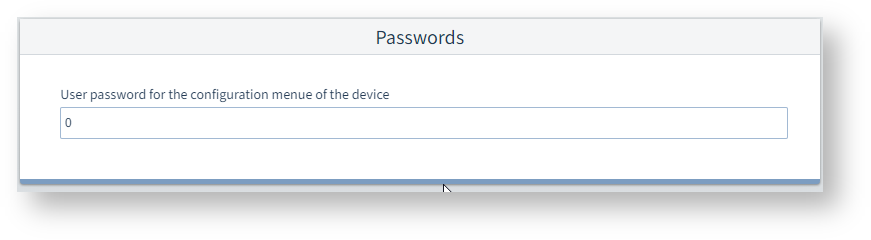
User password for the programming mode on the device
You can change the password here (000..999) that protects the programming mode on the measurement device display from unauthorized access. There is no password request with the setting 000.
Note
Write down the new password and keep it in a safe pace for authorized persons!
If you lose your password, you will need the GridVis® software to reset the user password.