Connecting to the device
Establishing a connection to the device
GridVis® Desktop:
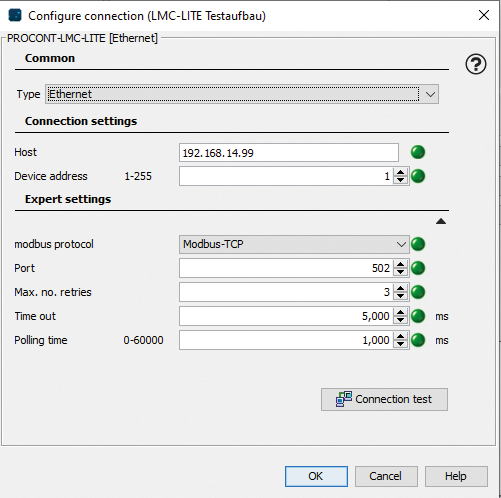
There must be an active network connection to the device to be able to open the device configurator.
Create a new device in GridVis® Desktop. Select → PROCONT
Setting options in the "New PROCONT" window
Type
Select:
With no connection: For the preliminary creation of devices to which there is not yet a connection.
The connection settings can be changed later on.
The device configurator cannot be opened without a connection.
Host / IP address
Enter the IP address of the device. Modbus TCP is enabled by default.
You can see the current IP address in the main menu of the controller by navigating to the corresponding location using the arrow keys.
Click the OK button to complete the setup.
Open the device configurator
This intuitive web configuration interface lets you configure your device quickly and easily. You can find further information in the corresponding user manual for the PROCONT devices in the download area at www.janitza.com.
via GridVis® Web:
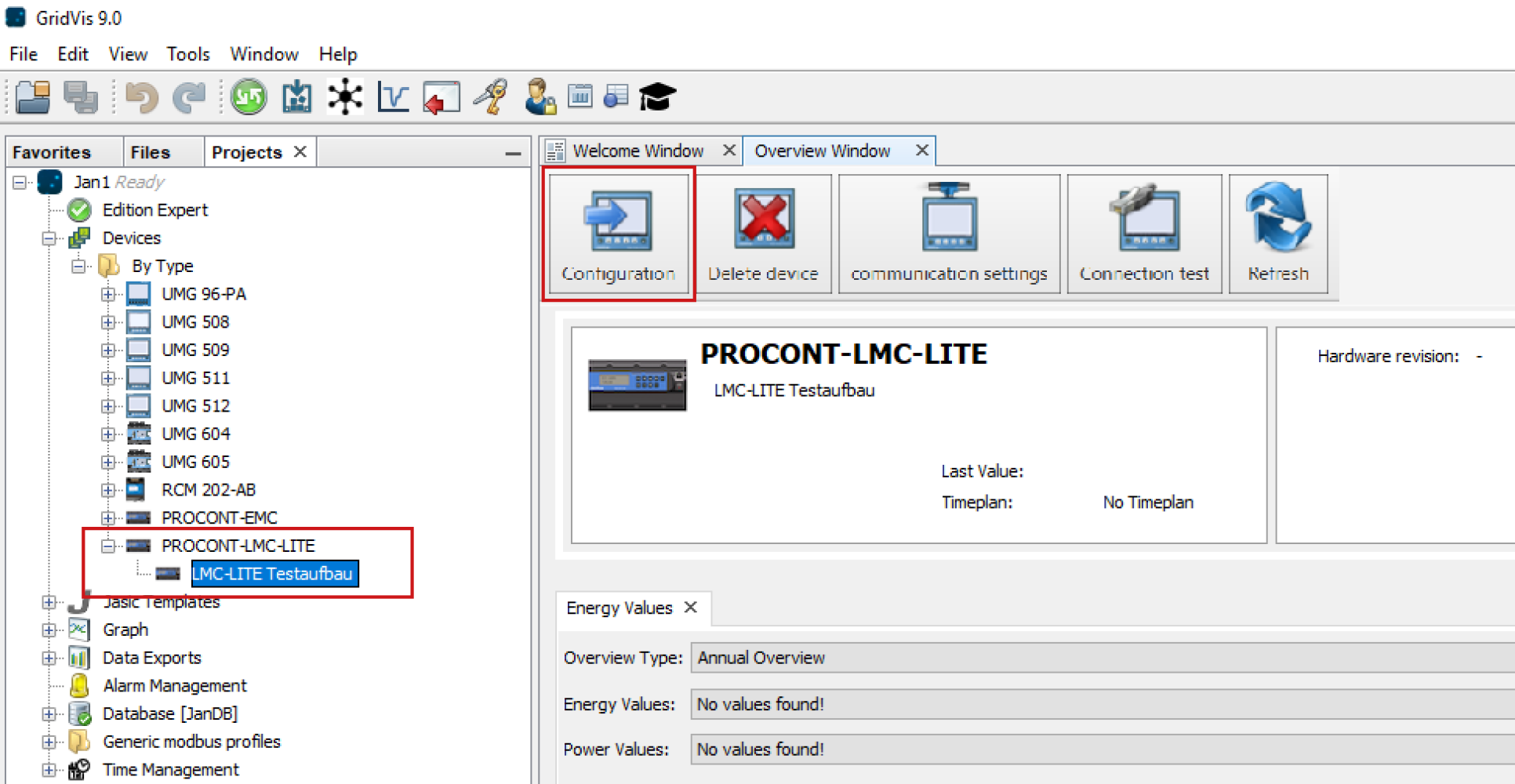
or via GridVis® Desktop:
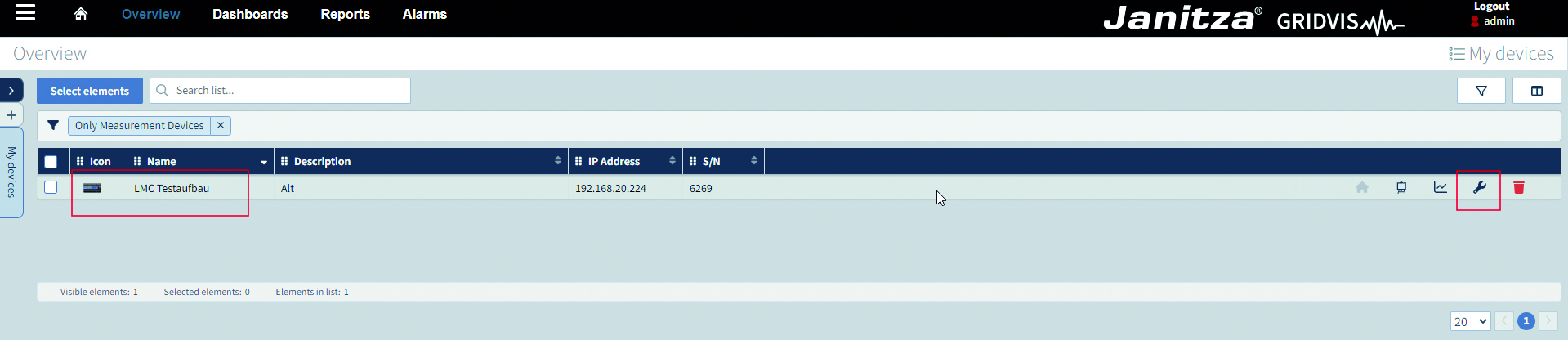
Click Overview in the ribbon.
Select the device in the list (example: Procont-LMC)
Click on the wrench icon
Select the device in the project window (example: Procont-LMC)
Click the Configuration button.