Picture Manager
Valid for
|
GridVis editions |
Software platform |
|
|
|



General Description
With the function Picture Manager, the GridVis Web makes it possible to manage and archive pictures.
You can load your own pictures into the system (supported picture formats: .svg, .jpg, .jpeg, .png, .gif, .zip ).
You can use pictures in reports, dashboards and templates via the Image object.
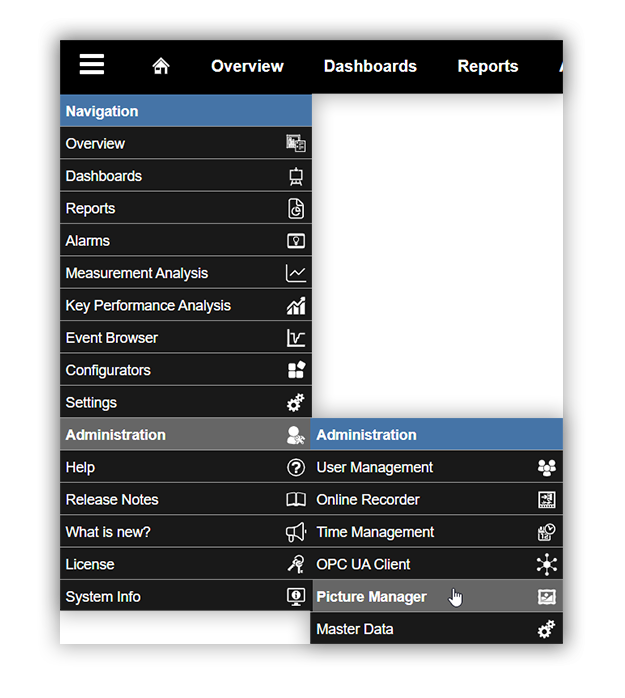
In the navigation menu, click on Administration > Picture Manager.
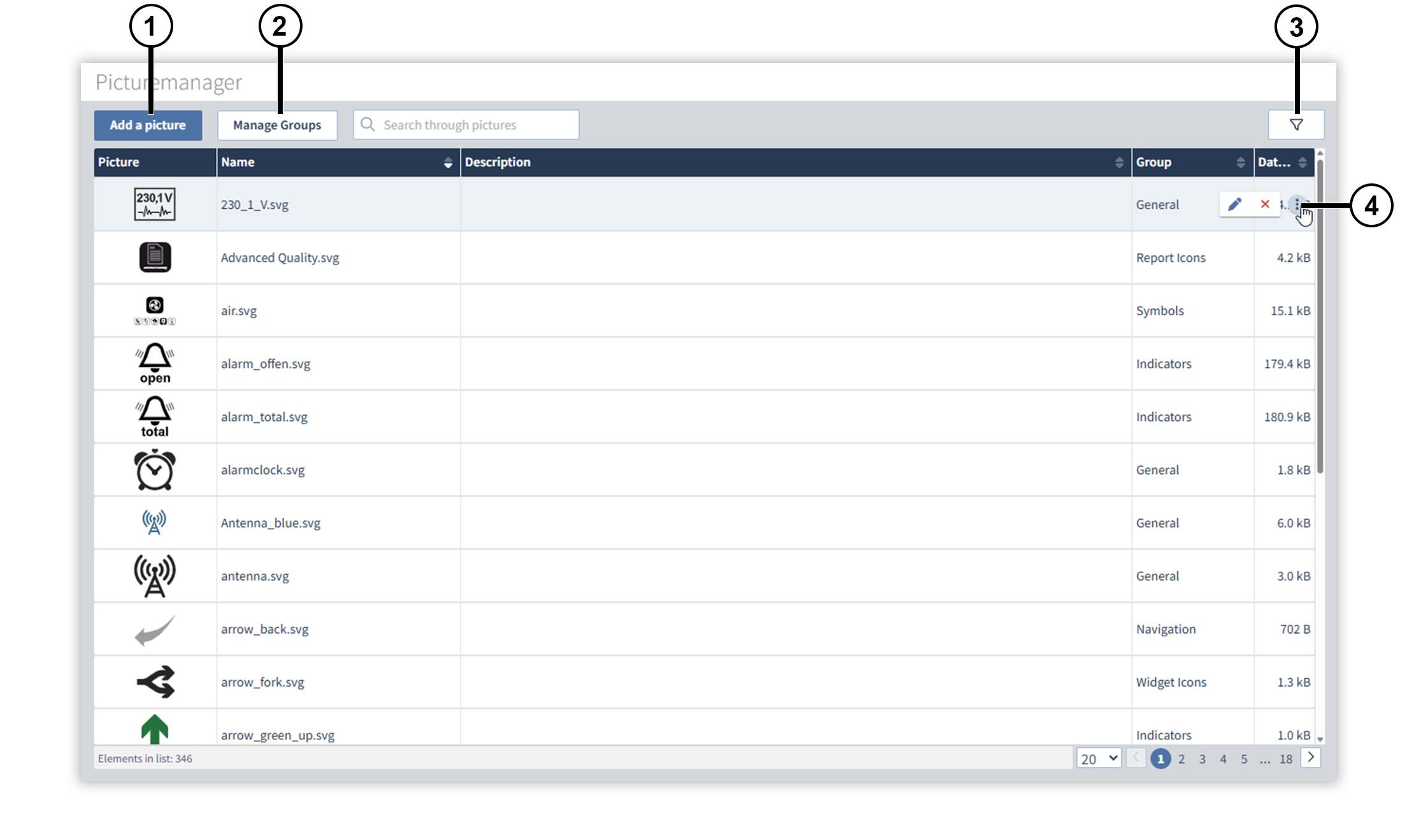
Overview Window
|
Position |
Description |
|
1 |
Opens a dialog where you can add a new picture. You can give the picture a name and a description and assign the picture to a group via the dialog. Note
|
|
2 |
Opens the Manage Groups dialog, where you can add, rename, and delete groups. |
|
3 |
Filters the pictures by group. |
|
4 |
|
 Customizes the name and description of the picture.
 Deletes the picture from the picture manager.