Migrating a Project Backup
Valid for
|
GridVis edition |
Software platform |
|
|
|



The database structure according to which GridVis stores projects is constantly being improved. This means it may be necessary to update the database structure of existing projects after installing a new GridVis version. This process is called database migration and is performed within GridVis.
Info
Before you upgrade to a current GridVis version, create a backup of your projects. To be able to use the Create Backup function, the project must be available in the current database structure.
Depending on the size of your database, the migration process can take several hours or even days. This places a heavy load on your computer system. Make sure that you have at least 20% free space on your hard disk and contact your system administrator if necessary.
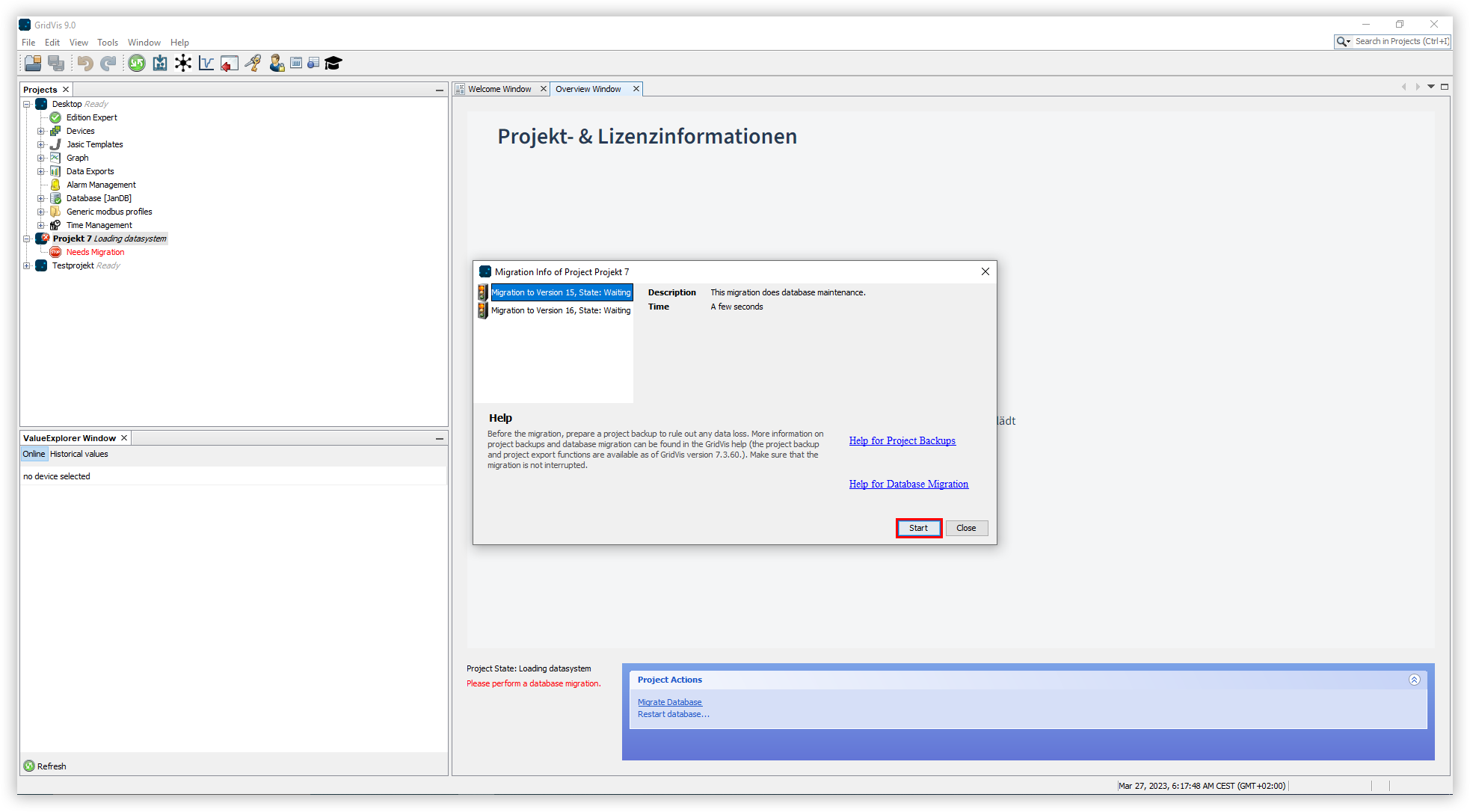
As soon as a project needs a database structure update, the hyperlinks Migrate Database and Reload Database appear in the Project Actions area. Carry out the following steps to migrate a project to a new GridVis version:
Click the Migrate Database hyperlink. This opens the Migration Information window, which provides detailed information about each migration step and its duration.
Click the Start button to start the migration.
After a migration step has been completed, a green checkmark appears next to the respective step. Click the Close button once all migration steps are complete.
After database migration, your project may need to be re-licensed. More information about the licensing procedure can be found in the section Licensing with the Janitza ID Server .