Device Configuration - Basic Settings
Nominal Values
Recording Configuration
Serial ports
Transferring the Configuration
Saving and loading the Configuration File
Valid for
|
GridVis edition |
Software platform |
|
|
|



The various menu items of the basic settings can be found in the Configuration window. Proceed as follows to open the Configuration window:
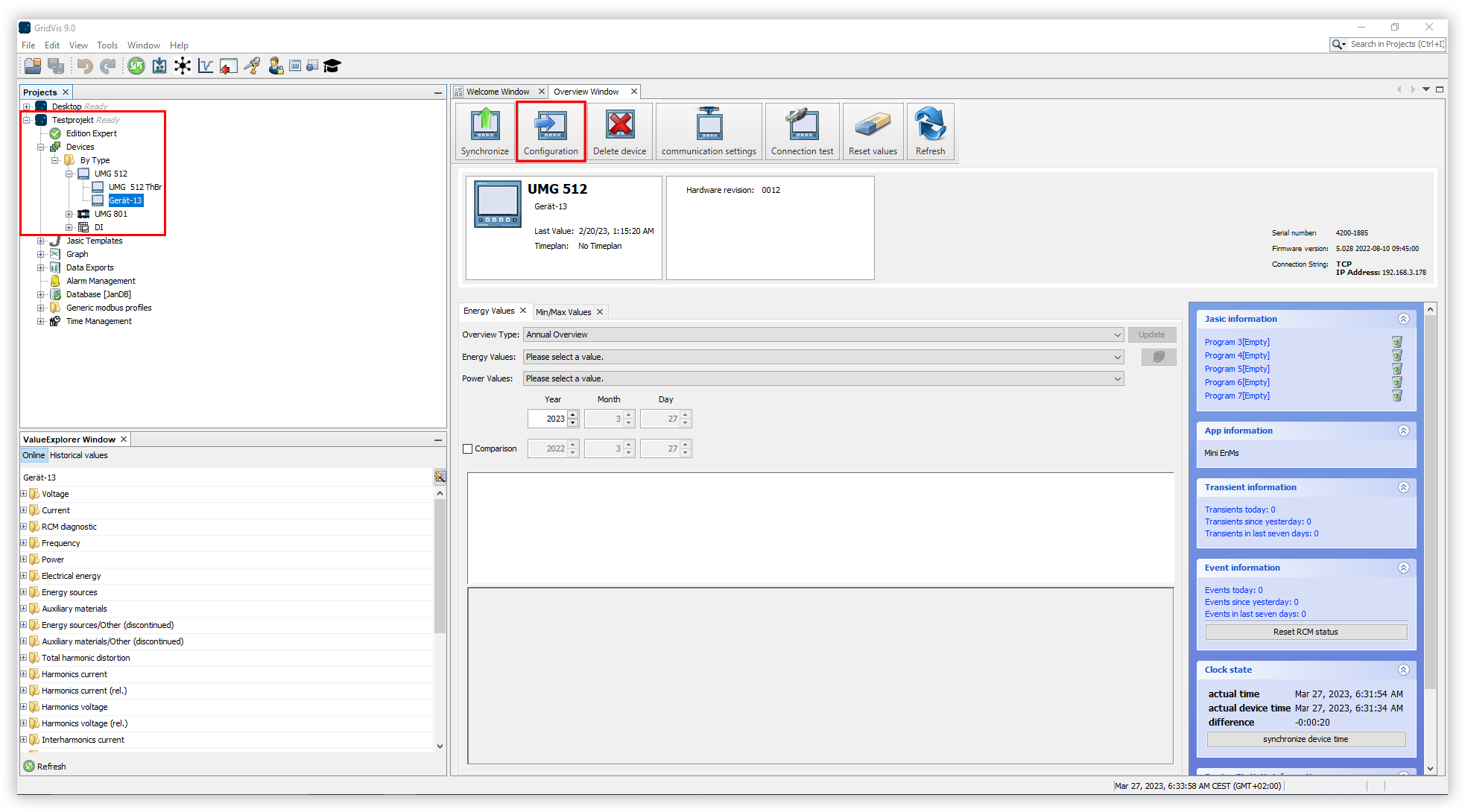
In the project tree, open the entry Devices. This is located in the left menu bar of the GridVis application.
Open the By device type item. This shows all devices that have been added to the project.
Find the series of the device you want to configure and open it in the project tree.
Select the device to be configured. The Overview window opens.
Click the Configuration button.
Note
Some of the devices have their own device configurator. Information on the respective device configurator can be found here .