Create Virtual Device
You can create a virtual device (starting at GridVis Standard) as follows:
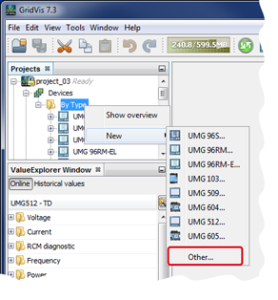
Click with the right mouse button in the window Projects on the subdirectory By Device Type.
Select in the context menu using the button New the entry Other.
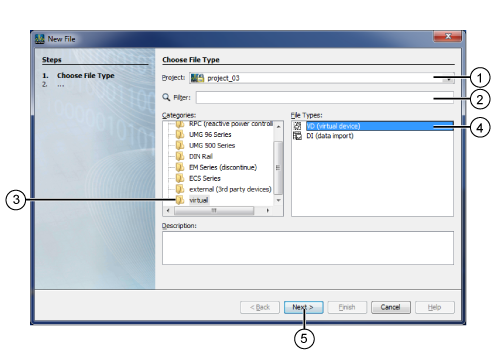
The window New File will open.
Note
You can also access the window "New File" via the menu list entry File > New File or by pressing the key combination Ctrl + N.
Configure in the window New File:
|
Pos. |
Description |
|
1 |
Select your project |
|
2 |
for Categories and File Types. |
|
3 |
Category of your device - Virtual (virtual measurement points). |
|
4 |
File Type of your device - VD (Virtual Device). |
|
5 |
Click to confirm your entries. This opens the window NEW VD (Virtual Device) |
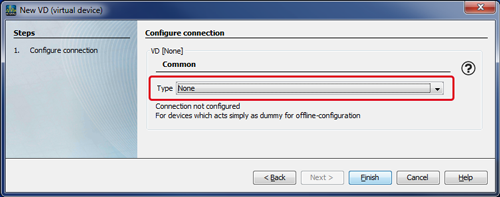
In Configure Connection select the type Without Connection and then click on the button Done.
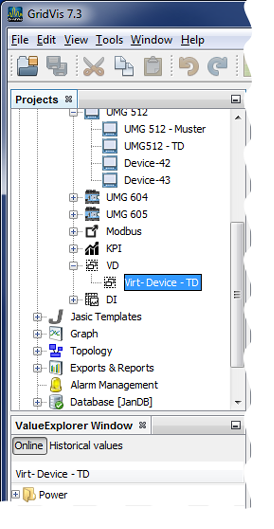
In the window Projects your virtual device will appear in the device list.
Further information about Configuration of Your Virtual Device .