Events & Transients Export
Valid for
|
GridVis Editions |
Software platform |
|
|
|


An events & transients export makes it possible to analyze recorded events like voltage dips, over- or undervoltages, power failures or phase failures. Furthermore, it is possible to analyze transient processes in power grids that can be triggered by lightning discharges, switching operations or load changes. Proceed as follows to create an events & transients export:
In the Power Quality section, select the Events & transients export entry in the Exports area and click on the Configure button.
Choose the devices to be included in the export and click the Next button.
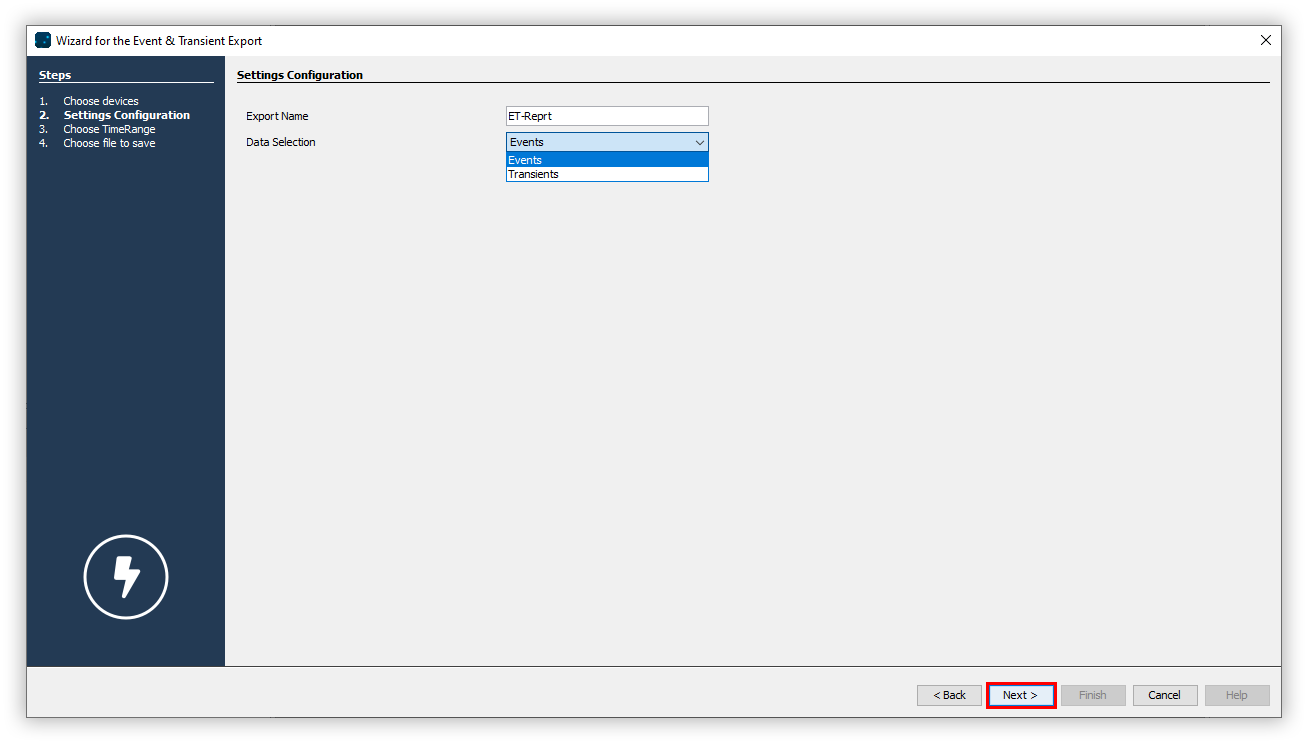
Enter a name for the export. In the drop-down list, choose between Events and Transients and click the Next button.
Choose the time period to be included in the export and once again click the Next button.
Choose whether the data export should be available on the web. Specify a file name for the data export and select a storage location.
Choose the File action for the export. If the file already exists, you can overwrite it or append the creation date and time to create a new file.
In the section Create data export, choose whether the data export should be created immediately. Finally, click the Finish button.