High Availability Report
Valid for
|
GridVis Editions |
Software platform |
|
|
|


The high availability report evaluates the undervoltage events. An event of the undervoltage type is evaluated as a failure in the report. The availability and downtime of each individual phase of a measurement device are analyzed and presented clearly in this report. The availability is displayed in percent and in seconds. Details for each individual measurement point can be attached to the report as an option. Proceed as follows to create a high availability report:
In the Power Quality section, select the High availability report entry in the Exports area and click on the Configure button.
Choose the devices to be included in the export and click the Next button.
Set the Time Period Settings for the export and then click the Next button.
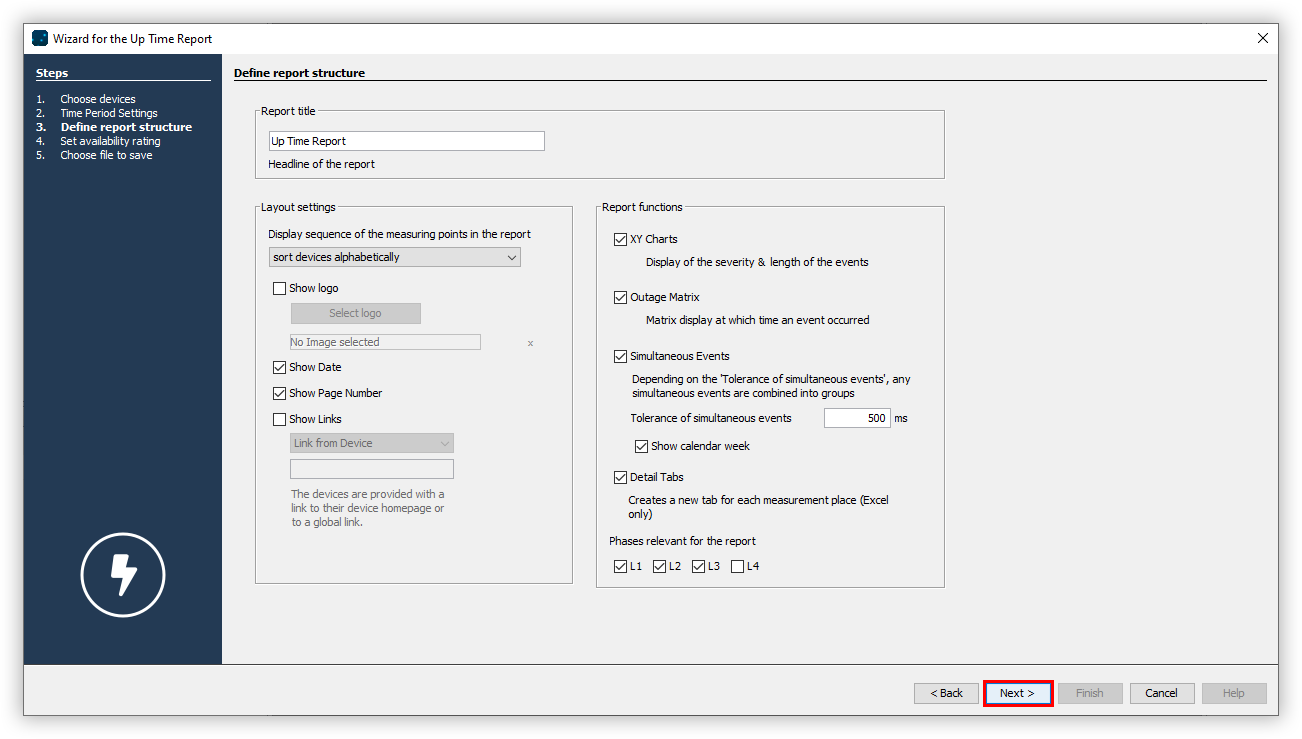
Enter a title for the report and select the desired layout settings and report functions. Click the Next button.
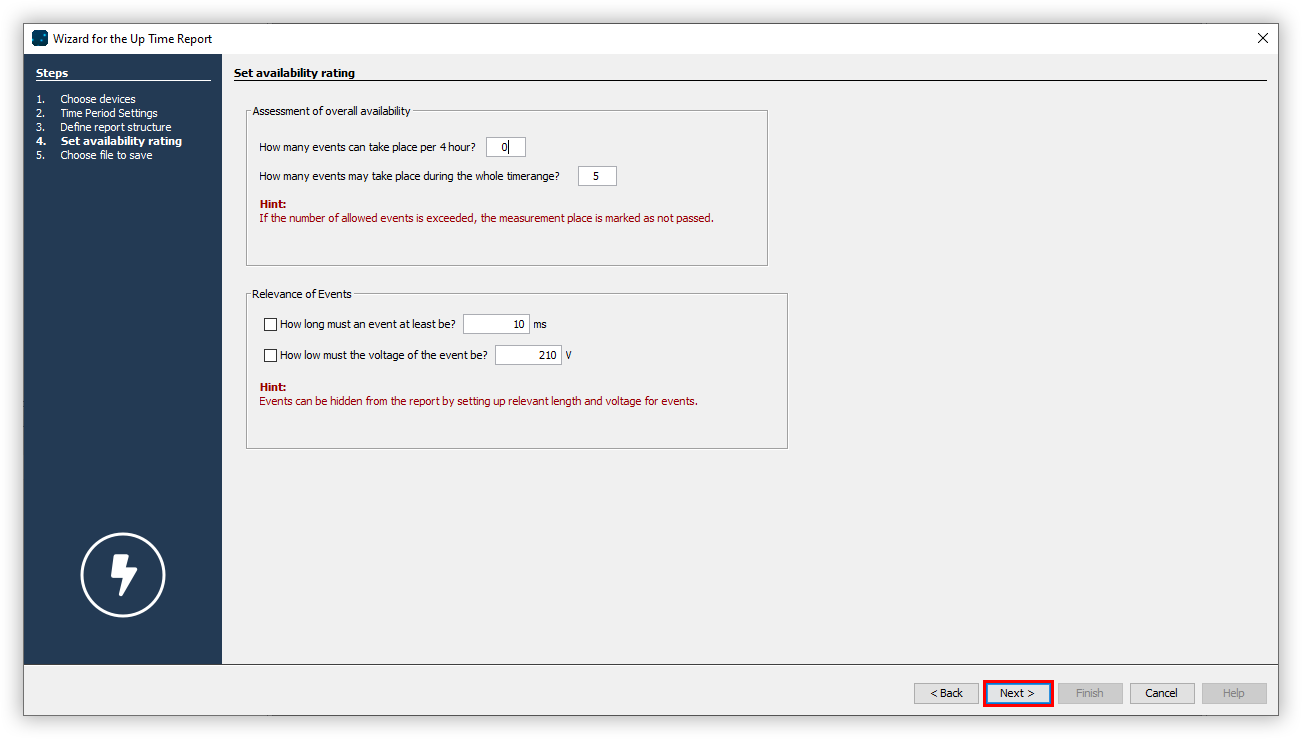
Specify how many events may occur per hour and how many failures may occur over the entire time period.
Specify the minimum duration of an event and the minimum voltage drop that the event must reach.
Choose the desired File format. The PDF, XLS and XLSX formats are available.
Choose whether the data export should be available on the web. Specify a file name for the data export and select a storage location.
Choose the File action for the export. If the file already exists, you can overwrite it or append the creation date and time to create a new file.
In the section Create data export, choose whether the data export should be created immediately. Finally, click the Finish button.