Limits, Events and Transients Report
Valid for
|
GridVis Editions |
Software platform |
|
|
|


The Limits, Events and Transients Report (LET Report) is specialized for the output of limit violations (limits), events and transients. This report contains information on the measurement points, the reporting period, and the number and type of anomalies that occurred. Proceed as follows to create a limits, events and transients report:
In the Power Quality section, select the Limits Events & Transients (LET) Report entry in the Exports area and click on the Configure button.
Set the Time Period Settings for the export and then click the Next button.
Enter a title for the report and select the desired layout settings. Enter the nominal values and
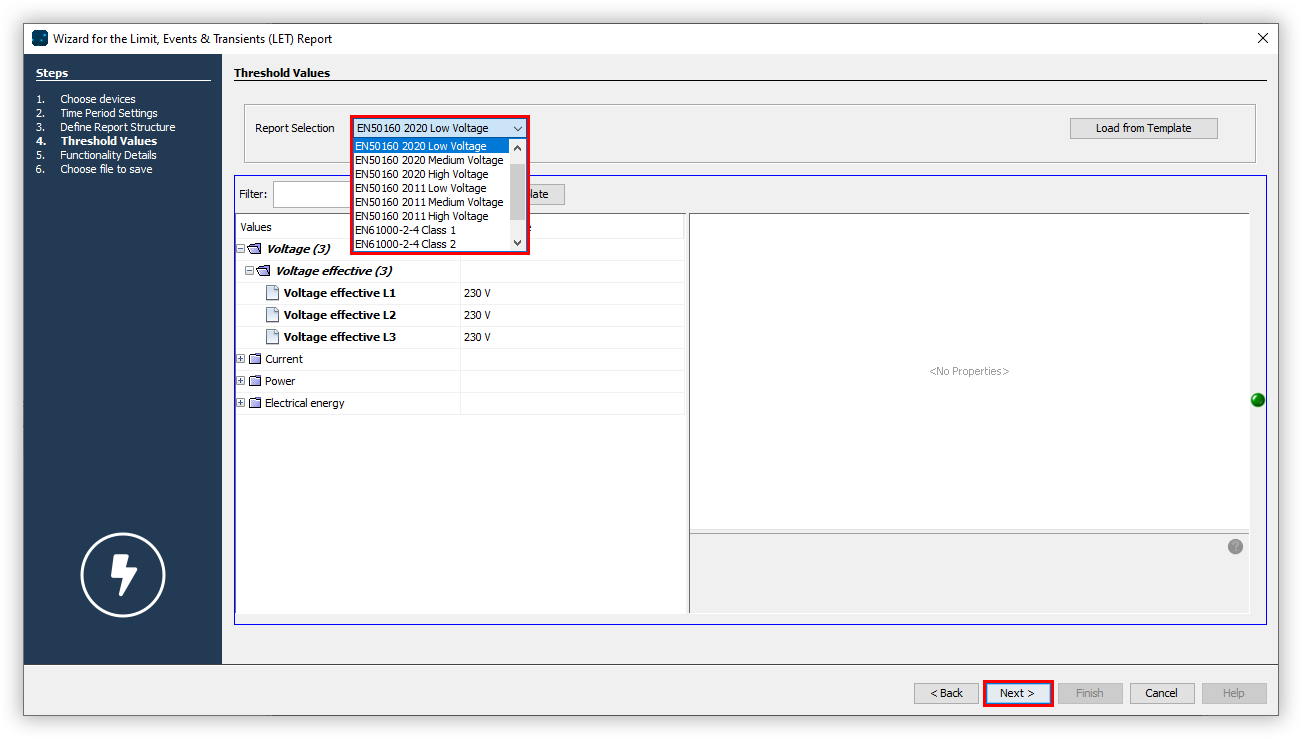
select the desired deviation types, as well as report functionalities. Then click the Next button.Open the Choose report drop-down menu and select a template for the report. Then click the Next button.
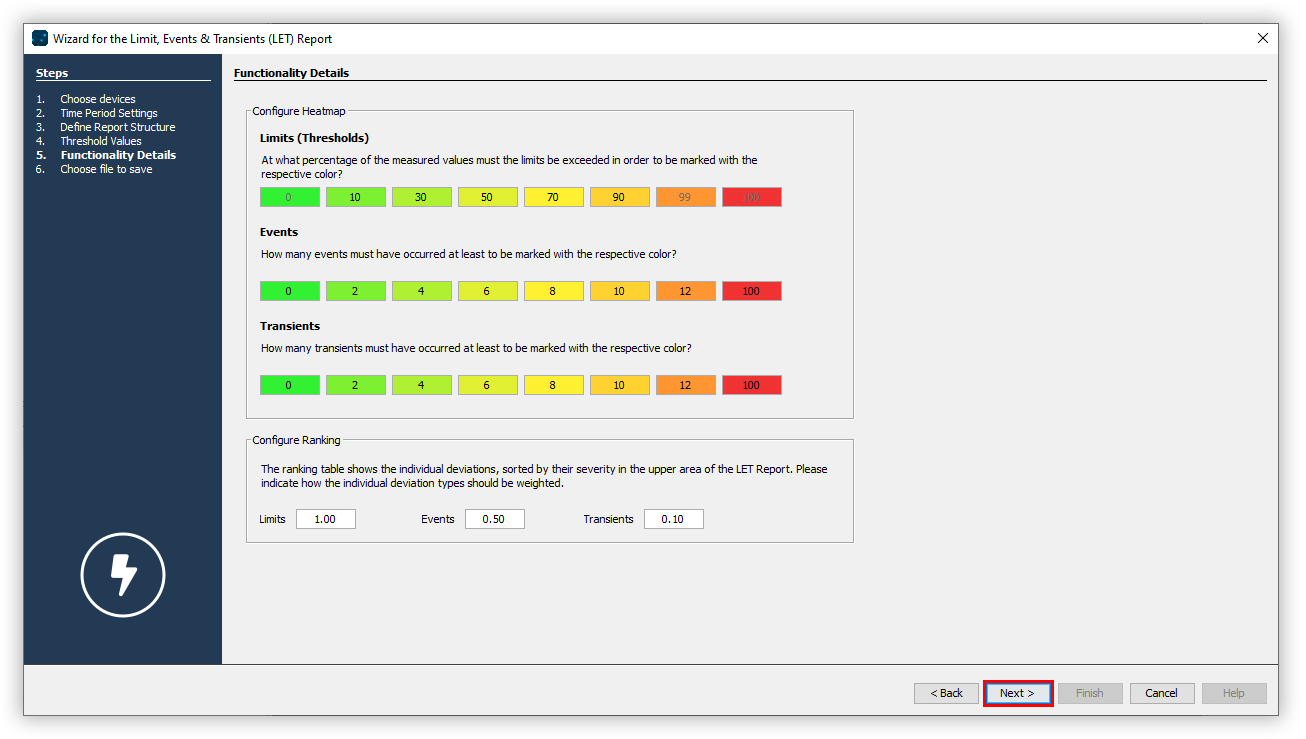
Using the colored highlights, define the limits of the heat map by entering the desired threshold in the correspondingly colored text box. Adjust the weighting for the ranking and then click the Next button.
Choose the desired File format. The PDF, XLS and XLSX formats are available.
Choose whether the data export should be available on the web. Specify a file name for the data export and select a storage location.
Choose the File action for the export. If the file already exists, you can overwrite it or append the creation date and time to create a new file.
In the section Create data export, choose whether the data export should be created immediately. Finally, click the Finish button.