Digital Input
What do I use the digital inputs for?
S0 pulse counter
Consumption measured values from other meters with a pulse output (S0 pulse) can be received and evaluated via the digital inputs (S0).
To open the configuration of a digital input:
Click on the desired input in the device overview.
Or
On the Peripherals tab, select the Digital input configuration card.
On the configuration card, click on the desired input.
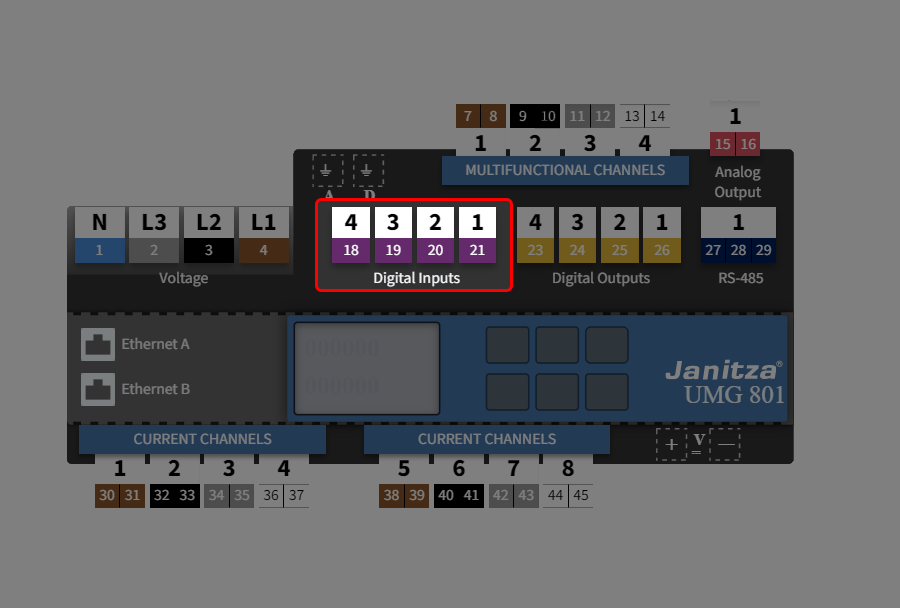
How do I configure the digital inputs?
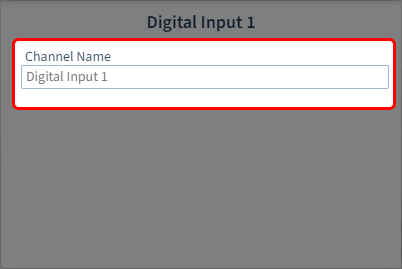
Step 1: Make settings via the device overview
Assign a channel name, e.g. the type of pulse generator.
Step 2: Select digital S0 input
First select the digital input you want to configure.
Multiple selection is not possible.
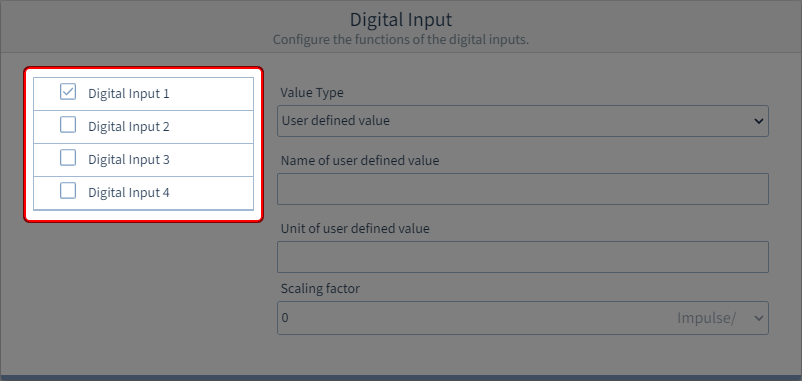
Step 3: Configure digital S0 input
The following parameters can be set.
Value type
Select one of the predefined value types from the list. The name and unit of the value type are then specified. Or create a user-defined value type according to your own requirements.
Name of the user-defined value
Enter the name of the value.
Unit of the user-defined value
Enter the unit of the value.
Scaling factor
Enter a scaling factor for the pulses per unit. Example of water consumption in liters:
Scaling factor = 10 pulses/l
Pulses counted = 50
=> Water consumption = Counted pulses/scaling factor = 5 l