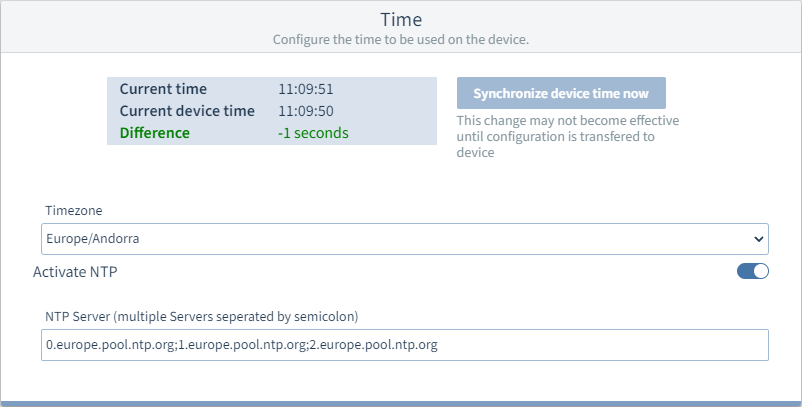
Time
Time configuration
Click the System tab in the menu bar.
Select the Time configuration card.
Synchronize to the local system time
Current time
Current system time of the local computer
Current device time
Currently set device time
Difference
between the current time and current device time
Synchronize device time
Press the button to synchronize the device time with the system time of the local computer. NTP must be active.
Synchronization via NTP server
Time zone
Select the time zone of the device location from the drop-down menu.
Activate NTP
Activate the function via the sliding switch.
NTP server
Enter the time servers here. Separate multiple servers with a semicolon.
To transfer the configuration to the device, click the  button.