Communication
Which interfaces can I use with the device?
Ethernet (Modbus/TCP) and RS-485 (Modbus RTU)
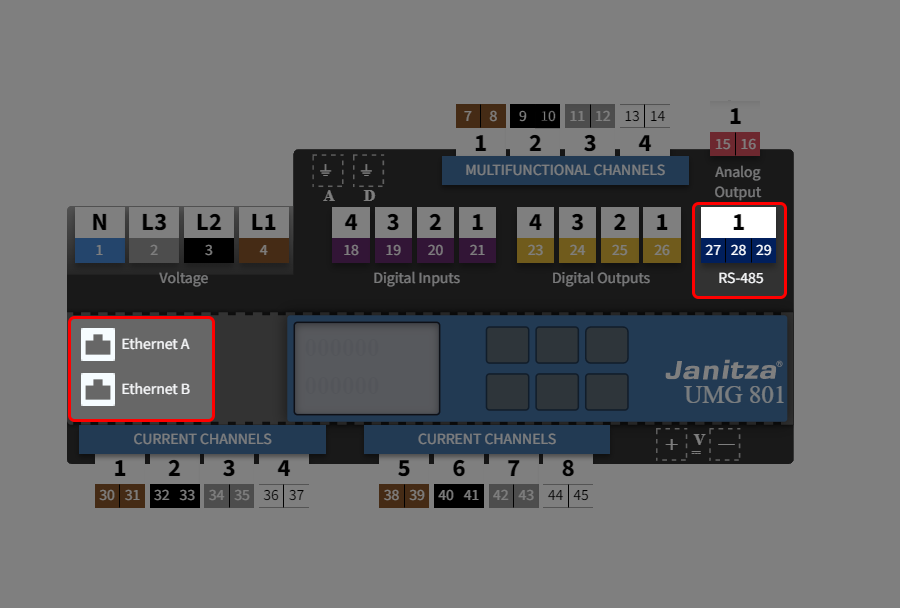
Click on the Ethernet A/B or RS-485 ports in the device overview.
Or
On the System tab, select the Communication configuration card.
Attention!
Material damage due to incorrect network settings!
Incorrect network settings can cause faults in the IT network.
Consult your network administrator for the correct network settings for your device.
How do I configure the interfaces?
Step 1: Select interface
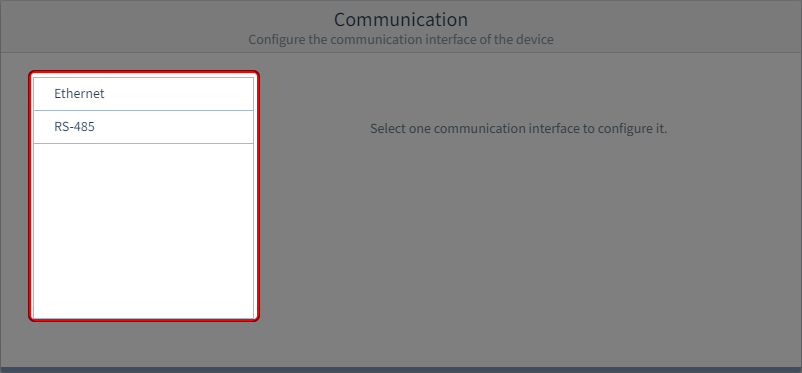
Select the interface.
Step 2 (Option 1) : Ethernet (Modbus/TCP)
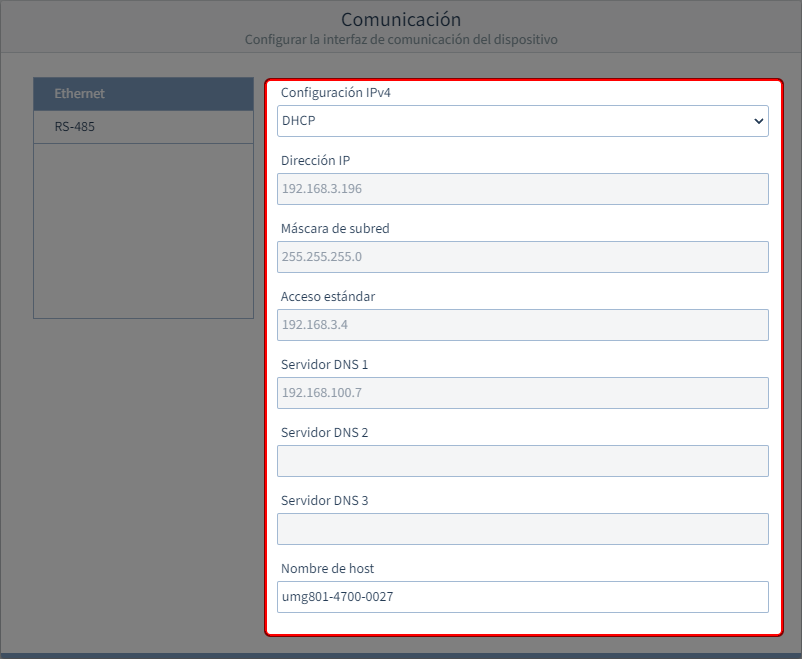
IPv4 configuration
Select the type of address assignment for the Ethernet connection (TCP/IP):
DHCP (default setting)
On start-up, the device is automatically given an IP address, netmask and gateway by the DHCP server.
With this selection, only the hostname can be set.
All other parameters are preset.
Static IP address
Configure the communication interface parameters according to your own requirements. Use this mode for simple networks with no DHCP server.
IP address
Setting only required if Fixed IP Address was selected for the address assignment.
Subnet mask
Setting only required if Fixed IP Address was selected for the address assignment.
Standard gateway
Setting only required if Fixed IP Address was selected for the address assignment.
DNS server
Setting only required if Fixed IP Address was selected for the address assignment.
Hostname
Assign a hostname for the system.
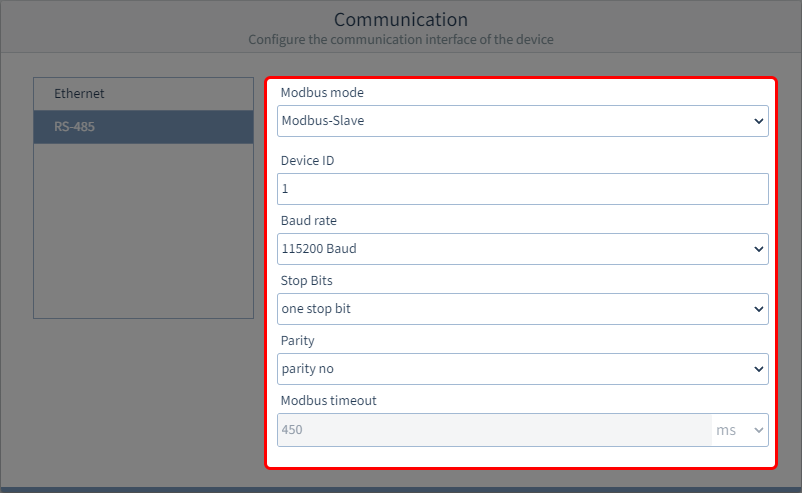
Step 2 (Option 2): RS-485 (Modbus RTU)
Modbus mode
Modbus server (slave)
The device is created as a server in a bus structure.
Modbus client (gateway)
The device is the client of a bus structure.
Device ID
Select a device address with which the device can be addressed in the bus structure.
Each device address exists once in a bus structure!Setting range: 1.. 247 (according to Modbus standard)
1 (default setting)
Baud rate
Select a uniform baud rate for all devices in the bus structure!
9600, 19200, 38400, 57600, 115200 Bd (default setting)
Stop bit
Select a uniform data frame for all devices in the bus structure.
One stop bit (default setting)
Two stop bits
Parity
Select a uniform data frame for all devices in the bus structure.
none
even
odd (default setting)
Modbus timeout
Modbus slave mode
Not configurable.
Modbus gateway mode
1 ... 450 ms
If you select a timeout outside of this time range, there will be an error message.