Logic
Settings
Comparator
Comparators enable the monitoring of limit values. Several comparators in a comparator group can be logically linked (AND or OR operation). Depending on the result of the comparison, a digital output can be switched for a certain time, for example.
The device has 2 comparator groups with 3 comparators each.
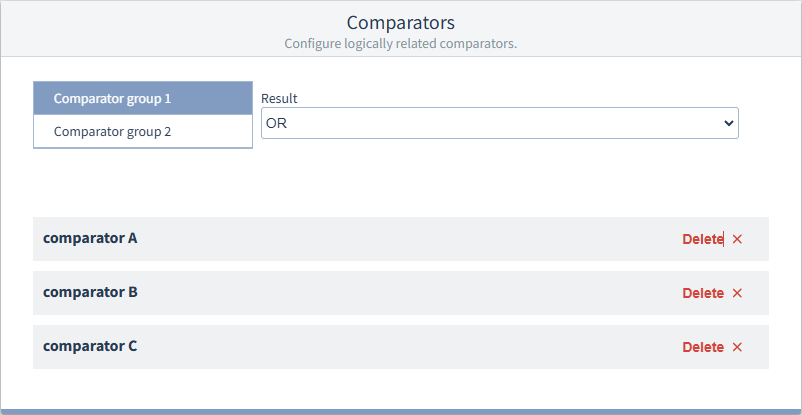
Click on a comparator to configure it.
Click Delete if you do not need a comparator. You can easily re-add accidentally deleted comparators.
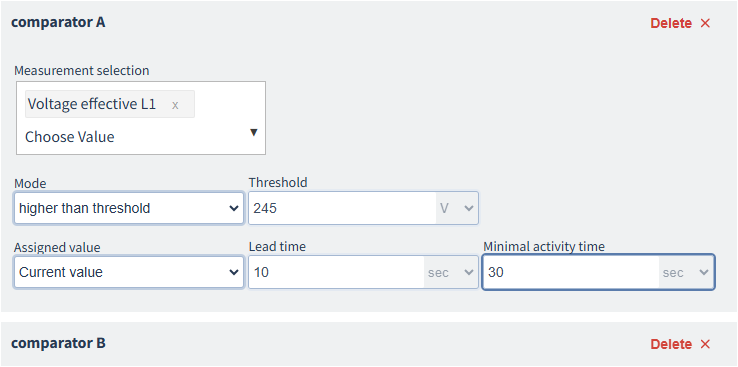
Measured value selection
Select a value from the drop-down list. Expand a branch and select an element from the lowest level, e.g. RMS current L1.
Mode
Select whether the comparator should react if the threshold value is exceeded or undershot.
Select Not used to temporarily disable a comparator without deleting it.
Threshold value
Specify the value for comparison in the unit of measurement used for the measured value.
Assigned measured value
Select whether the current measured value, the average value, or the minimum or maximum value is to be compared with the threshold value. The average, minimum or maximum values refer to the associated time interval (time base) for voltage/current/power that you have defined under General > Sliding Average .
Lead time
Use a lead time if the comparator is to switch on with a time delay relative to the assigned measured value .
Minimum activity time
The comparator switches for at least the duration of the Minimum activity time.
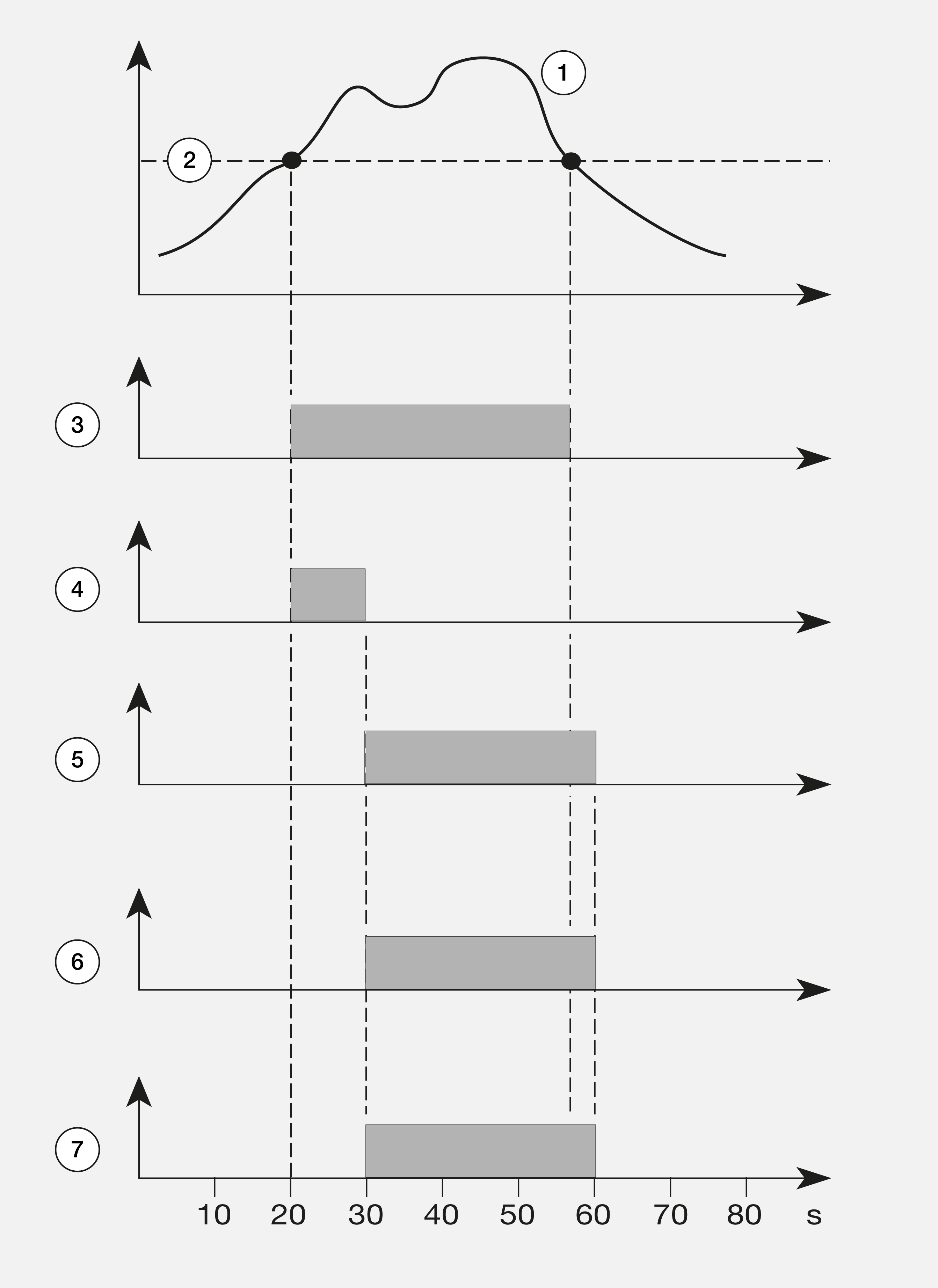
History of the assigned measured value
Threshold value
Limit violation (exceeded)
Lead time
Minimum activity time
Comparator result
Comparator running time
Example image: Comparator with 10 s lead time and 30 s minimum activity time