Transferring the Configuration

The configuration settings represent direct changes to the measurement parameters of your device. Proceed as follows to transfer the configuration settings of your device using GridVis:
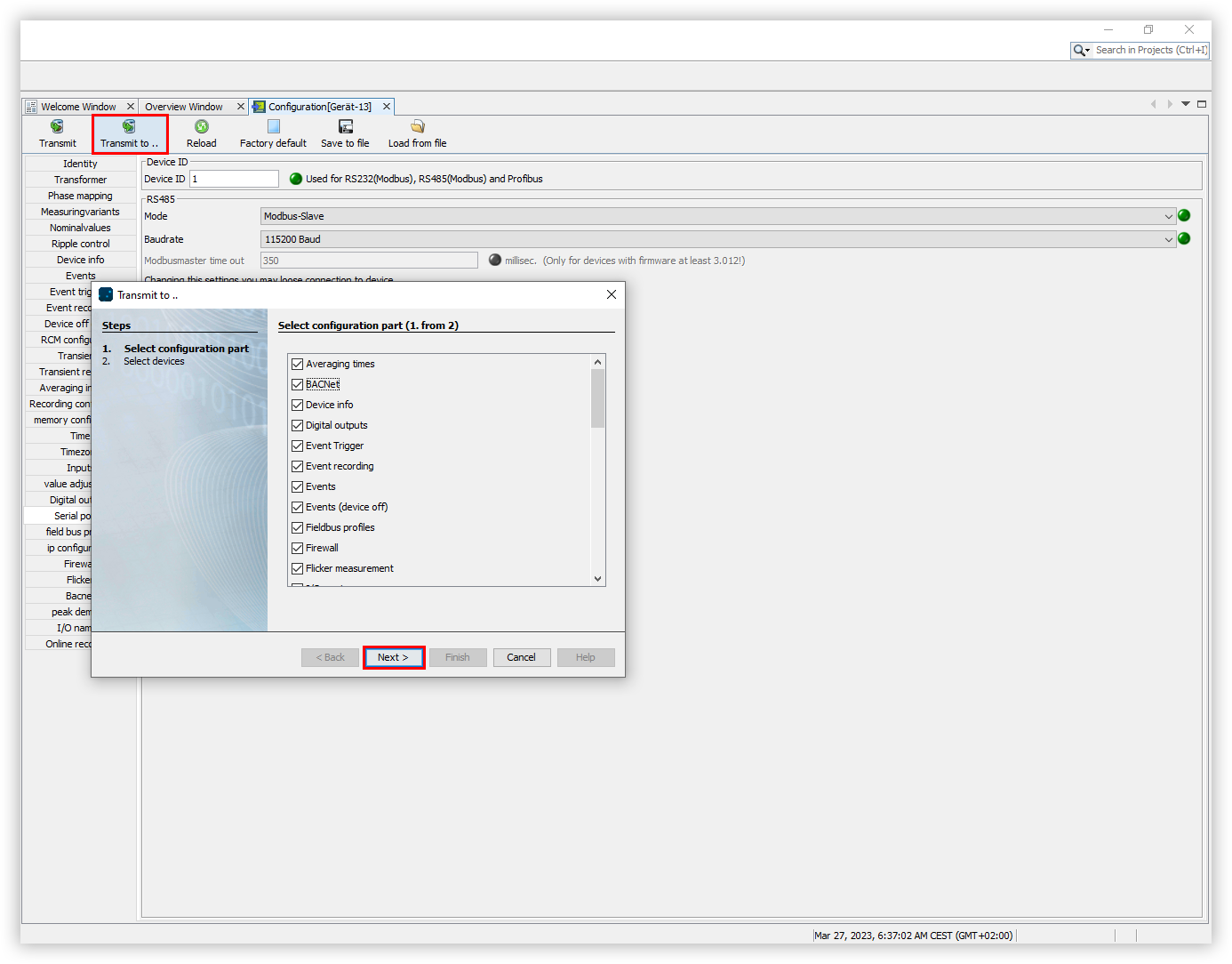
In the Configuration window, click the Transfer to button.
The Transfer to window opens. Use the checkboxes to select which data should be transferred. Then click the Next button.
Select the devices whose data should be transferred and click the Done button.
Note
Pressing the Transfer button sends all configuration settings directly to the device. There is no need to select settings and devices.