Saving and loading the Configuration File
Saving the configuration settings
Proceed as follows to save the configuration settings for your device using GridVis:
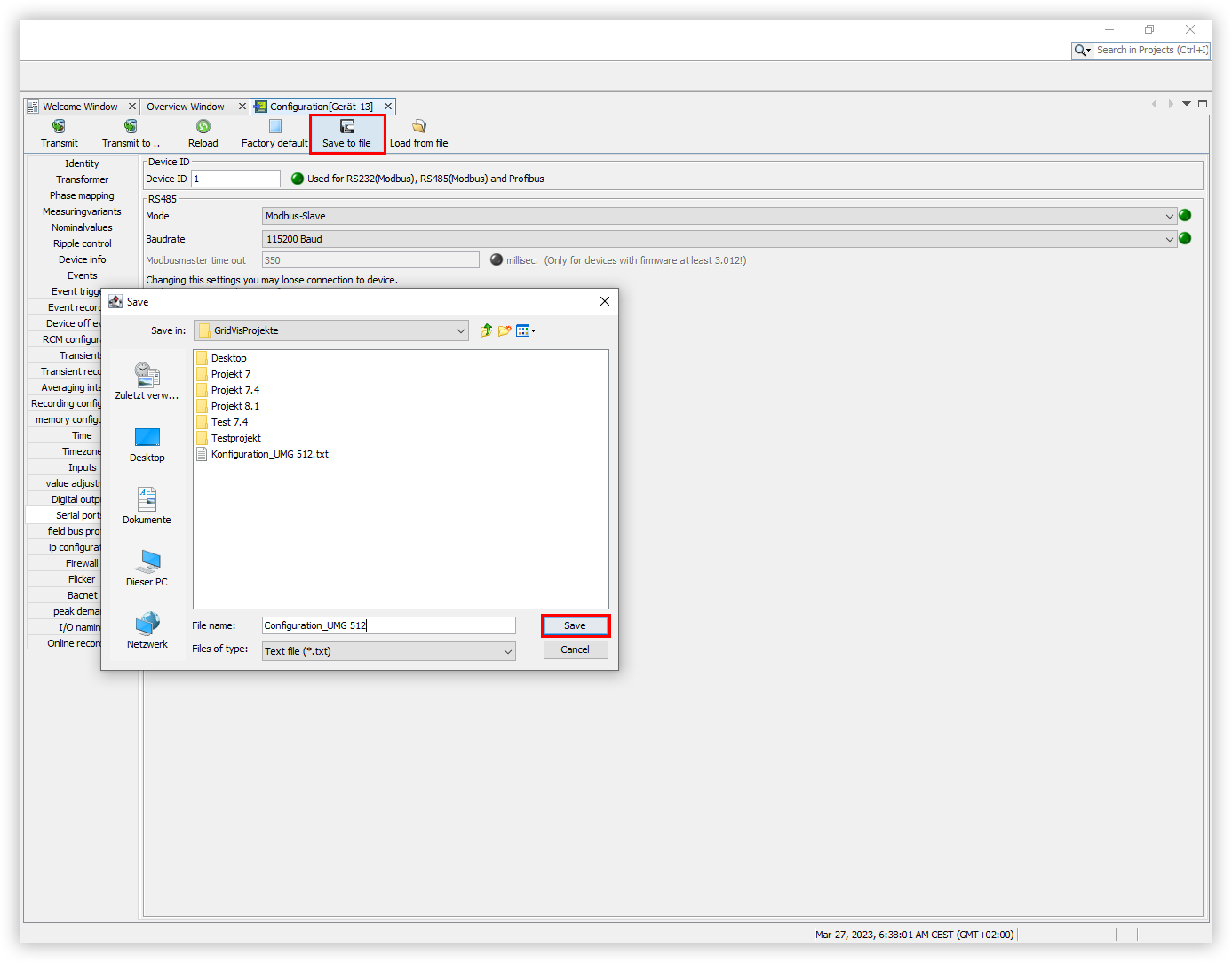
In the Configuration window, click the Save to file button.
The Save window opens. Select the desired storage location for your configuration and click the Save button.
The Information window will then open. This confirms that the configuration has been saved successfully.
Click the OK button here to complete the process.
Loading configuration settings
Proceed as follows to load the configuration settings for your device using GridVis:
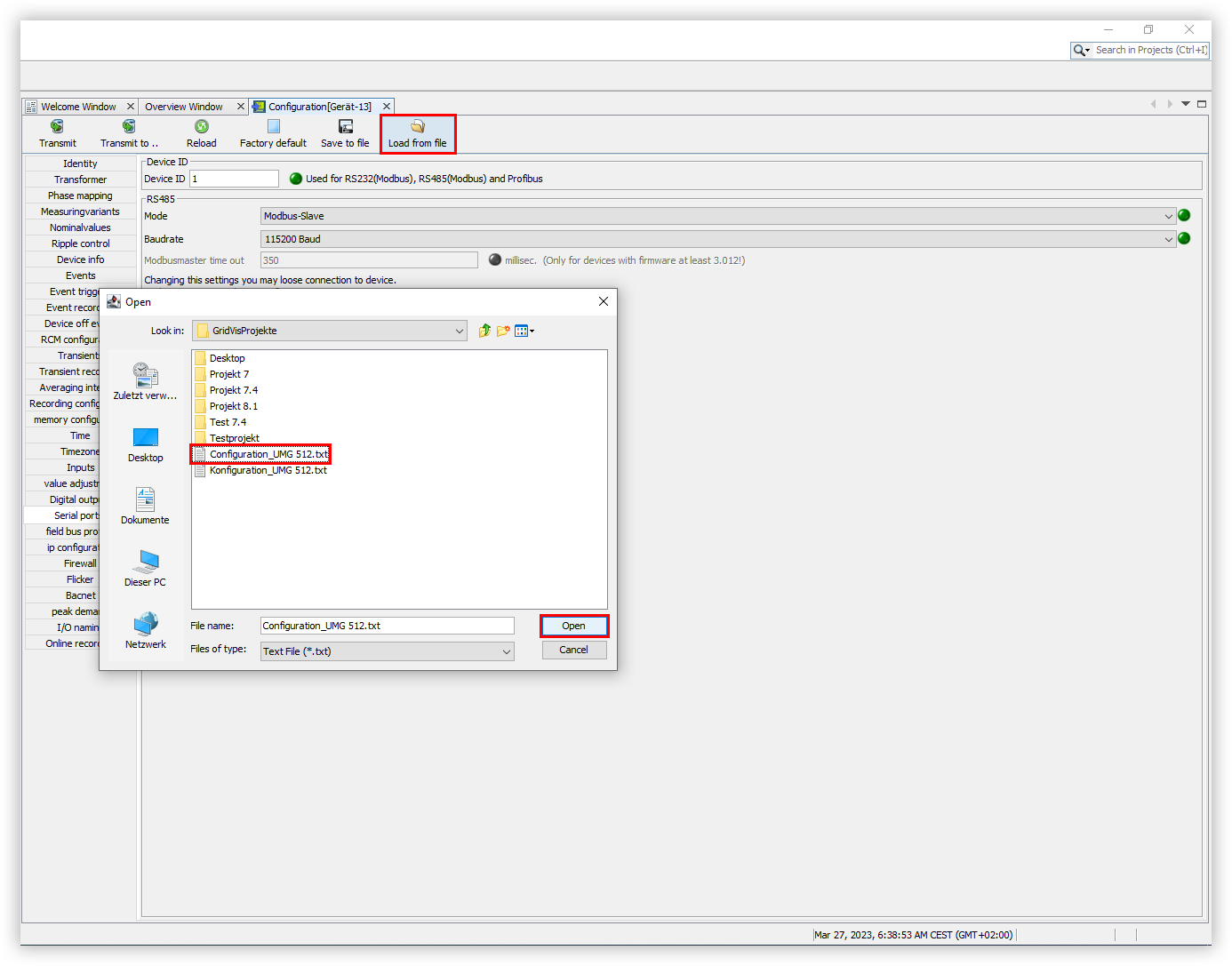
In the Configuration window, click the Load from file button.
The Open window opens. Select your desired configuration file and click the Open button.
The Information window will then open. This confirms that the configuration has been loaded successfully.
Click the OK button here to complete the process.