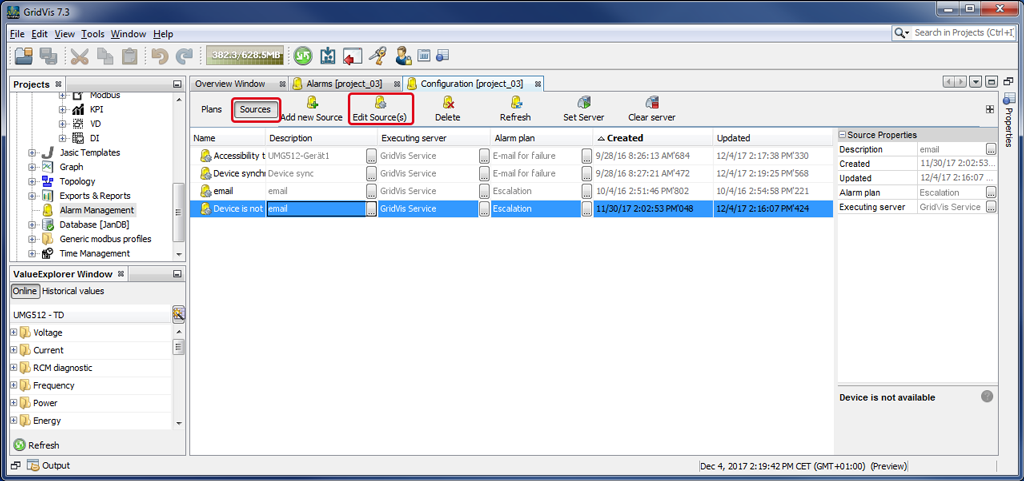
Edit Alarm Source
Description
Make subsequent changes to existing alarm sources using the button Edit Alarm Source
Click on the button Alarm Sources to open the alarm source overview.
Mark the alarm source you would like to change.
Click on the button Edit Alarm Source.
The dialog box Edit Existing Alarm Source Configuration will open.
Edit your alarm source(s) as described in New Alarm Source in step 1, Select Alarm Source, and following.