Function Set Server
Description
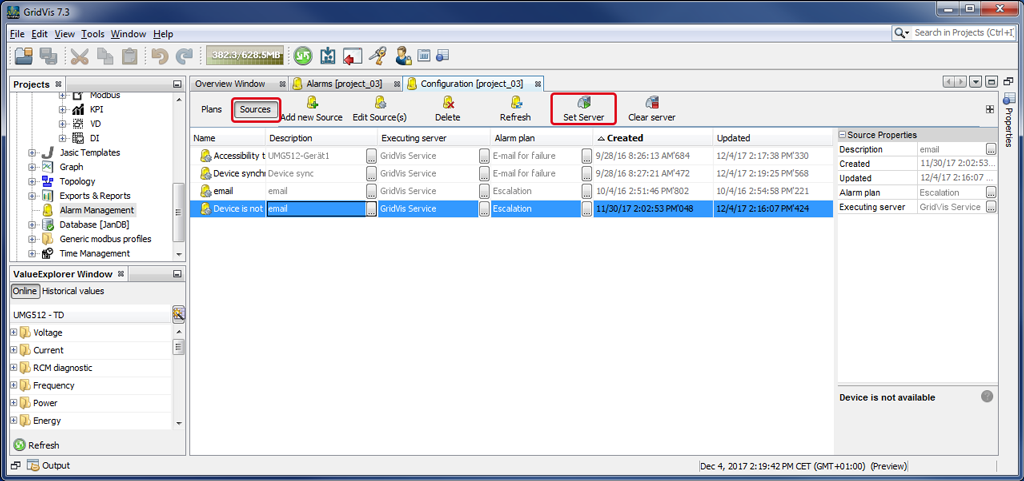
Alarm sources are always assigned to an executing server. The connection between alarm source and server can be configured in the Alarm Source Configuration (cf. New Alarm Source ) or in the window (Alarm) Configuration via the button Set Server.
In the window (Alarm) Configuration, mark your alarm source with the mouse and click on the button Set Server.
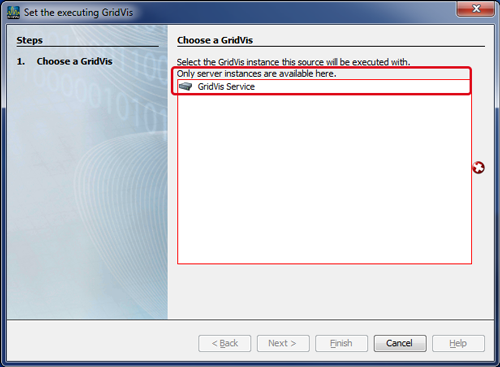
The window Set Executing GridVis will appear.
Mark your server that will execute the alarm source in the list.
Click on the button Done.
The column Executing Server in the window (Alarm) Configuration will show the corresponding server.
Note
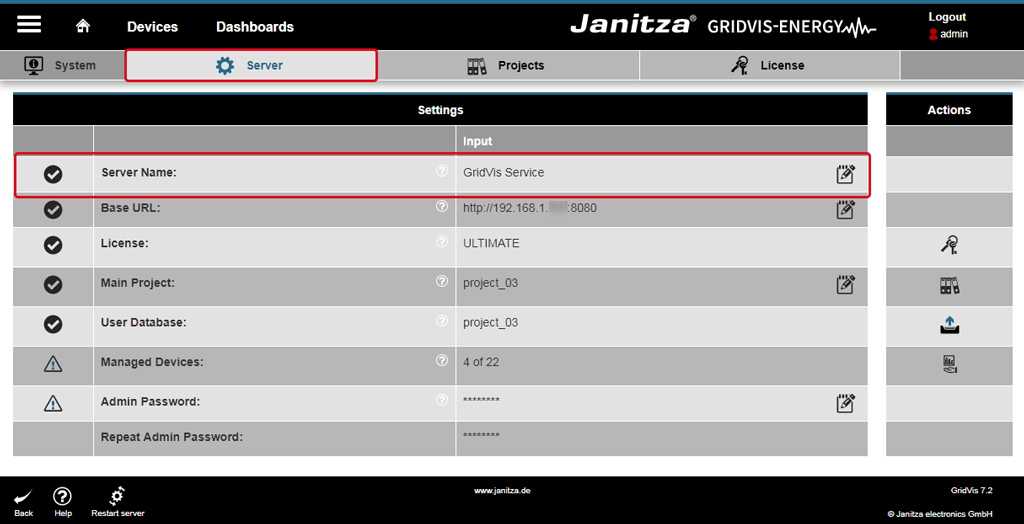
If you want to make changes or alter the name on the GridVis server, go to the server settings for the GridVis service of your GridVis Standard or Expert edition (at http://localhost:8080/admin ).
Log in to your GridVis service with your user name and password.
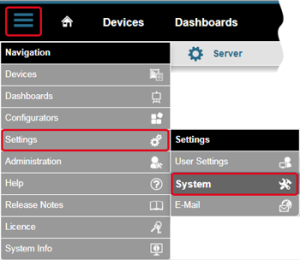
The window System can be opened under Navigation Menu --> Settings --> System (Tab Server).
Standard entry (server name): GridVis Service.The server name is an internal name that represents the name of the service in GridVis.