Measurement Value Selection
Valid for
|
GridVis editions |
Software platform |
|
|
|


Select Measurement Values
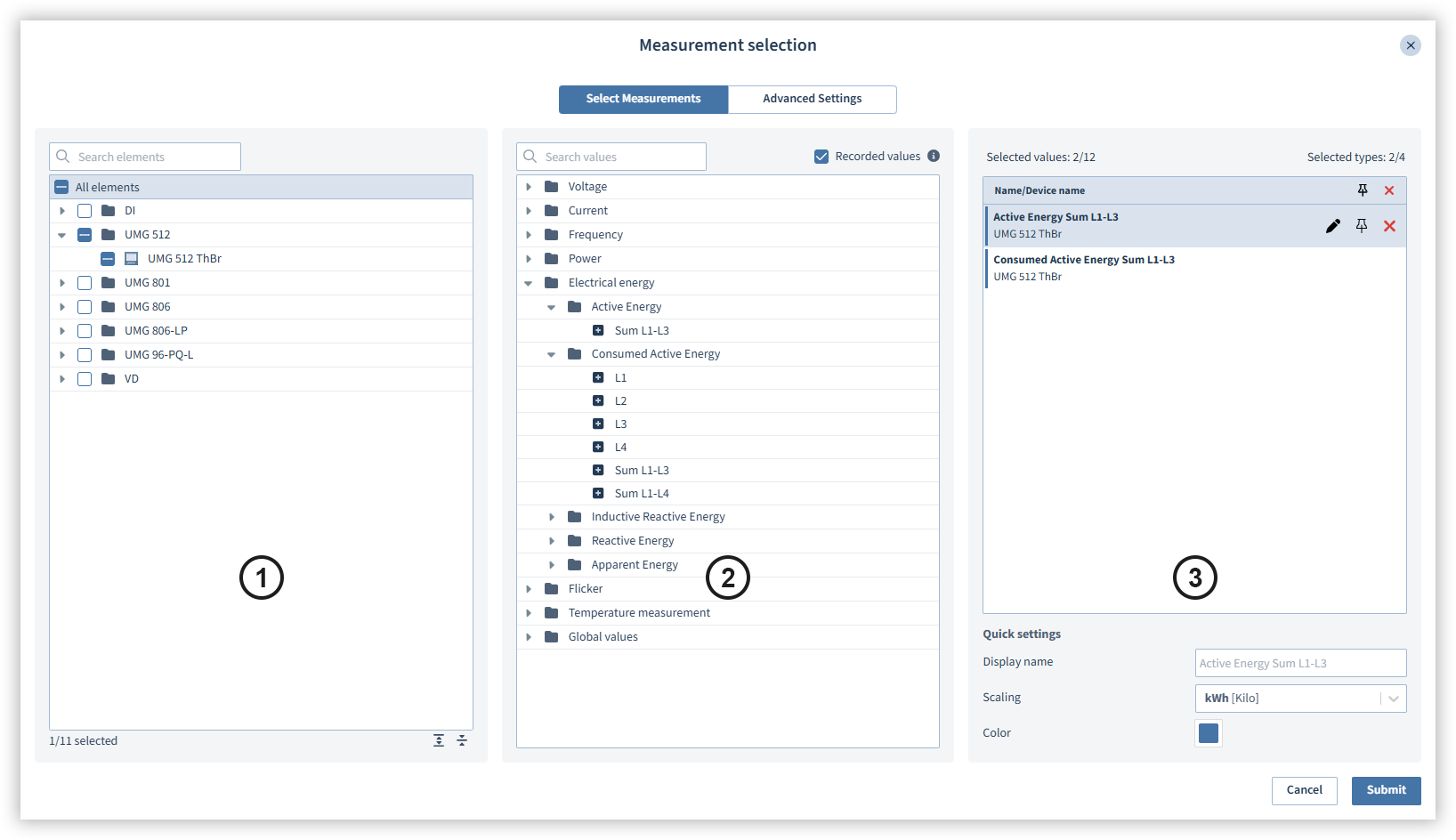
Select the measurement values you want to use.
|
Position |
Description |
|
1 |
Contains the available devices. Click on the device whose measurement values you want to use. You can also select several devices at the same time. |
|
2 |
Contains the available measurement values. If several devices are selected, the intersection of the available measurement values is displayed here. Click on the plus symbol ( |
|
3 |
Contains the selected measurement values. Move the mouse over the values to display further options:
Note The number of measurement values or measurement value types that can be used in the current application is displayed above the list of the selected measurement values. |
 ) to select the measurement value.
 Opens the advanced settings.
 Links a measurement value to the selected device. If you change the device to be displayed, the linked value will continue to be displayed.
 Deselect value.
Configure Measurement Values
Configure the selected measurement values.
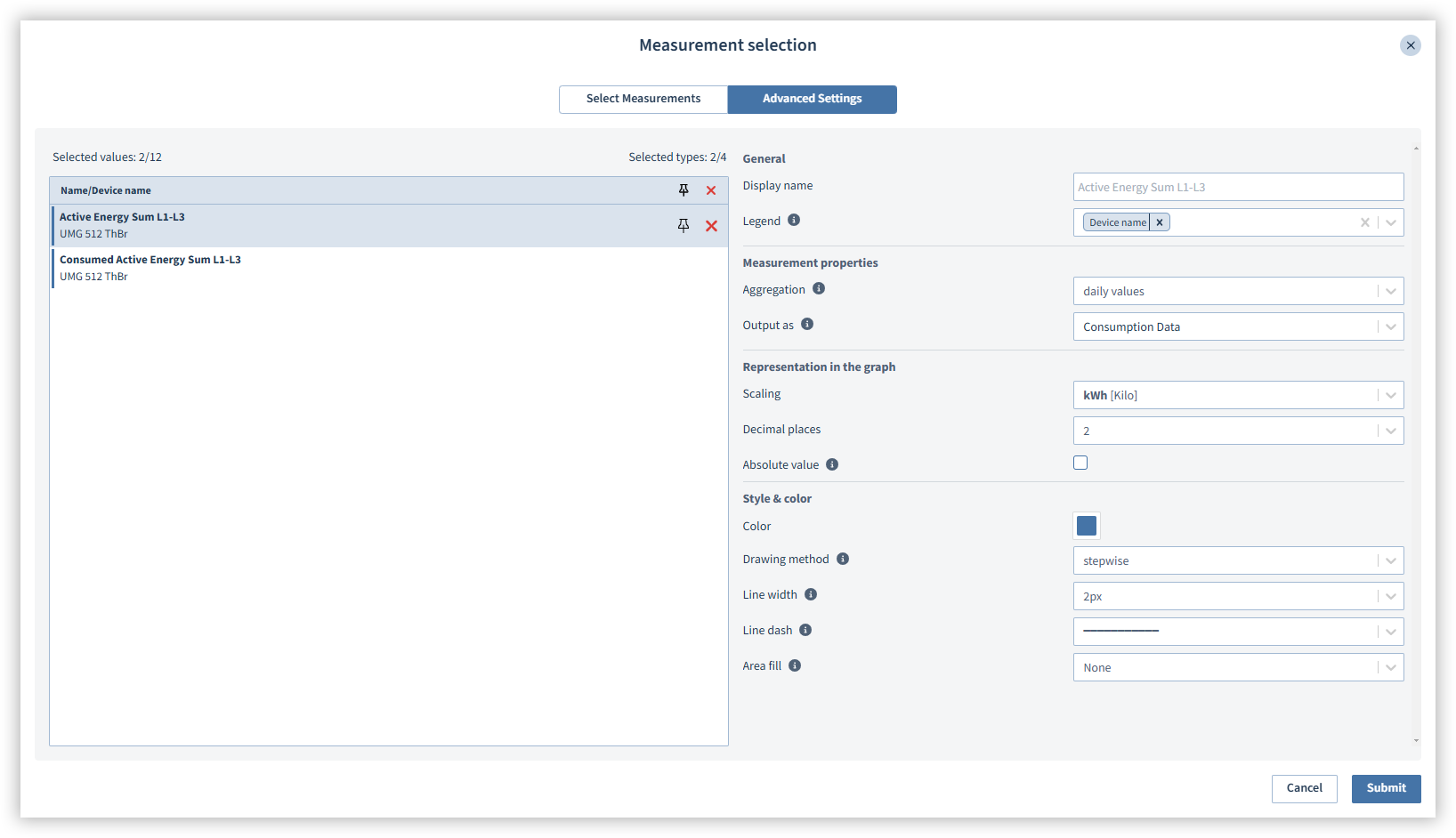
The Advanced Settings area contains the options for the measured value configuration. The options may vary depending on the selected value. You can also select multiple values by holding down the Shift or Ctrl key.
Configuring energy equivalencies, costs and CO2 emissions
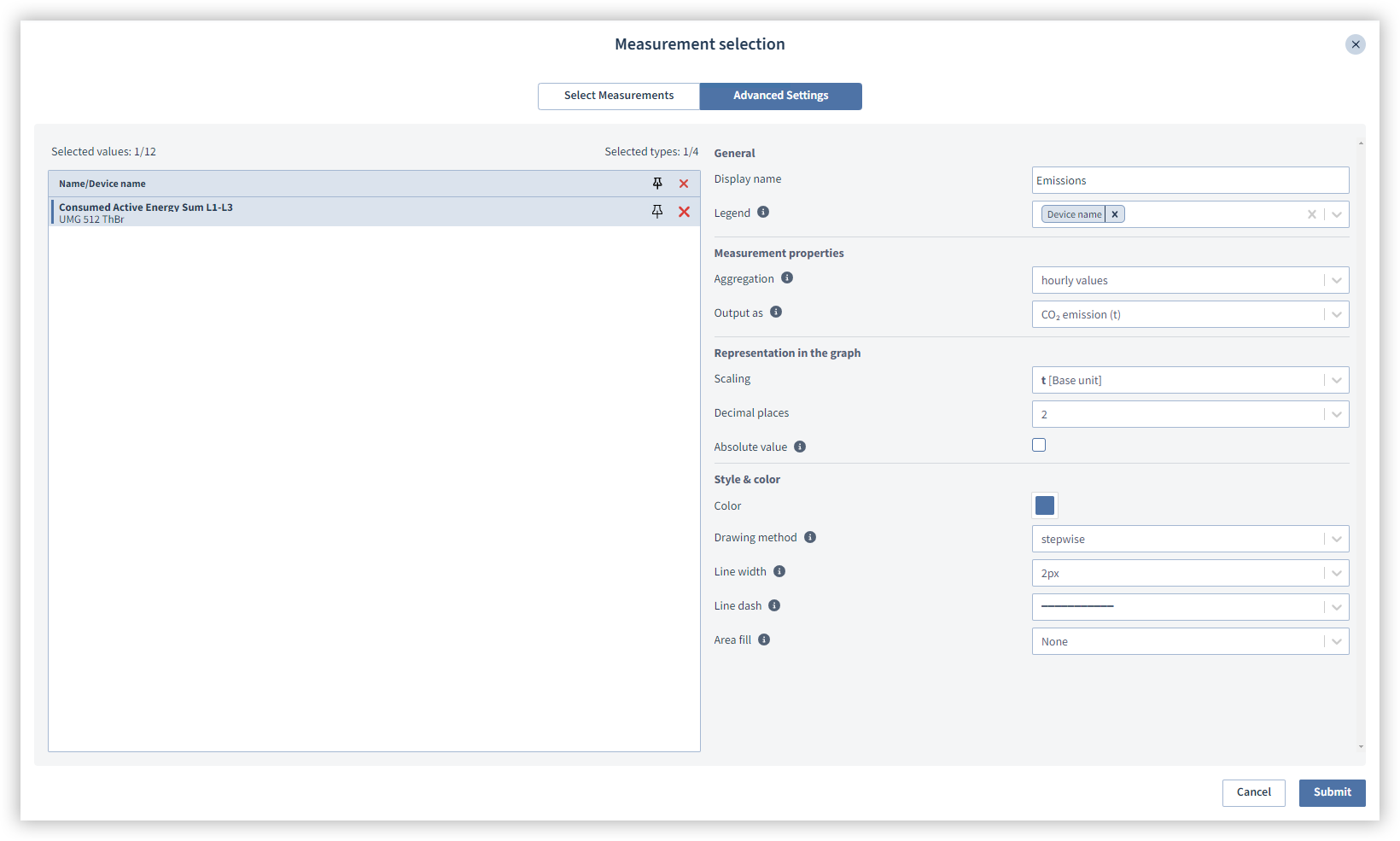
Select the contract data you want to display. To do this, select the measured value and then select how the measured value is to be output under Measured value properties. Please note that you must first create a Contract file for the measured value.
|
Measured value |
Calculation |
|
Energy costs |
Energy costs are the expenses incurred through the consumption of energy. GridVis requires the following data for the calculation:
|
|
Energy equivalent |
An energy equivalent is a unit of measurement that converts different forms of energy to a common basis, namely watt hours (Wh). This makes it possible to compare and calculate the energy consumption and energy content of energy sources. This makes it easier to calculate and compare energy costs. GridVis requires the following data for the calculation:
Note The reference unit of the heating value factor is the unit in which your meters measure the medium. This may differ from the billing unit. For example, natural gas is often billed in energy units (e.g. kWh), while the meter measures the volume (m3). If the reference unit does not match the meter's unit of measurement, the energy equivalent cannot be calculated correctly. For gaseous media, the condition number must also be specified. You can find the condition number and the heating value in the information provided by your energy supplier. |
|
CO2 emissions |
CO2 emissions refer to the release of CO2 into the atmosphere. GridVis requires the following data for the calculation:
|
|
CO2 costs |
CO2 costs in connection with energy refer to the financial expenses arising from the release of CO2 during the production and use of energy. GridVis requires the following data for the calculation:
|