Contract Files

You can store the contract data from your energy supplier in the contract records. You can then view your costs, CO2 emissions, CO2 emission costs and the energy equivalent in the device overview . With the help of data objects you can display the costs, CO2 emissions, CO2 emission costs and the energy equivalent in reports and dashboards graphically.
Add new contract record
Click on the button Add.
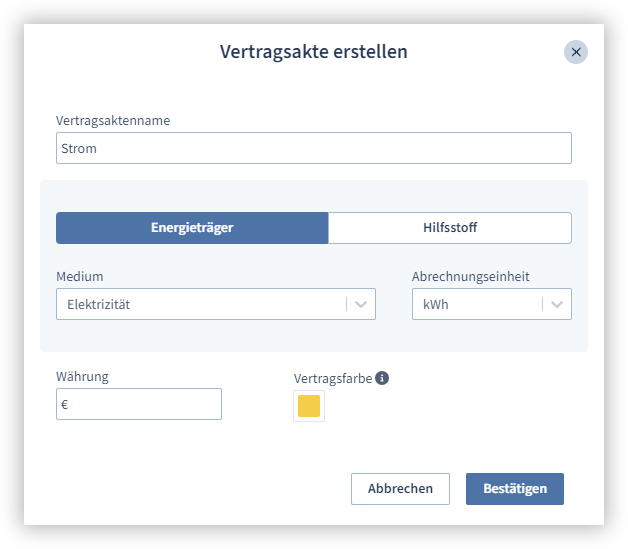
Enter a contract record name.
Select whether it is an energy source or an auxiliary material.
Select your energy source or auxiliary material.
Select the unit in which the medium is billed. You will find this on your energy supplier's bill.
Enter your currency.
Specify the contract color. In reports, dashboards and lists, this color is used to represent costs or CO2 emissions.
Click on the Confirm button to create the contract record.
Note
Please note that the medium and the unit cannot be changed retrospectively. If you want to change the medium and the unit at a later date, you must create a new contract.
After creation, the contract record is displayed in the overview.
Click on the pen icon to edit the contract details.
Click on the X button to delete the contract record.
Assign measurement points
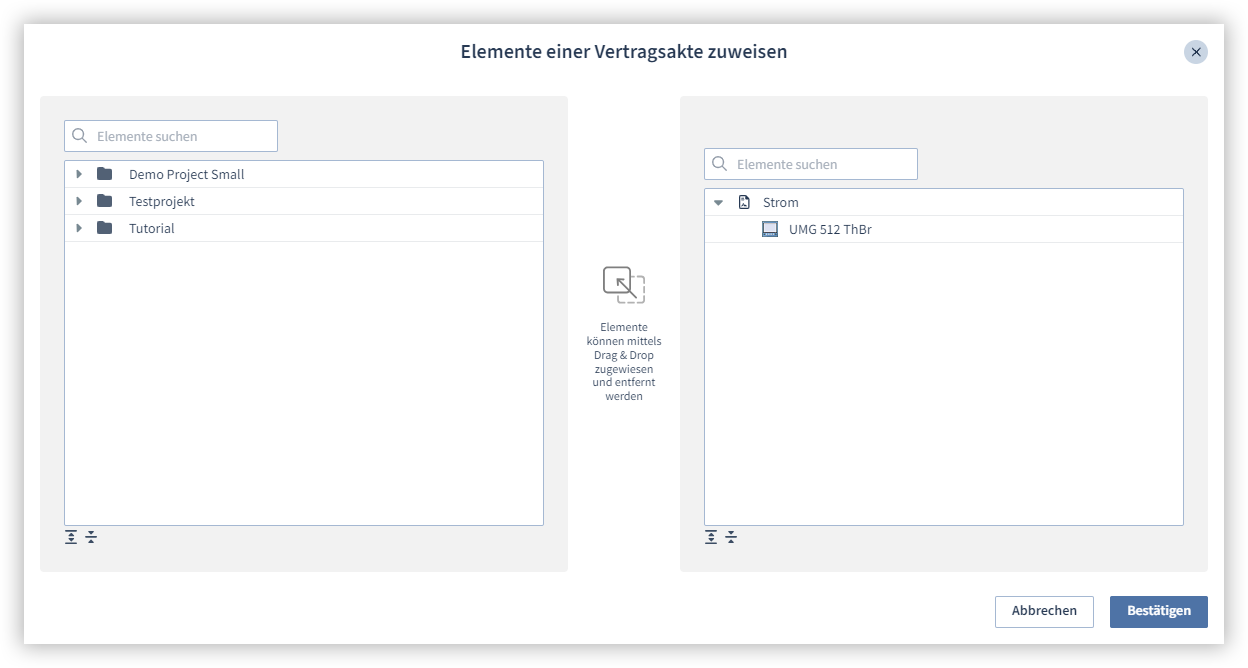
Click on the Assign button.
Select the measurement point that you want to assign to the contract record and drag and drop the measurement point into the right-hand window.
Finally, click on the Confirm button.
You can remove the measurement point at any time by moving the mouse over the measurement point and clicking on the X icon.
Add prices and CO2 emissions
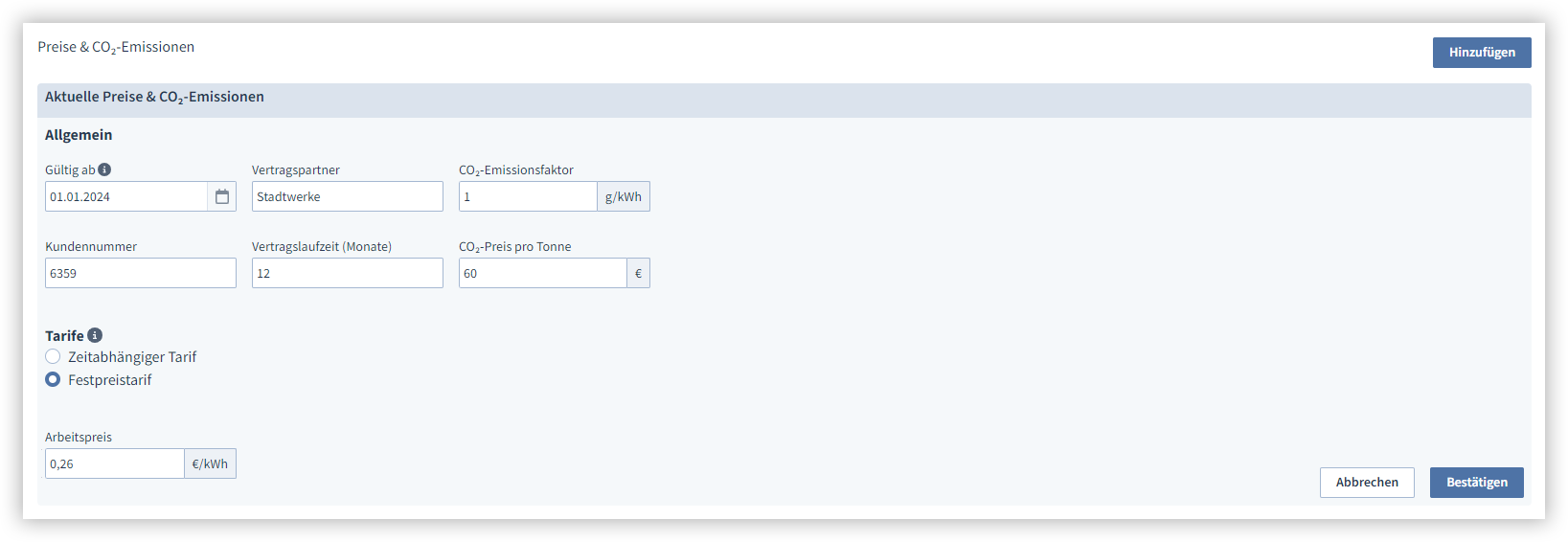
Prices and CO2 emissions form the basis for calculating your energy costs. Please note that, depending on the energy source or auxiliary material, you must provide information such as the CO2 price and emission factor or the heating and calorific value.
Click on the button Add.
Select the date from which your contract is valid.
Enter your contract partner, customer number and contract term.
If necessary, enter the CO2 emission factor. A CO2 emission factor is a number that indicates how much carbon dioxide (CO2) is released when, for example, gasoline is burned, a house is heated or electricity is generated.
If necessary, indicate how high the CO2 price per ton is. The CO2 price per ton is a fee that must be paid when a ton of carbon dioxide (CO2) is released into the air.
If necessary, specify how high the heating value is. This value indicates how much usable energy can be extracted from a substance without the use of condensation heat.
If necessary, specify how high the calorific value is. This value indicates how much usable energy can be extracted from a substance with the use of condensation heat.
If necessary, specify whether the total energy consumption should be calculated using the calorific value or the heating value.
If necessary, specify whether the CO2 emissions should be calculated using the calorific value or the heating value.
Then enter the tariffs that you have agreed to with your energy supplier. Here you have the option of specifying low and high tariffs, for example.
Select whether it is a time-dependent or a fixed tariff price.
Enter the tariff name.
Enter the labor price per unit consumed.
Select the period in which the tariff is active. You can configure additional time periods in time management .
Click on the Add tariff button to specify further tariffs.
Click on Confirm to save the conditions.