Device overview
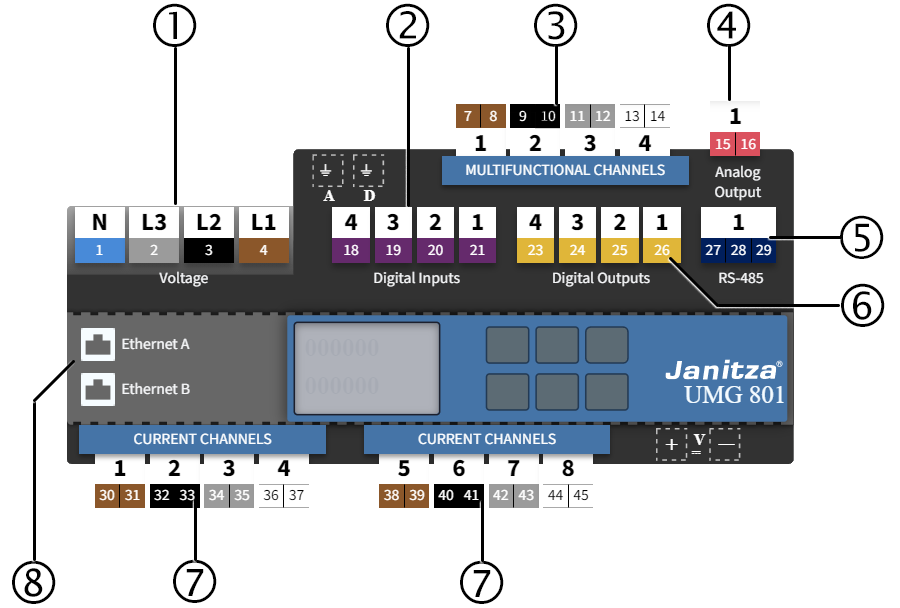
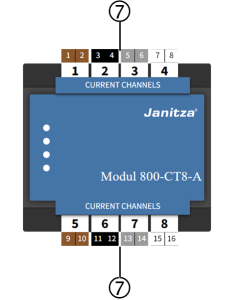
Device overview (overview of basic device / module)
|
Position |
Connection |
Tab |
|
1 |
Voltage |
|
|
2 |
Digital inputs |
|
|
3 |
Multifunction channels |
Measurement
/
Periphery
|
|
4 |
Analog outputs |
|
|
5 |
RS-485 interface |
|
|
6 |
Digital outputs |
|
|
7 |
Current-channel measurement groups |
|
|
8 |
Ethernet interfaces |
Navigation in the device overview
You can select a measurement group or a single channel:
Click on the channel (1) to be set.
A configuration window (2) opens. Here you can set the name and mode of the channel.
The associated settings are automatically called up in the configuration area (below).