Voltage Transformer
How do I configure a voltage channel for a voltage measurement?
Step 1: Selection of the voltage channel from the device overview
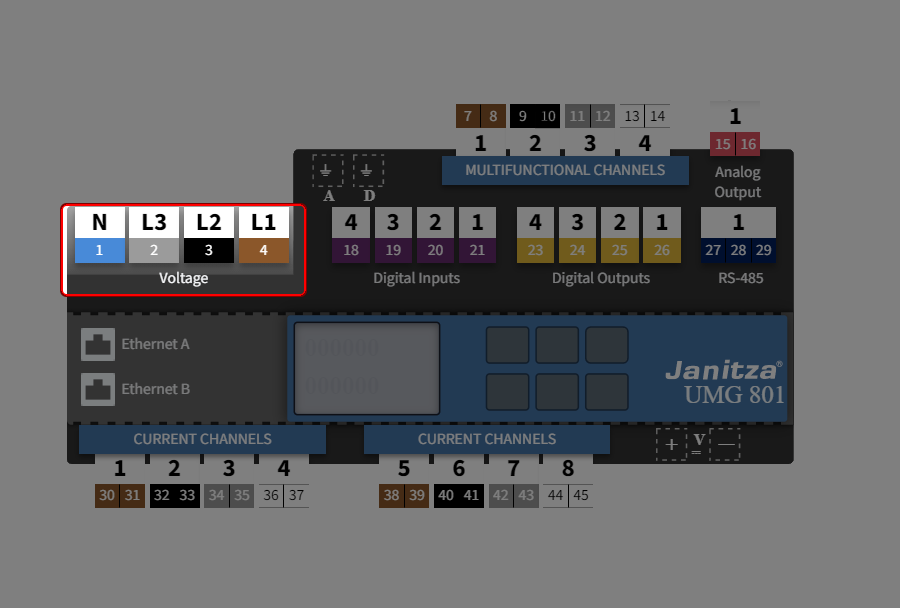
On the device overview, there are color-coded buttons for configuring the device connections. These represent the individual channels or measurement groups of the basic device and the modules.
Click on
the desired voltage channel.
Step 2: Specify the measuring mode
The setting is always applied to all voltage channels simultaneously.
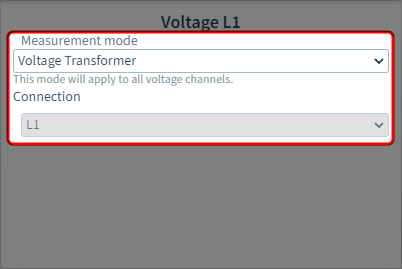
Measuring mode
The following measuring modes are available:
Direct connection
The voltage measurement is made via a direct connection to the mains
Voltage transformer
The voltage measurement takes place via voltage transformers
Connection
This field is for information only and cannot be configured.
How do I set the ratio of the voltage transformers?
Step 1: Configuring voltage transformers
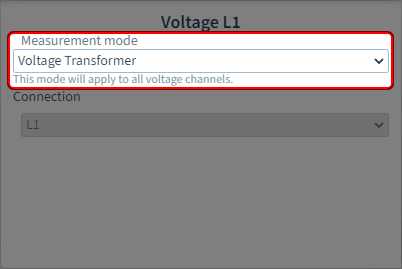
Set the "Voltage transformer" measuring mode for the voltage channels.
The setting under this parameter is always applied to all voltage channels. The corresponding expanded configuration area (below) opens at the same time.
Step 2: Enter voltage transformer parameters
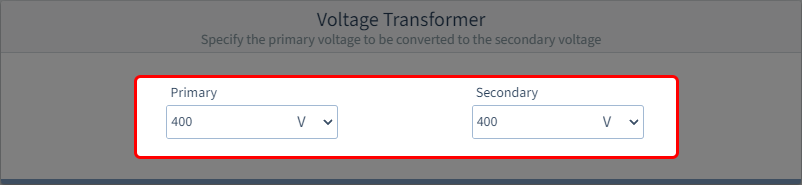
Enter the primary and secondary voltage as per the technical data of the voltage transformer. This represents the conversion or winding ratio of the voltage transformer.
Primary
Enter the primary voltage of the voltage transformer and the appropriate unit in the input field.
Secondary
Enter the secondary voltage of the voltage transformer and the appropriate unit in the input field.