Temperature
To which channels can I connect a passive temperature sensor?
Multifunction channels
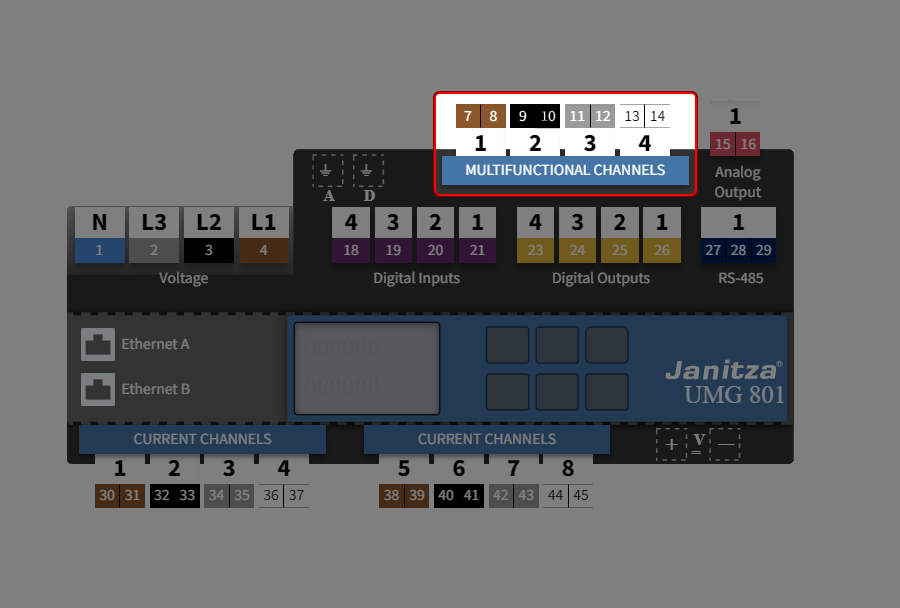
How do I set the channel for temperature measurement?
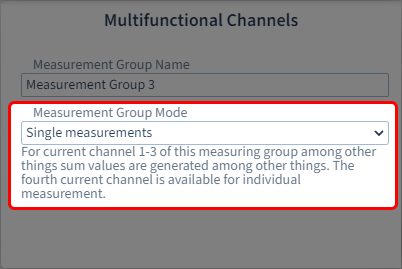
Step 1: Measurement group mode → Single measurement
In order for the setting option for temperature measurement to appear for channels 1 - 3 under Measuring mode, the measurement group mode Single measurement must be set for the entire measurement group.
Note
The measurement group modes have an influence on the setting options of the individual current and multifunction channels.
What are measurement group modes? See Measurement group mode .
Step 2: Setting in the device overview
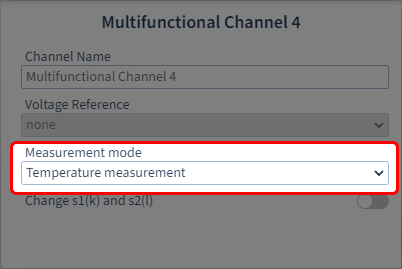
Configure the multifunction channels to measure temperatures:
Click on a multifunction channel in the device overview.
Select the entry Temperature measurement as the measuring mode
Optionally, give the channel a name.
The configuration card for temperature measurement is automatically displayed in the configuration area.
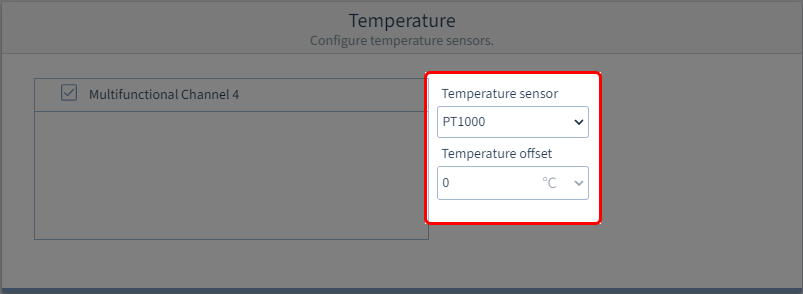
Step 3: Configure thermistor input
Temperature sensor
Select the type of temperature sensor:
KTY83
KTY84
PT100
PT1000
Temperature offset
Set an offset of between -50° and +50°.