Communication
Settings
Ethernet*
Note
* This configuration card is only available if the measurement device has an Ethernet connection, e.g. via module 96-PA-RCM-EL.
IPv4 configuration
You can choose between different types of address assignment in the network:
Fixed IP address (static): Assign a permanent IP address, netmask and gateway to the device ("Static"). Use this mode for simple networks with no DHCP server.
BootP: Automatically integrates your device in an existing network. BOOTP is an older protocol and has a smaller range of functions than DHCP.
DHCP: The measurement device is automatically assigned an IP address at startup. The following fields are automatically filled with the assigned values and are grayed out.
Fixed IP address with ARP test: Assign a permanent IP address, netmask and gateway to the device, and the device will automatically log in to the network with IP and MAC address ("Static Gratuitous ARP").
BootP with ARP test: Simplified protocol for the automatic assignment of IP addresses to the MAC addresses. The device automatically logs into the network with IP and MAC address.
DHCP with ARP test: Protocol for the automatic assignment of IP addresses to the MAC addresses. The device automatically logs into the network with IP and MAC address.
If you decide to use a fixed IP address, you must configure the following settings: IP address, subnet mask and standard gateway.
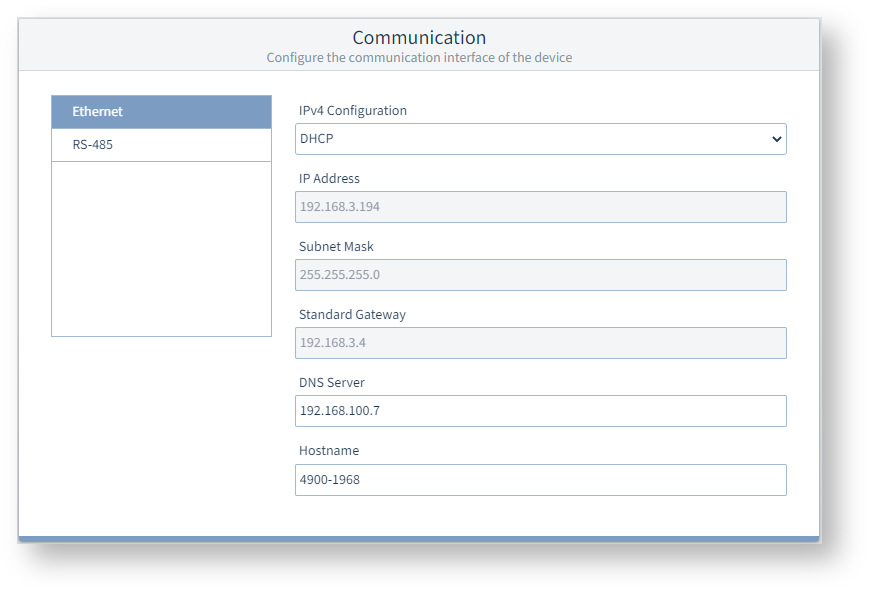 Example image: UMG 96-PA-MID+
DNS server
This is the IP address of the Domain Name Server (DNS), which is a system used to associate domain names with IP addresses.
Hostname
The hostname is the name of the measurement device for communication within the network.
RS-485
The measurement device can communicate via the RS-485 interface using the "Modbus RTU" protocol.
Modbus mode
Modbus Master(Gateway): This measurement device is configured as a gateway, i.e. it is connected to a higher-level PC or server via Ethernet (Modbus TCP).
Several measurement devices or other devices can be connected to the gateway via RS-485 (Modbus RTU). With Modbus RTU, the gateway acts as a client (old designation, "master") that initiates the communication.Modbus slave: This measurement device is configured as a server (old designation, "slave"), which responds to the requests of the gateway (client).
Device ID
Assign a device address to the device which can be used to address the device in the bus structure. Each device address exists only once in a bus structure!
Baud rate
Select a uniform baud rate for all devices in the bus structure!
Stop bits, parity
Select a uniform data frame for all devices in the bus structure.
Modbus timeout
If a Modbus device does not respond to a request within the specified time, this is considered a timeout. The gateway responds with a Modbus exception.
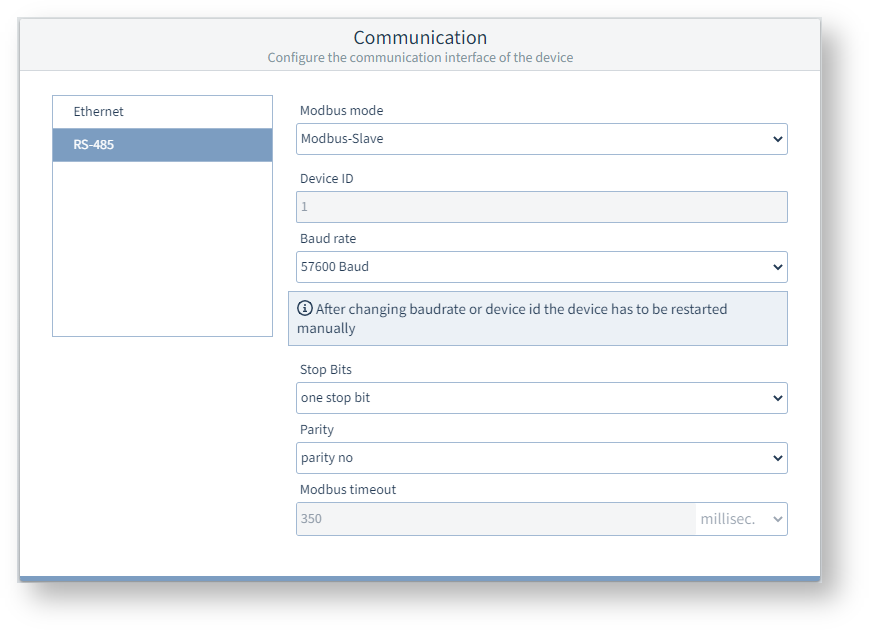
Example image: UMG 96-PA-MID+