Account overview
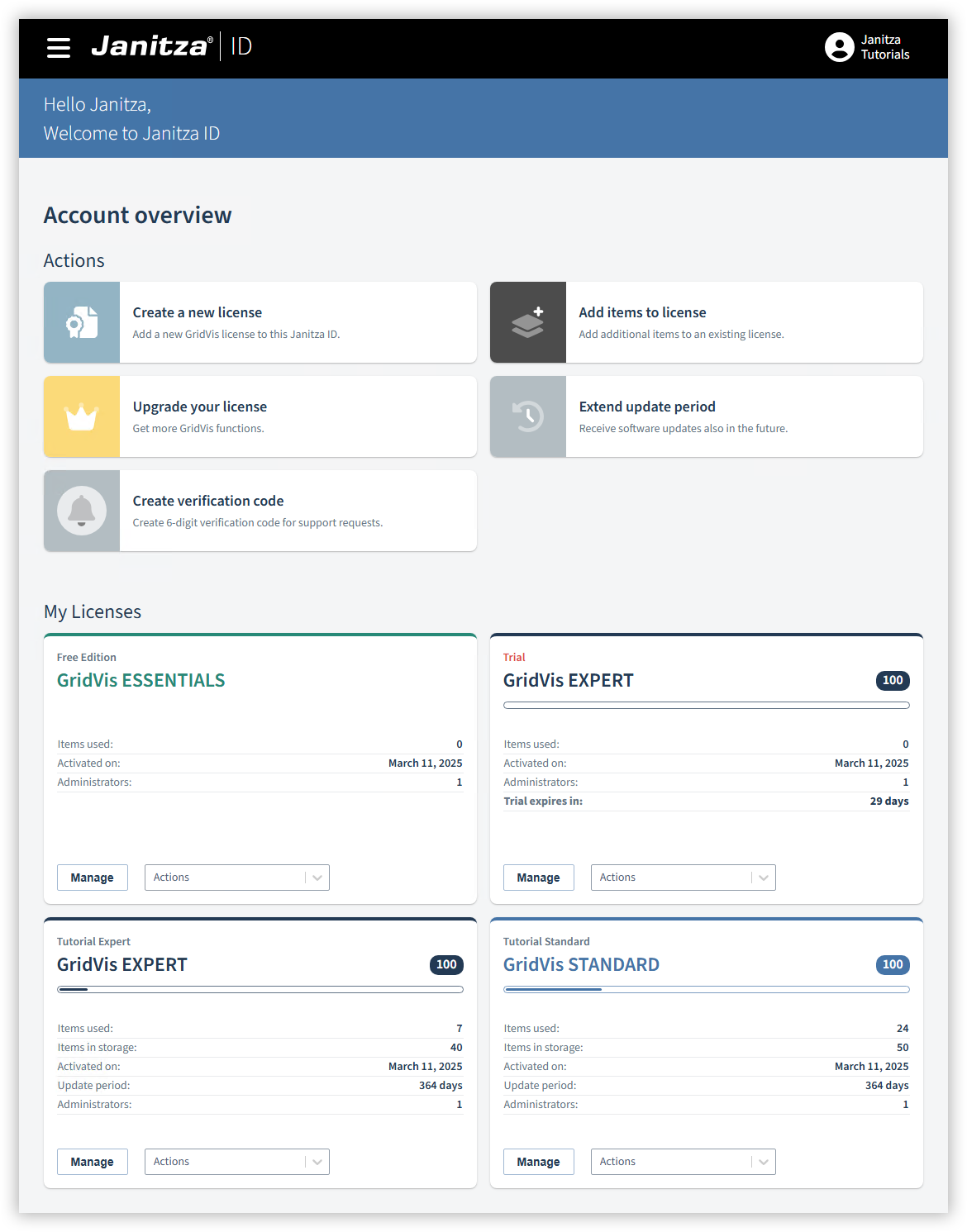
The account overview provides you with an overview of your licensed GridVis editions and items.
Select menu item
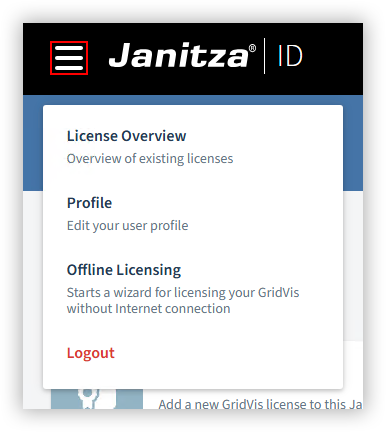
Click on the three lines to select a menu item. A drop-down menu opens.
Select the desired menu item:
License Overview
Opens the account overview with the existing licenses.
Profile
Edit or delete your user profile (e.g. address, password, ...).
Offline Licensing
Start the wizard for licensing a GridVis project without an Internet connection (see
Offline licensing
).
Logout
Log out of the Janitza ID.
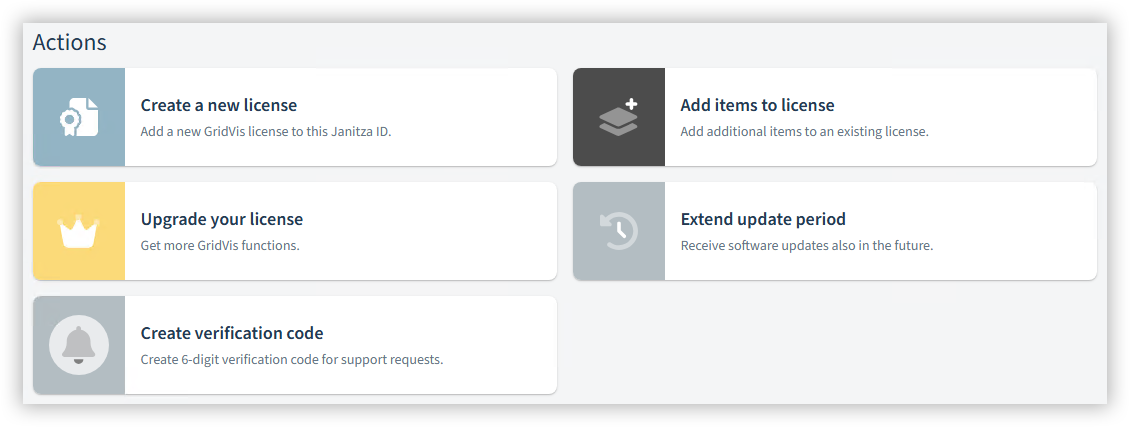
Actions
You must purchase a license key for some of the actions (see
Using a license key
).
The following actions are available:
Create a new license: Use this action to add a new license to your Janitza ID. The following license types are available:
GridVis Essentials
With the free edition, you can use basic information to configure the measurement devices and to visualize and evaluate the measured values.GridVis Expert test phase
With the Expert test phase, you can use the full range of GridVis functions free of charge for 30 days. The test phase can only be used with projects licensed online.GridVis Cloud test phase
With the cloud test phase, you can use the GridVis Cloud free of charge for 90 days. Further information can be found under GridVis Cloud licensing .Enter new license key
With this action you add a purchased license to your Janitza ID.
Add items to license: This action increases the number of items in an existing license.
Upgrade your license: Use this action to upgrade from a Standard license to an Expert license.
Note
The update period after an edition upgrade is always one year.
Extend update period: This action extends the update period of an existing license. Example:
Initial situation
Selected update package
Calculation
New update period
GridVis Expert with 100 items
3 years, 50 items
(3 years x 50 items) / 100 items
+1.5 years
GridVis Expert with 100 items
1 year, 100 items
(1 year x 100 items) / 100 items
+1 year
GridVis Standard with 50 items
3 years, 100 items
(3 years x 100 items) / 50 items
+6 years
Note
A newly acquired update period is always added to the existing period. This means an expired period is always taken into account.
Create verification code: This action generates a 6-digit code to identify yourself for support requests as an additional security measure.
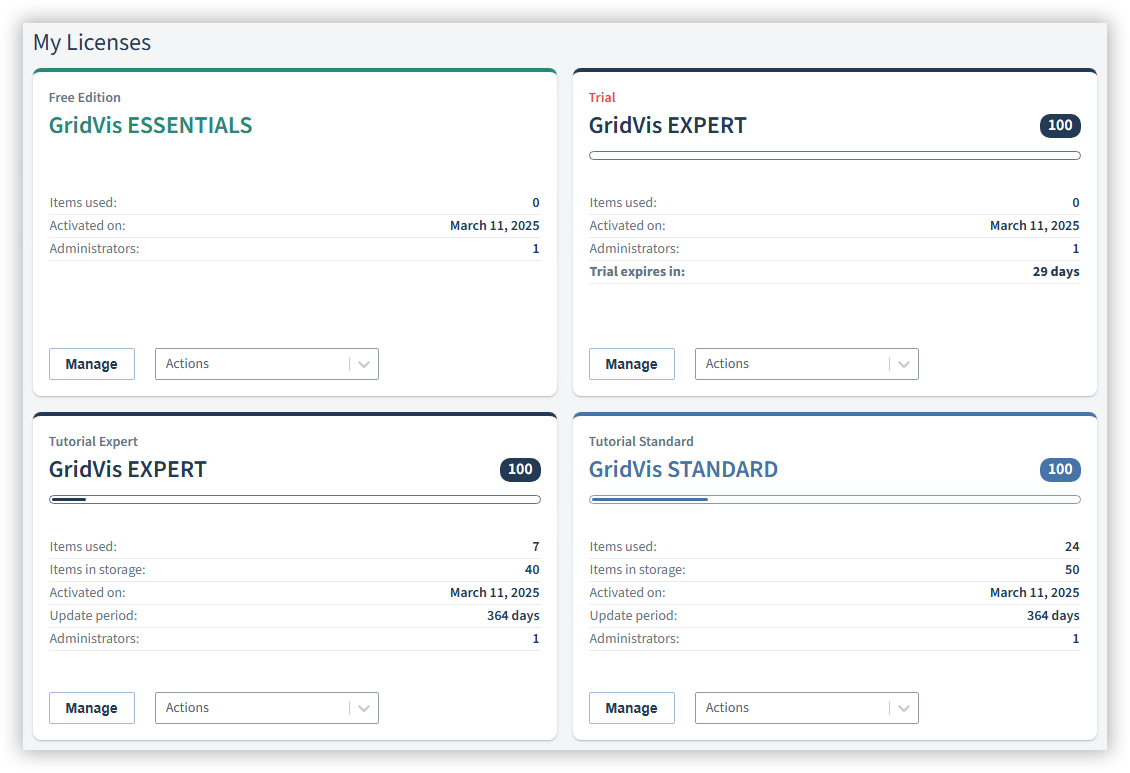
My licenses
This area gives you a compact overview of the status of your GridVis editions:
License name and type of the edition
Number of items contained in the license
Items used (also as a progress bar)
Number of items in the item storage
Date of activation and remaining test or update period
Number of administrators
Use the license tiles manage the licensed GridVis projects and the settings for the respective license (see Manage licenses ).