Weather


images/download/attachments/251037704/W_wetter_EN-version-1-modificationdate-1519916110000-api-v2.png

Position

Description

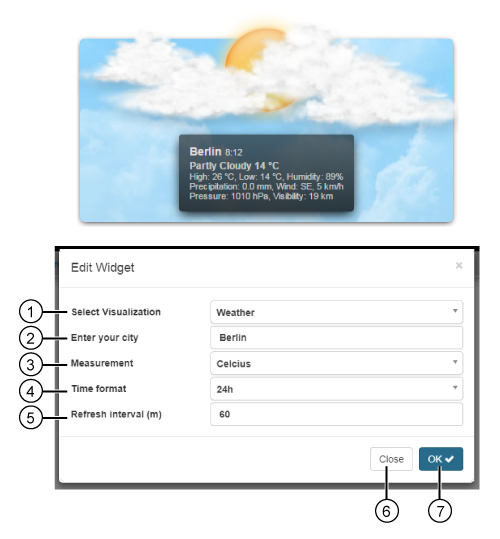
1

  • Selection of the Widgets (visualization).

  • Weather selected.

2

  • Enter your city.

3

2 possible measurement units:

  • Celsius

  • Fahrenheit

4

2 possible time formats:

  • 24 h

  • 12 h

5

  • Entry of the update time of the widget in minutes.

6

  • Closes the assistant Edit Widgets without saving the entries.

7

  • Saves your configuration.

  • The Widget appears on the Dashboard.