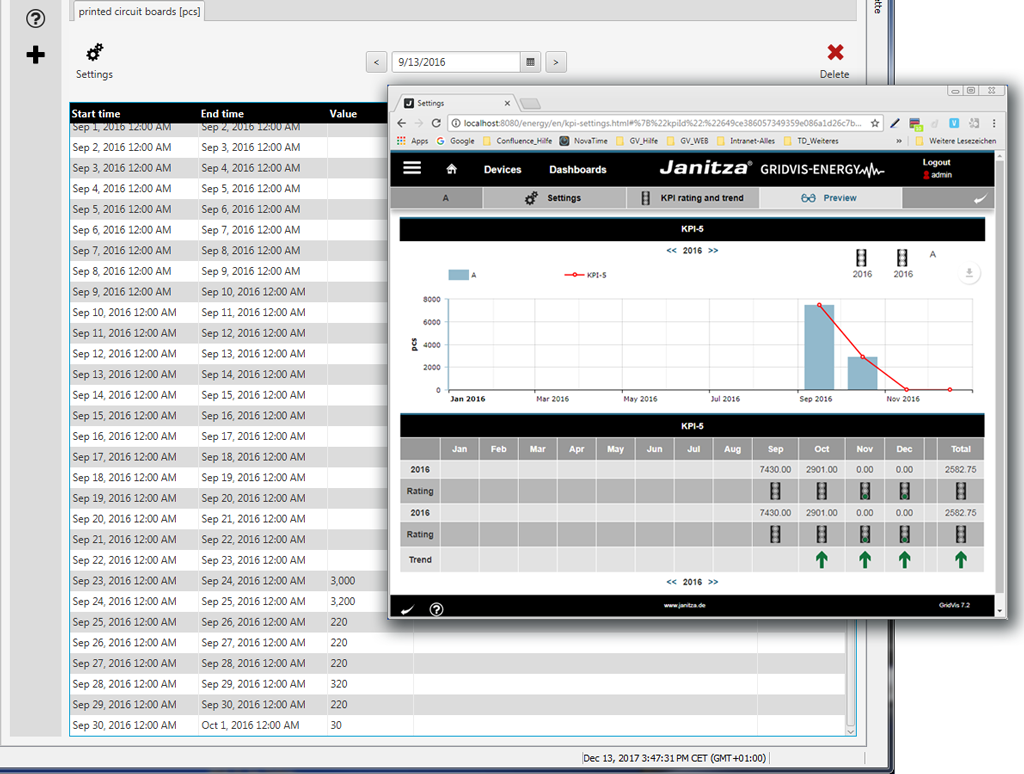
First Example of CSV Import (Number of items)
Description
Number of items can be an important key performance indicator (KPI) for your energy management system which is measured or determined for important goals. Key performance indicators (KPIs) are used e.g. for examining the total plant efficiency for the actual load of a machine versus its theoretical load.
In the following, the CSV import of platinum quantities serves as an example of preapring the data import to the GridVis:
First configure your device for the data import (DI) as described in Data Import (DI) - Configuration .
Then follow this configuration example.
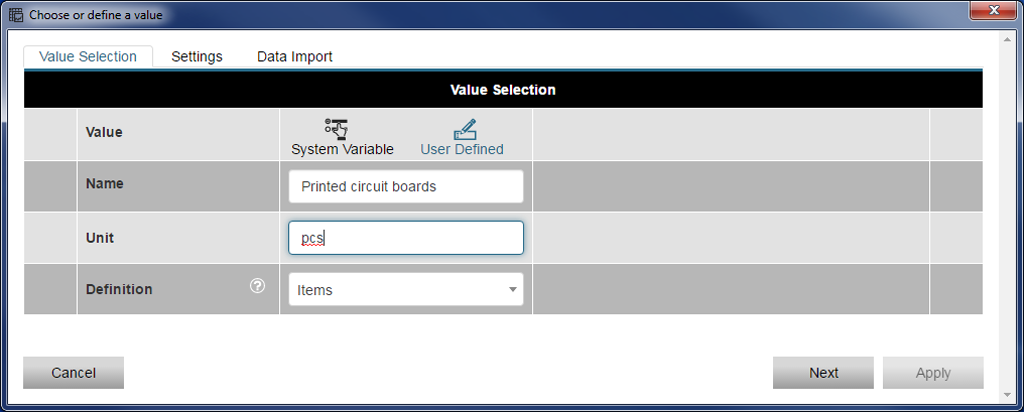
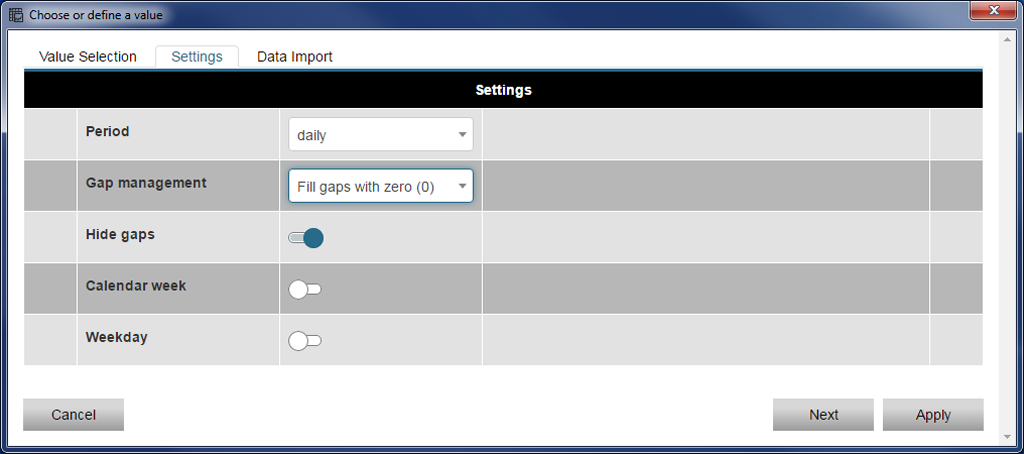
|
Pos. |
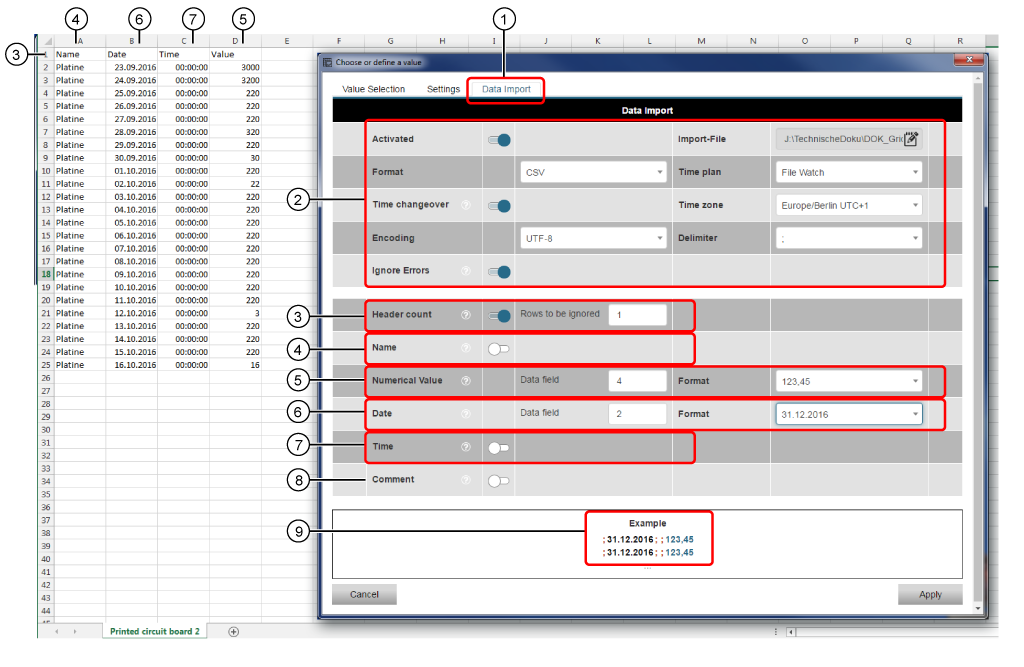
Description of the CSV File formatting |
|
1 |
Data Import to activate, click on the register. |
|
2 |
The background shows the formatting of the CSV file. Example: CSV File to Download . |
|
3 |
Because the Rows to be ignored have the value 1, the header entries Name, Date, Time, Value will not be read. |
|
4 |
The Designations (Name = Platinum) are not read. |
|
5 |
The Numerical Value is in the column 4 (Data field 4) of the CSV file. |
|
6 |
The Date is in the column 2 (Data field 2)of the CSV file. |
|
7 |
The Time is not read. |
|
8 |
The CSV file does not contain a Comment. The Comment is not read. |
|
9 |
The columns 2 and 4 are read. All columns are separated by semicolons. |
Finally click on the button Apply to read in your configuration.
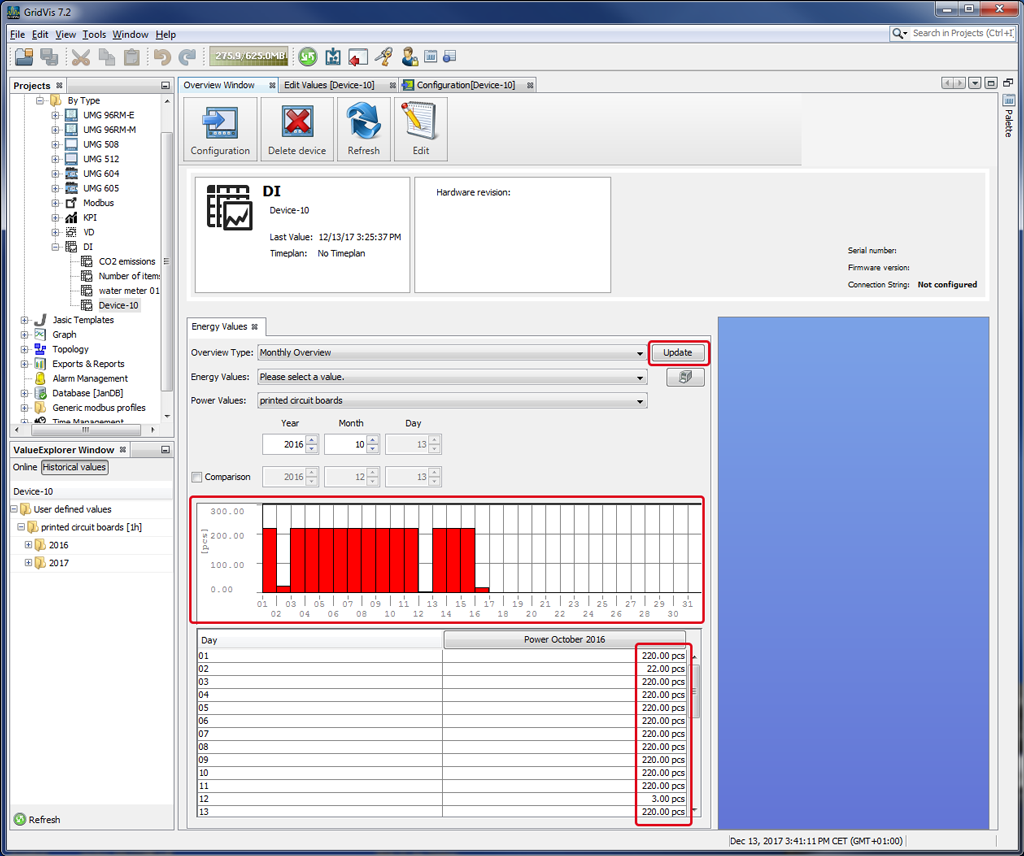
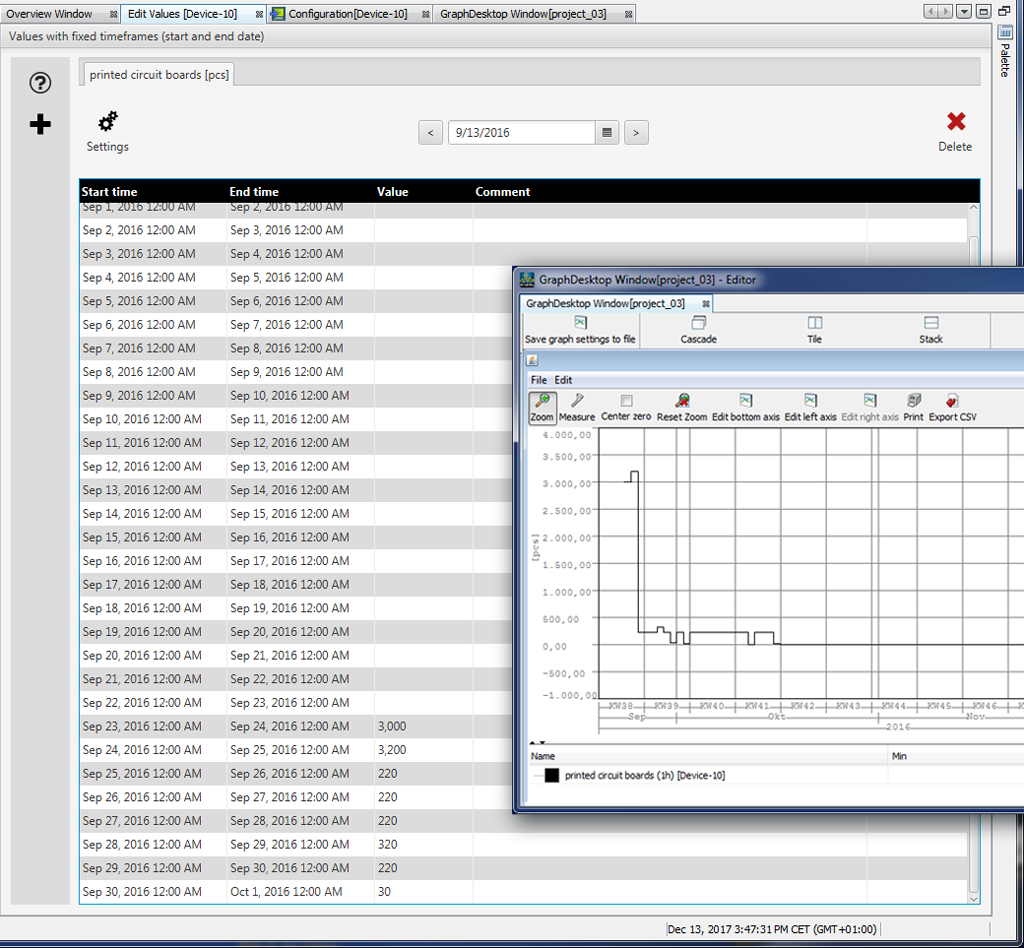
To analyze your data, the GridVis software has 3 forms of interpreting it:
1. Interpretation in the Overview Window
2. Interpretation in the Window of the Graph:
Open your Historical Values in the value tree window.
Right-click on your value.
Select the entry Display in Graph in the context menu.
More analysis functions are available to you in the symbol bar of the graph.
3. Interpretation via the function KPI in GridVis Energy:
Log in in your GridVis.
In the navigation, select the menu entry Configurators.
Select the submenu entry KPI.
Configure the depiction of your interpretation, as described in KPI Manager .
More functions are available for analyzing and processing (downloading, saving, annotating, printing) in the depiction as KPI.