Key Performance Indicator (KPI)

images/download/attachments/251037650/kpi-version-1-modificationdate-1517404304000-api-v2.png

Position

Description

1

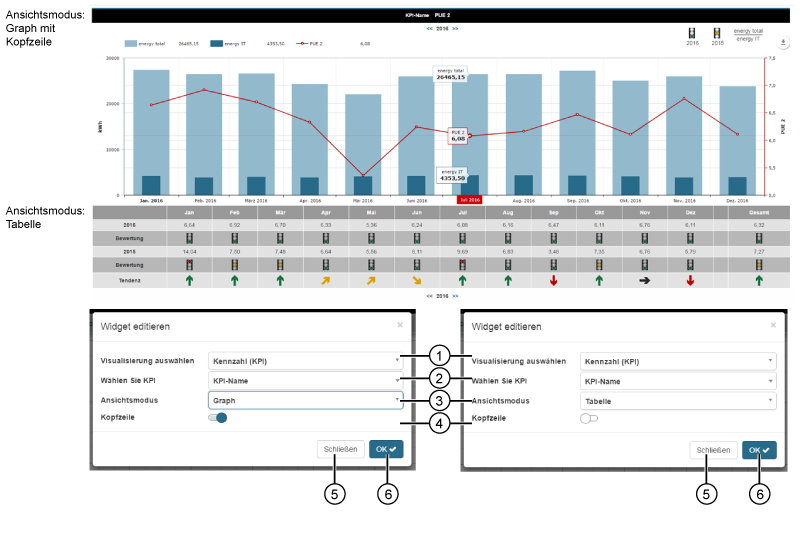
  • Selection of the Widgets (visualization).

  • KPI selected.

2

  • Selection of a KPI (name of the KPI).

  • The option list contains all of your system's KPIs. The de´scription of the function can be found here KPI Manager .

3

2 mode options:

  • Graph

  • Table

The screen grab (above) shows the widget "KPI" 2x.

4

  • Sliders for showing and hiding the headline (for the view modes Graph and Table).

5

  • Closes the assistant Edit Widgets without saving the entries.

6

  • Saves your configuration.

  • The Widget appears on the Dashboard.