Sankey Diagram


images/download/attachments/251037676/W_sankey_EN-version-1-modificationdate-1519915459000-api-v2.png

Position

Description

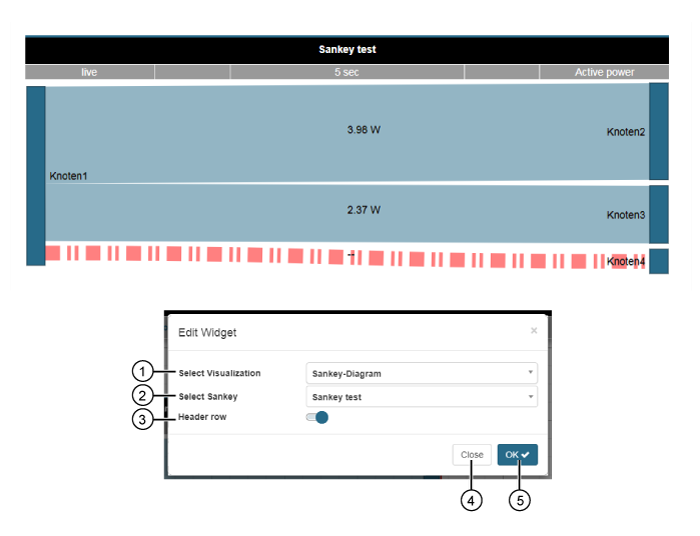
1

  • Selection of the Widgets (visualization).

  • Sankey Diagram selected.

2

  • Selection of a sankey (name of the sankey).

  • The option list contains all of your system's sankey diagrams. The description of the function can be found here Sankey .

3

  • Sliders for showing and hiding the headline.

  • The headline contains the name, time mode, timeframe and measurement value for the displayed sankey diagram (cf. Sankey ).

4

  • Closes the assistant Edit Widgets without saving the entries.

5

  • Saves your configuration.

  • The Widget appears on the Dashboard.